 Basehand
Log in
Basehand
Log in
October 22, 2026
Take payments when customers book, and build your own forms
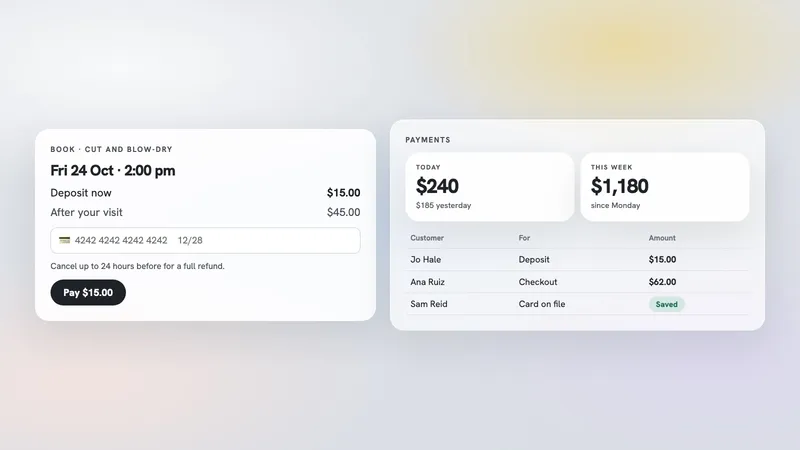
Get paid when customers book
Set up payments in Settings, and customers pay as they book online: in full, a deposit, or a card kept on file with nothing charged. You choose for each service.
Set a cancellation fee for late cancellations and no-shows. Customers see the terms before they book, and canceling in time refunds them in full.
Check customers out after a visit: add products, discounts and tips, then charge the card on file, or record cash or a card terminal.
A new Orders page under Sales: make an order for anyone and take payment now or later.
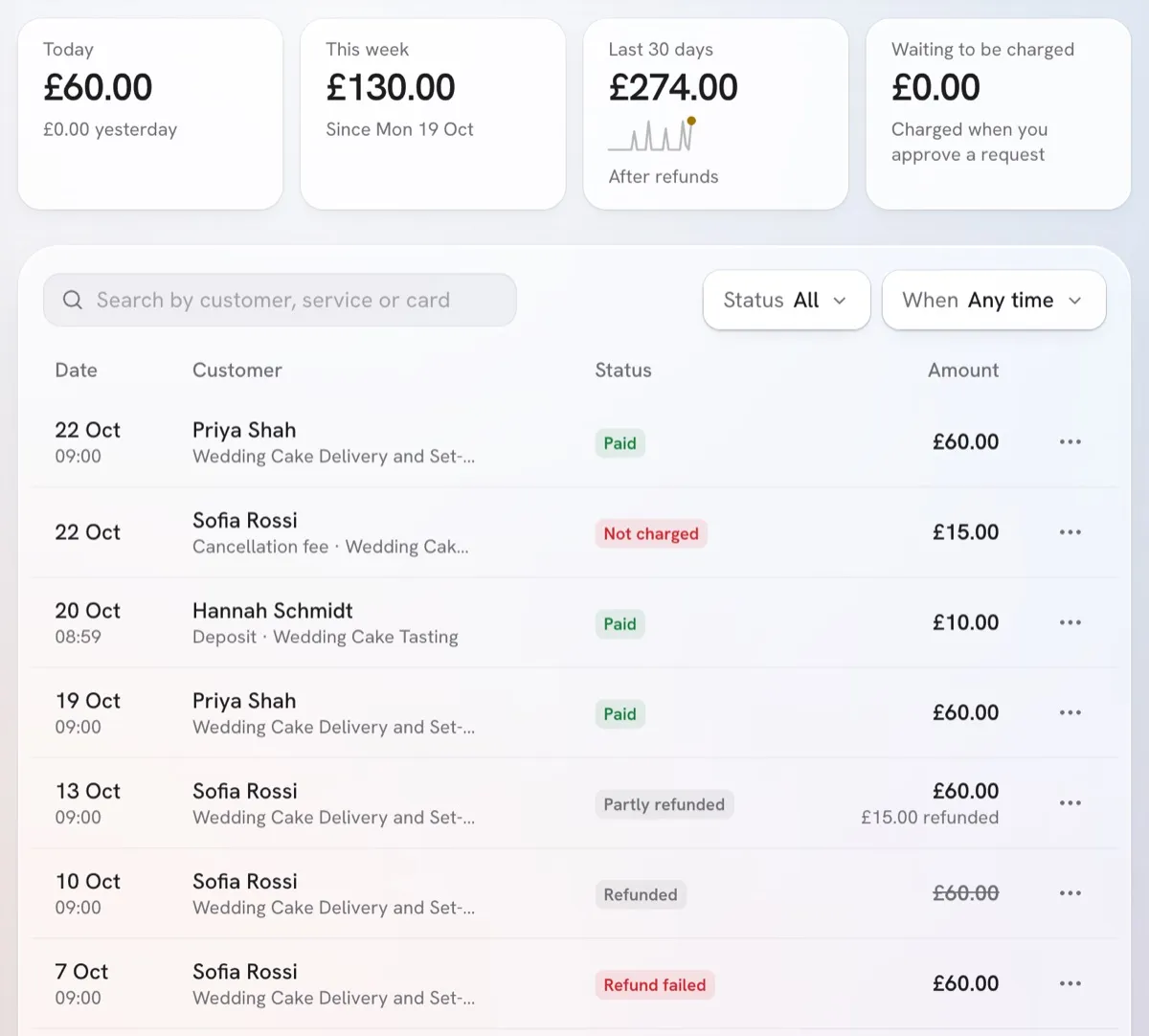
The Payments page shows what came in today, this week and over the last 30 days, and every payment. Refund all or part of one from there, and download them as a spreadsheet.
Forms
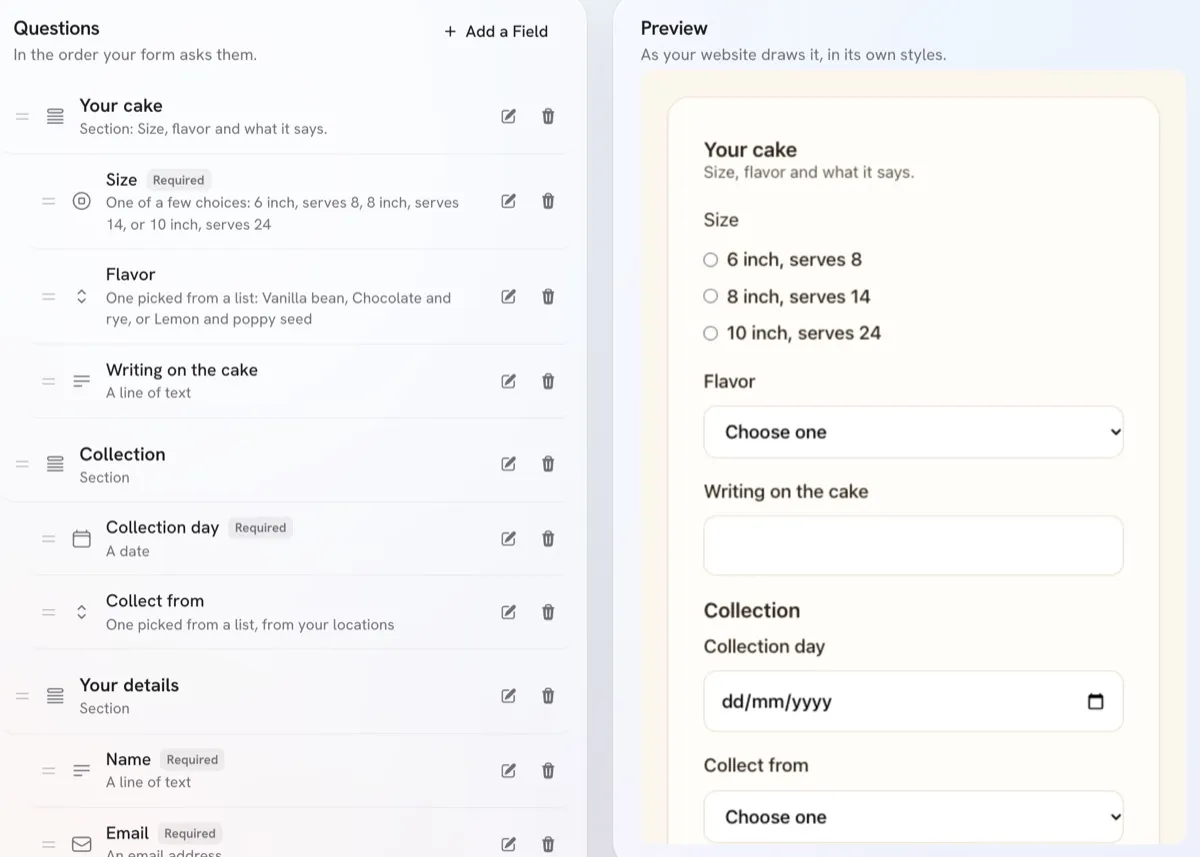
Your website's forms have their own page under Website. Add questions, drag them into order, and see the form as it looks on your site.
Start a form from scratch or from a ready-made one. Choose whether answers go to your Inbox, or stay with the form for surveys, RSVPs and sign-ups.
Group questions in sections, so a long survey reads in steps.
Read every response in a table and download them as a spreadsheet.
Give a form a page of its own on your site, with a QR code to share it.
Click a form in the site editor's preview to edit it.
Before and after
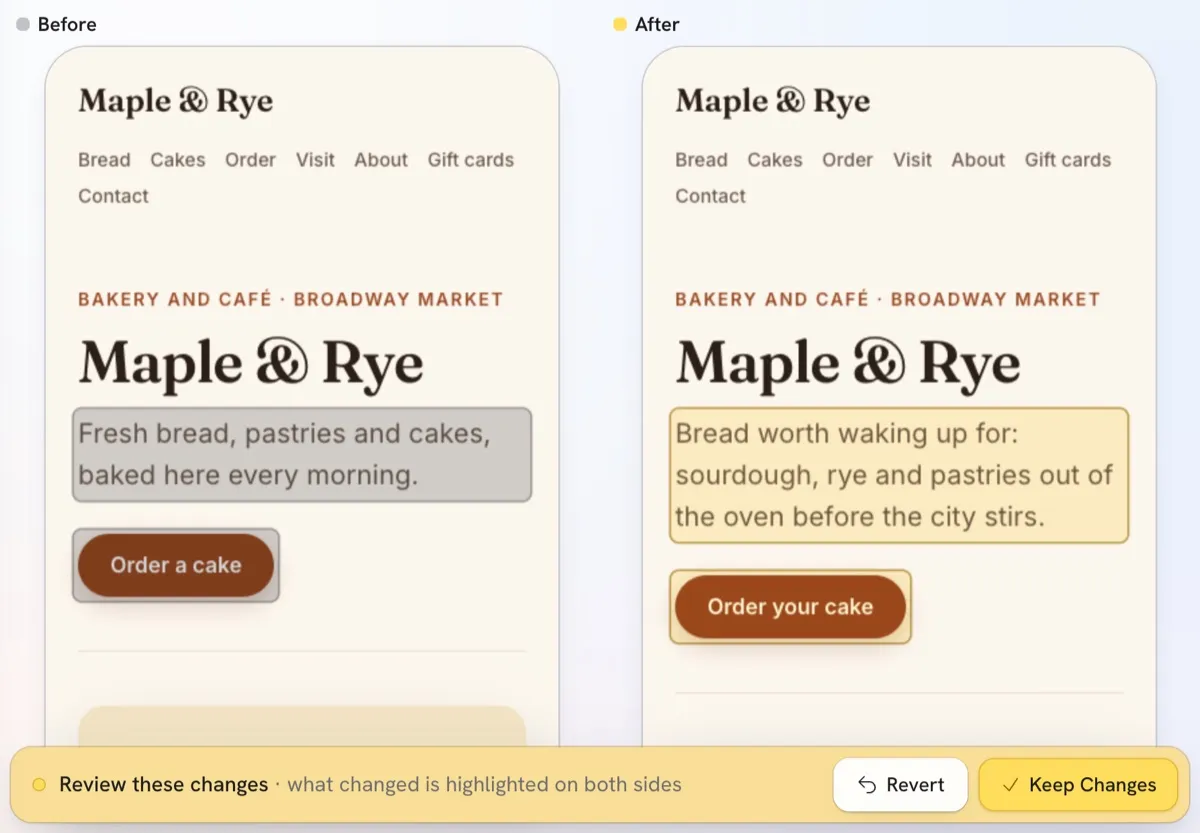
When the Hand rewrites a page or reworks your look, the site editor shows your site before and after, side by side, with each change highlighted. Keep the changes or undo them.
One chat with the Hand, everywhere
The Hand keeps your conversation as you move from page to page, and helps with anything wherever you are.
Give it a list of people or companies and it adds them to Contacts.
It reads PDFs you upload, and can save a print piece as a PDF your site links to.
Also
Run more than one business? Add another from the business menu.
A class timetable opens on the first week with something to book.