 Basehand
October 25, 2026
Discount codes, several classes in one booking, and your books kept for you
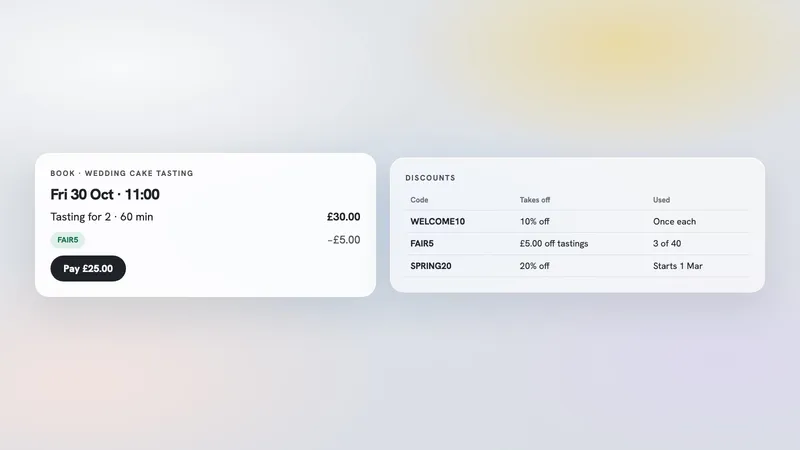
Discount codes
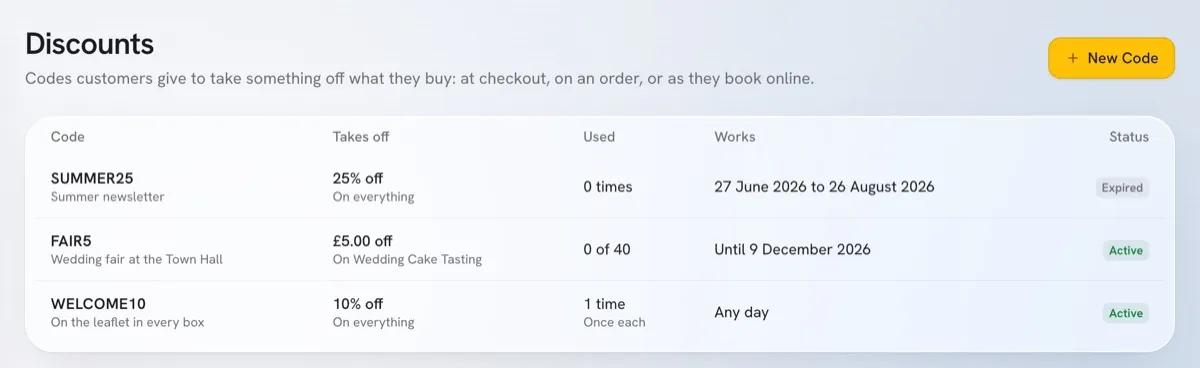
Make codes like SPRING20 under Sales › Orders › Discounts: a percent or an amount off, on everything or only the services and products you choose.
Set how many times a code can be used, whether once for each customer, and the dates it works.
Customers type the code as they book online. Your team can add one to an order, at checkout, or when asking a customer to pay.
Booking
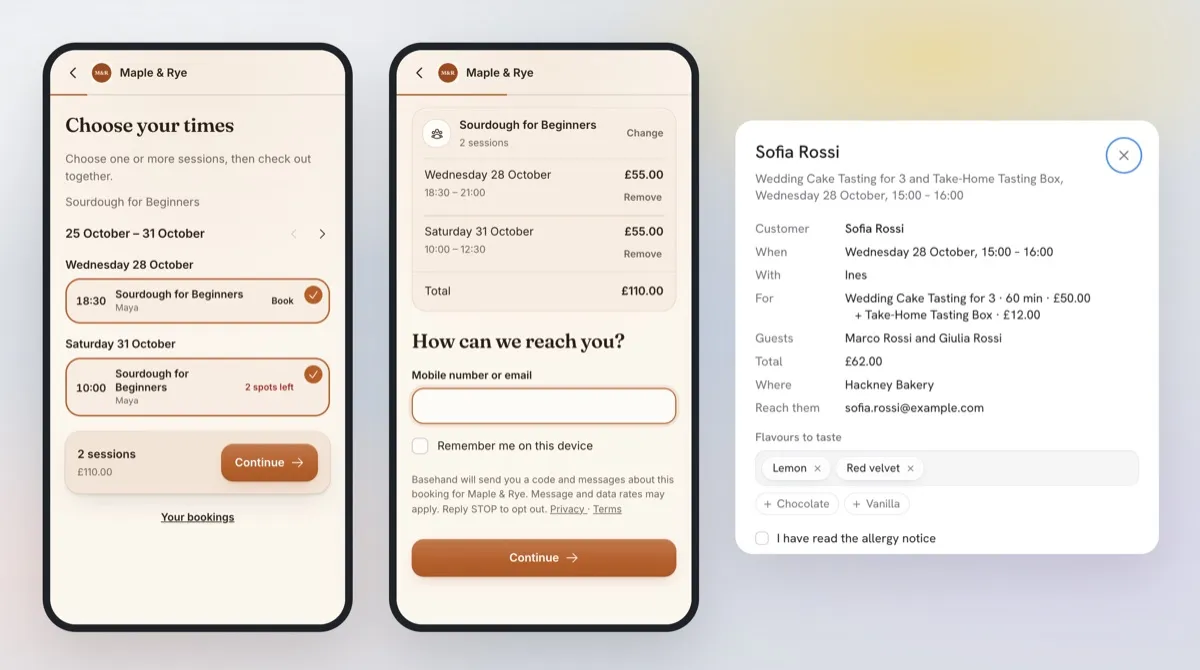
Customers can pick several dates of a class or event and book them all at once, paying once. Full times are grayed out.
Ask your own questions when customers book, such as a child's age or flavors to taste, for appointments, classes and events. Make each one required or optional. Answers show on the booking and on the day's list of who's coming.
Choose to ask every customer for an email address when they book.
When you cancel a class, an event or a whole day, the customers who paid are refunded, unless you choose to keep their payment to move them. They're told about the cancellation and their refund.
Accounting
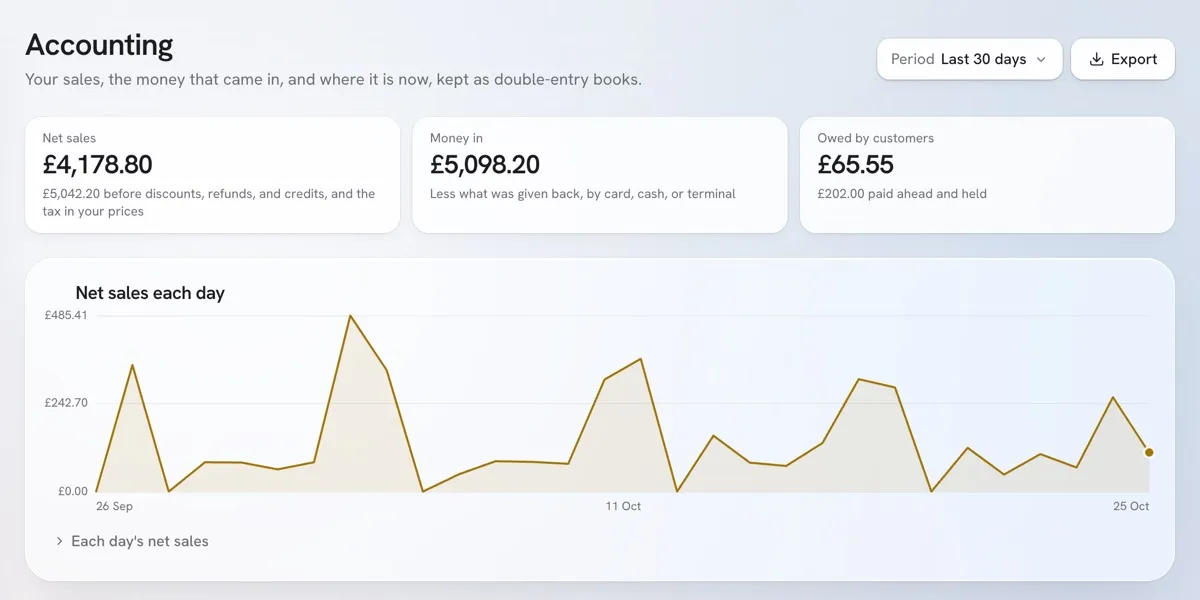
A new Accounting page under Insights keeps your books for you: what you sold, the tax on it, the money that came in and went back, fees, and Stripe's payouts to your bank.
Pick a period to see net sales, money in, what customers owe, sales each day, and what sold.
Export the period for your accountant.
Also
Home lists your open tasks and the team's tasks with no one on them. Mark one done, or change it right there.
When the Hand asks you to approve several things at once, approve them all with one button.
The Hand can place your own artwork in a poster or flyer.
Customers in the UK get their booking code by text, and their phone can fill it in for them.
Give one day of a tour or timed entry its own hours, without moving anyone's booking.