All the business tools for Fitness & Yoga Studios, all in one platform.
Basehand keeps your timetable, bookings, waitlists, and messages running day and night, so you can teach instead of chasing spots.
7 days free. No card needed.
Website and timetable
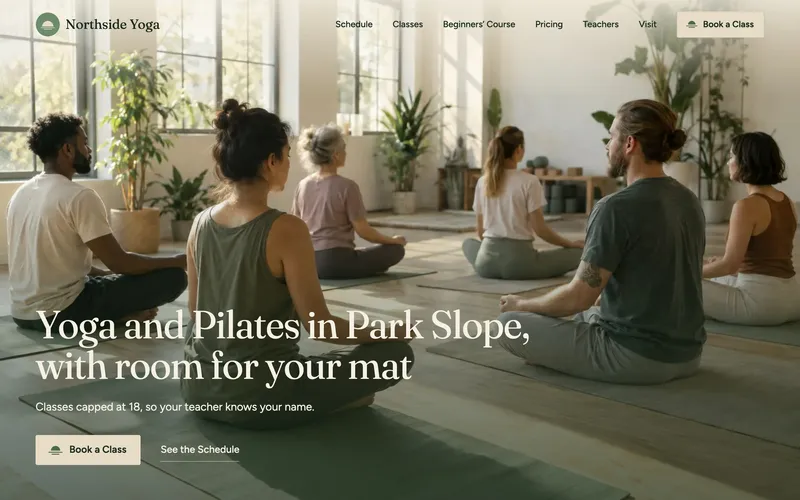
A timetable people can book from.
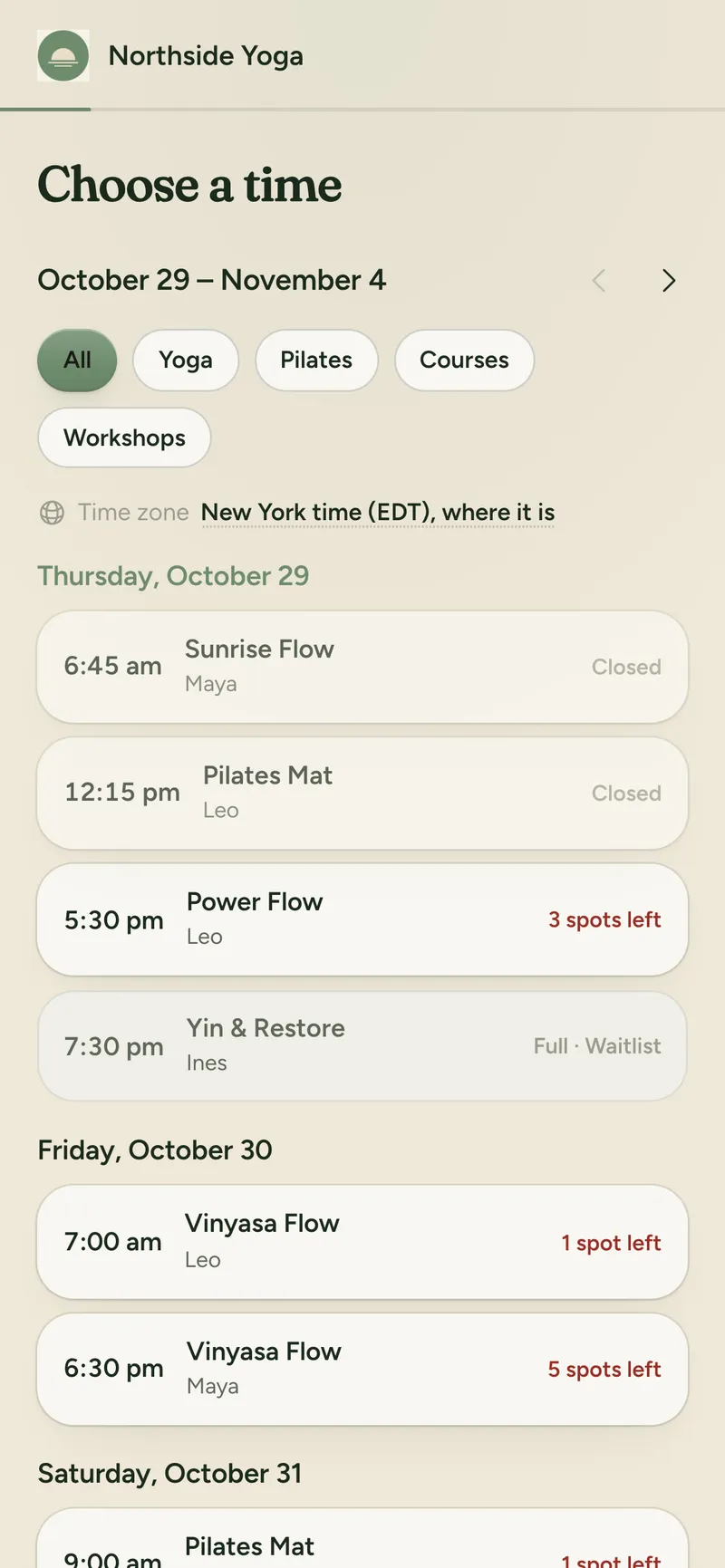
Basehand designs a site with your classes, teachers, and prices, and this week's timetable straight from your schedule. Students see how many spots are left and book in a few taps.
- Weekly classes, courses, and one-off workshops in one schedule.
- Spots left shown live, so nobody turns up to a full class.
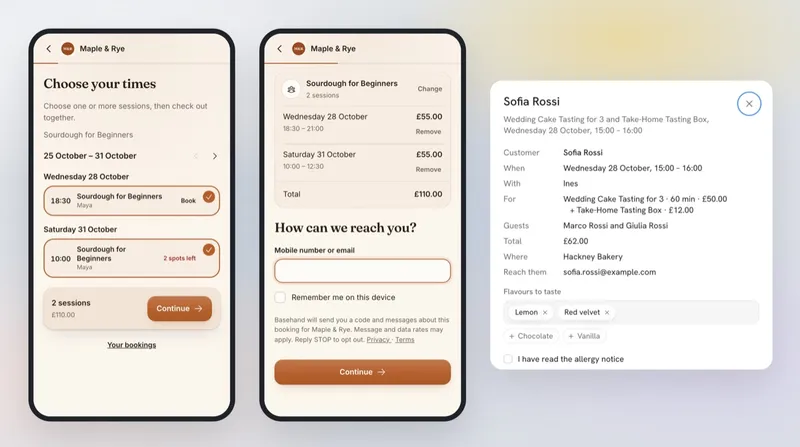
- Bring-a-friend bookings, with each guest named.
The schedule
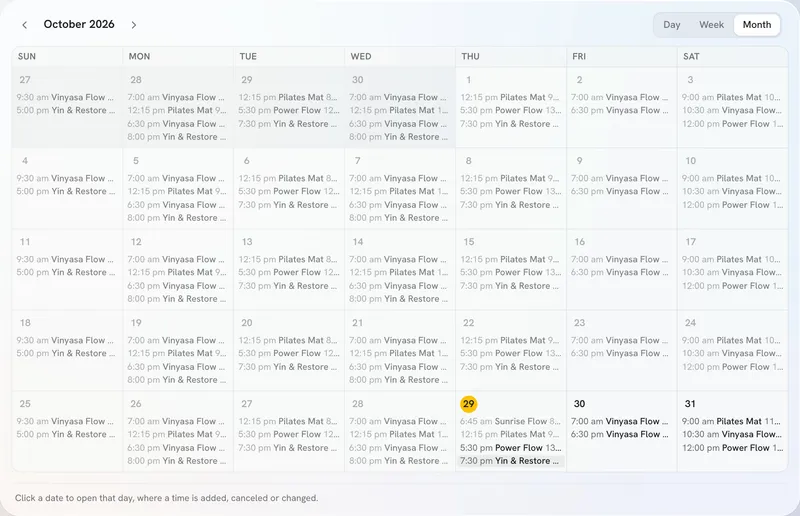
Every class, teacher, and spot in one place.
Your whole timetable sits on one schedule: who's teaching, how full each class is, and who's booked. Add a session or cover a class, and the website changes with it.
- Each teacher's own classes and hours.
- Holiday closures come off the timetable by themselves.
- The week's timetable in your students' calendars, from one link.
Waitlists and check-in
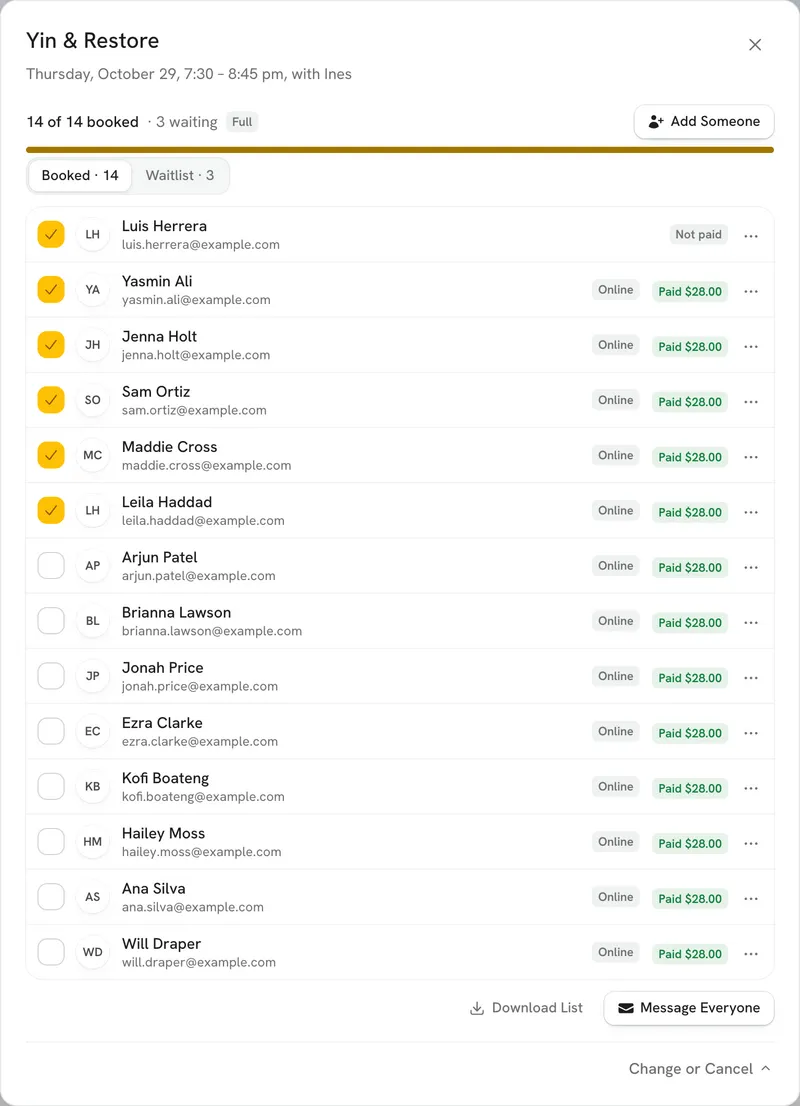
Sold-out classes, with a line for the next spot.
When a class is full, students join its waitlist, and you see who's next the moment a spot opens. At the door, check names off as they arrive.
- Spots paid online when students book.
- One message to everyone in a class, like a change of teacher.
- The class list to download, and names checked off at the door.
Messages
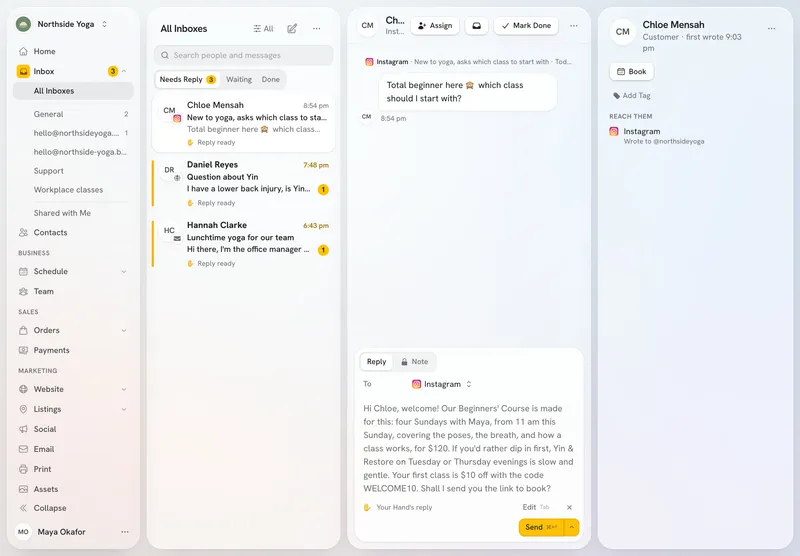
Every question answered, even mid-class.
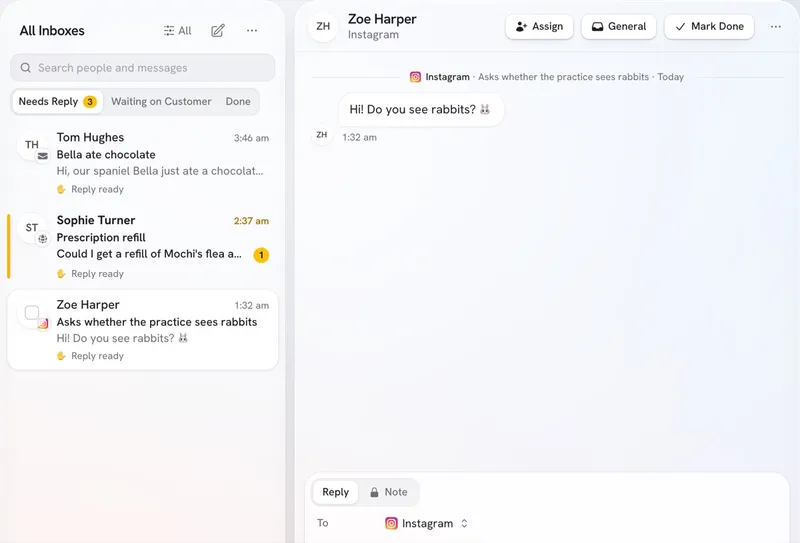
Instagram and Facebook messages, texts, emails, and your website's forms land in one inbox. The Hand drafts each reply with your timetable, prices, and policies, for you to check and send.
- Beginner questions, private sessions, and office classes, answered in your voice.
- Text the Hand between classes by iMessage, SMS, or WhatsApp.
- Each message has one owner, so nobody answers it twice.
Booking on a phone
Turn first-timers into regulars.
Students book and pay from their phone in a few taps, and come back to see their bookings. After class, a thank-you asks for a Google review, and a welcome code brings first-timers back.
- A welcome code for a first class, used once per student.
- Newsletters to students who asked for them: new classes, workshops, retreats.
- One post to Instagram, Facebook, and TikTok, scheduled ahead.
One Monday
From the 7 am class to the last one, an extra hand.
What the Hand takes care of on a Monday at a neighborhood studio, while the teachers teach.
-
Monday at 6:10 am
Fills the 7 am class
Two late cancellations put spots back on the timetable, and they're booked before the doors open.
-
Monday at 9:30 am
Drafts your reply to a beginner
An Instagram message asks where to start. The reply suggests the Beginners' Course and links to book it, ready to send.
-
Monday at 12:45 pm
Prices a weekly office class
An office manager asks about lunchtime sessions for 12 staff. The reply comes with your rates and free times, ready to send.
-
Monday at 5:00 pm
Reminds tonight's class
Everyone booked into the 6:30 Vinyasa gets a reminder, so fewer spots go to waste.
-
Monday at 8:45 pm
Thanks tonight's students
Each student gets a thank-you after class, with an easy way to leave a Google review.
-
Monday at 10:30 pm
Sells out Saturday's workshop
The last spots for the arm balance workshop sell online, paid upfront. The next student joins the waitlist.
 Mid-class or after close, the Hand keeps up, and you approve what goes out with a tap.
And the rest
Everything else a studio runs on.
-
Your teachers
Each teacher gets their own login and sees their own classes and who's booked.
-
Holidays and closures
Closures come off the timetable and the website by themselves, and the Hand reminds you before each public holiday.
-
More than one studio
Each location keeps its own timetable, hours, and teachers.
-
QR codes at the studio
A code by the door takes students straight to booking their next class.
-
Email at your own address
Send and receive from an address at your own domain, like hello@, in the same inbox as everything else.
-
Books and sales tax
Every class payment, refund, and payout in one set of books, with sales tax worked out for you.
From the Handbook
Practical guides for running a business like yours.
-
Bookings
How to cut no-shows without upsetting your regulars
An empty chair costs you the whole appointment. How reminders, confirmations, deposits, and a fair cancellation policy work together to keep your calendar full.
-
Getting paid
How to sell gift cards online before the holidays
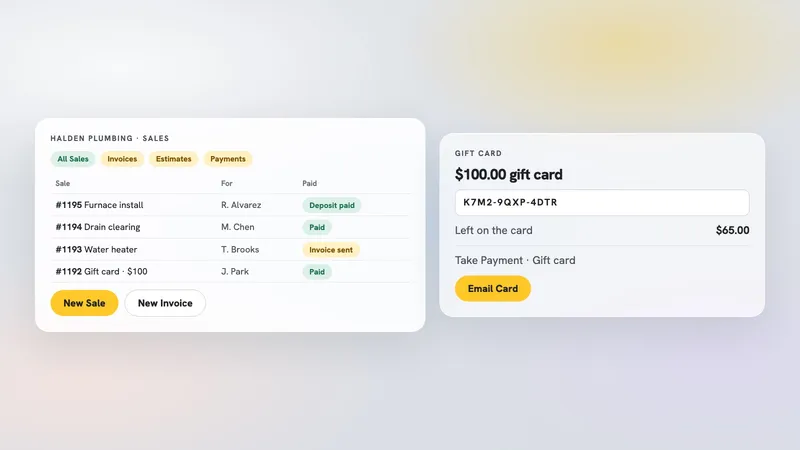
Gift cards bring in money now and new customers later. How to choose the amounts, where to offer them, and what to get right so they're easy to buy, give, and spend.
-
Customers
How to answer Instagram, Facebook, and email messages in one place
Customers write to you wherever they found you, and they expect a quick answer. How to stop checking five apps, reply faster, and make sure no message slips through.
Questions
What studios ask us
Do you do memberships or class packs?
Yes, both. Sell a class pack, such as ten classes for $200: credits come off on their own as students book, and canceling gives the credit back. Or sell a membership with perks, like one free class a month or classes at $5 each, that renews by itself. Discount codes cover offers like a first class.
Can students book for a friend?
Yes. A booking can bring guests, each named, up to the number you allow.
What happens when a class is full?
Students can join its waitlist, and you see who's waiting on the class list.
Can we run courses as well as drop-in classes?
Yes. Weekly classes, dated courses, and one-off workshops all live on the same schedule and the same booking page.
We have more than one studio.
The Pro plan runs several locations from one account, each with its own timetable, hours, and teachers. It covers two locations for $499 a month, and each additional location is $99 a month.
What does studio software like Basehand do?
Basehand gives your yoga, Pilates, or fitness studio a website with this week's timetable, online class booking with spots paid upfront, waitlists, check-in at the door, and courses and workshops. It also answers students' messages with replies for you to send, and sends newsletters and social posts.
What does it cost?
Plans start at $79 a month. Every plan starts with a 7-day free trial, and no card is needed to begin.
Give your studio an extra hand,so you can get back to teaching.