All the business tools for Nonprofits, all in one platform.
Basehand runs your website, events, newsletters, volunteers, and messages day and night, so a small team can spend its time on the mission.
7 days free. No card needed.
Website and events
A website your community comes back to.
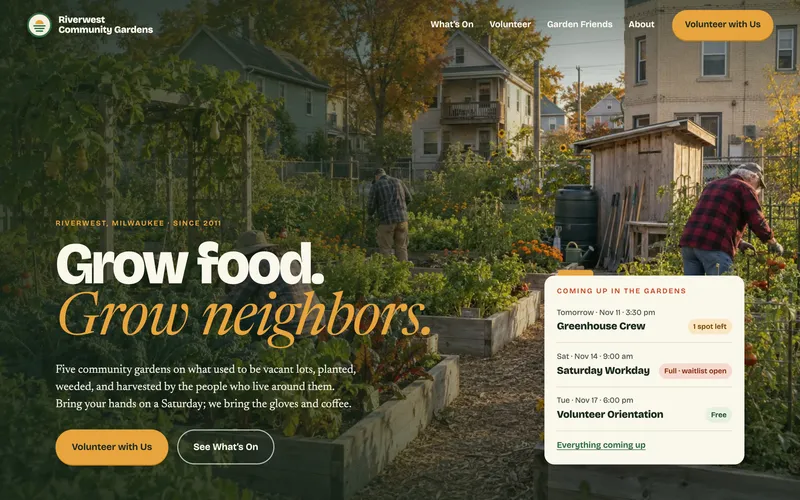
Basehand designs a site with your mission, your programs, and your upcoming events straight from your schedule. Supporters sign up for a workday or buy a ticket in a few taps.
- Upcoming events kept up to date by themselves.
- A volunteer form that goes straight to your team.
- Pages in the languages your community speaks.
Events
Free sign-ups and sold-out fundraisers.
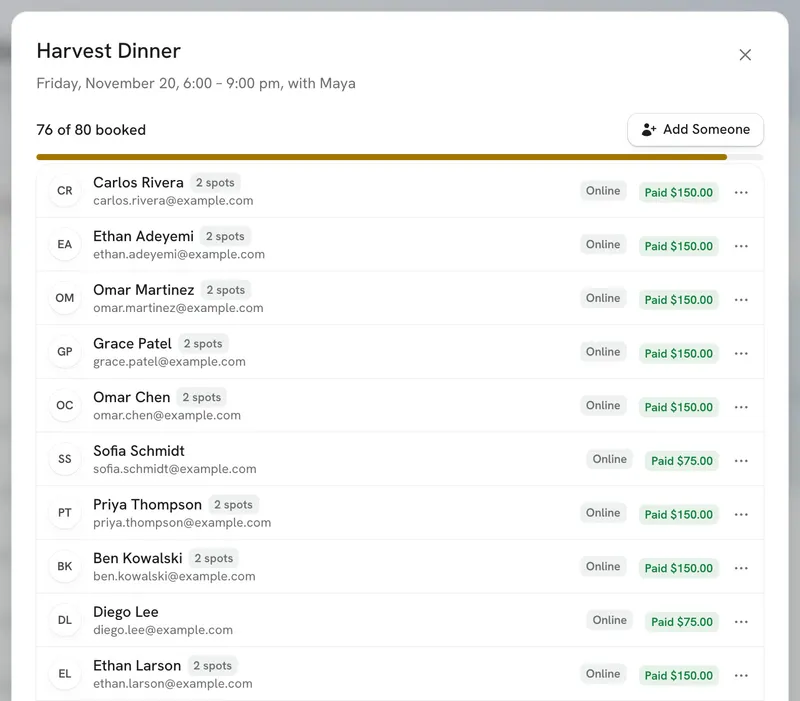
Volunteer workdays, free workshops, and ticketed fundraisers all live on one schedule. Free events take sign-ups with a cap and a waitlist; tickets are paid online when people book.
- Spots left shown live, with a waitlist when it's full.
- One message to everyone signed up, like a change of meeting point.
- The list to download, and names checked off at the door.
Newsletters
A newsletter in your colors, written with you.
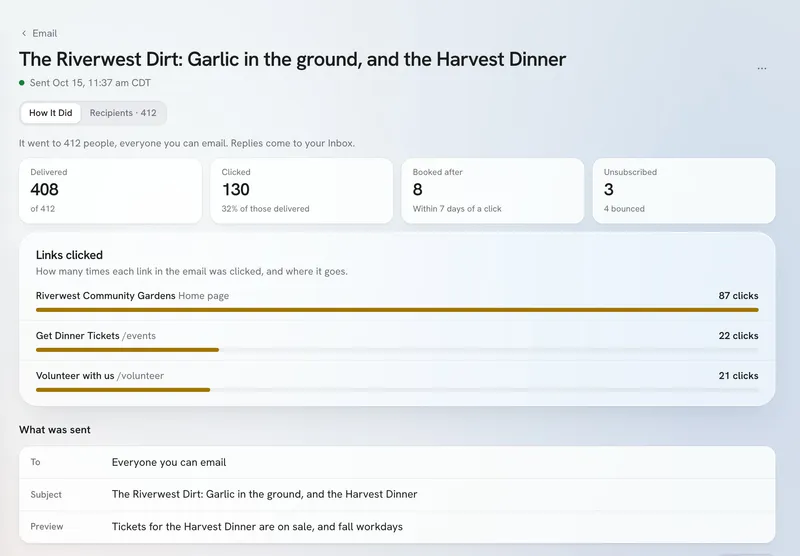
Ask for this month's newsletter and the Hand drafts it in your design, with your events, photos, and news. Send it to everyone who asked for it, or just your volunteers, and see who opened and clicked.
- Only to people who said yes, with unsubscribing built in.
- Audiences such as volunteers, members, or past attendees.
- One post to Instagram, Facebook, and TikTok, scheduled ahead.
Volunteers
Every volunteer, from sign-up to regular.
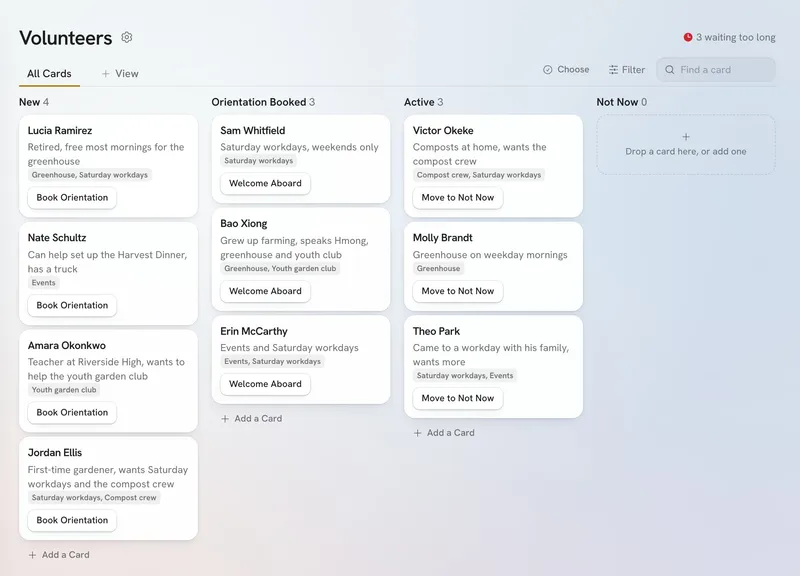
Your website's volunteer form puts each new volunteer on a board. Move them from new to orientation to active, and see who's coming to which workday.
- Each volunteer's answers, messages, and sign-ups in one place.
- Contact types for volunteers, members, partners, and supporters.
- Follow-ups so nobody who offered to help is forgotten.
Messages
Every question answered, even on a workday.
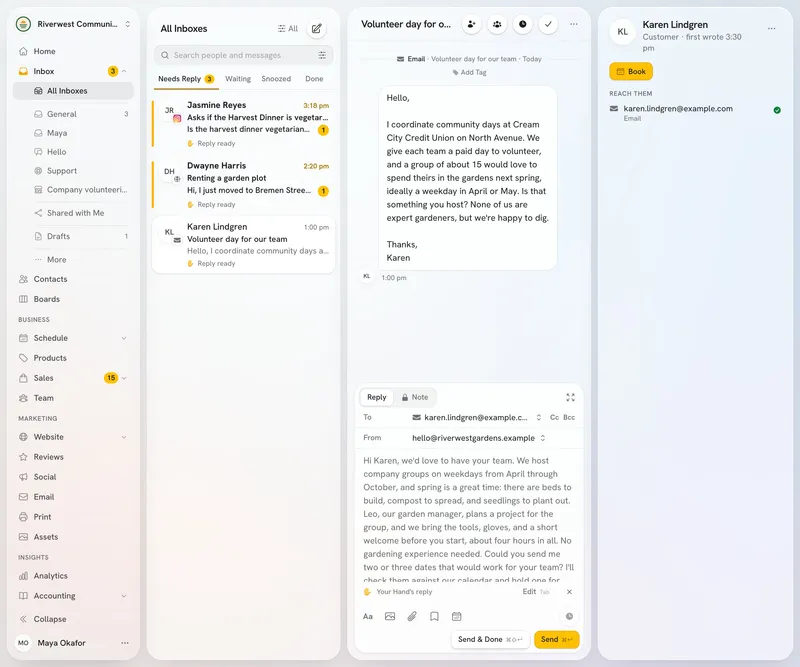
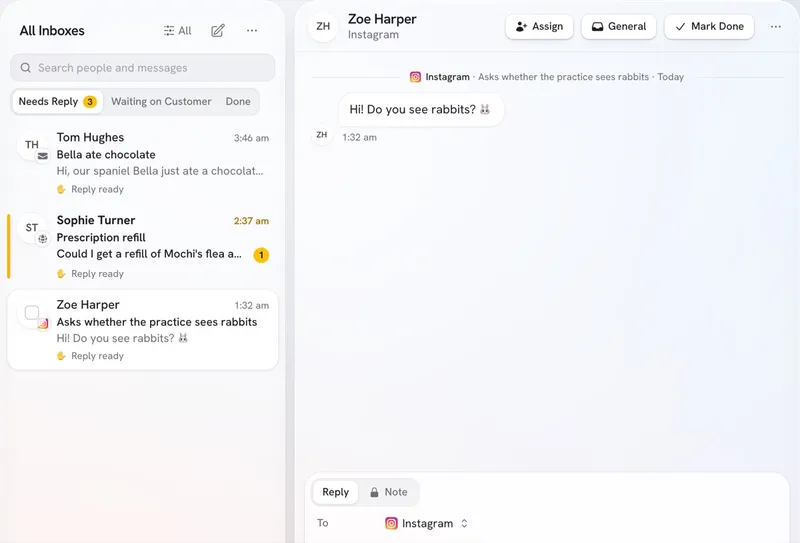
Emails, Instagram and Facebook messages, texts, and your website's forms land in one inbox. The Hand drafts each reply with your programs, dates, and policies, for you to check and send.
- Company volunteer days, garden plots, and event questions, answered in your voice.
- Text the Hand from the field by iMessage, SMS, or WhatsApp.
- Each message has one owner, so nobody answers it twice.
One Saturday
From the first volunteer to the last thank-you, an extra hand.
What the Hand takes care of on a Saturday at a neighborhood nonprofit, while the team is out doing the work.
-
Saturday at 7:30 am
Reminds this morning's volunteers
Everyone signed up for the workday gets a reminder with where to meet and what to bring, so fewer spots go unfilled.
-
Saturday at 9:10 am
Fills a spot from the waitlist
A volunteer cancels, and the next person waiting is signed up and told before the gates open.
-
Saturday at 11:20 am
Plans a company volunteer day
A credit union asks to bring a team of fifteen next spring. The reply explains the day and asks for dates that suit them, ready to send.
-
Saturday at 1:45 pm
Sells the last dinner tickets
The last tickets to the fundraiser dinner sell online, paid upfront. The next person joins the waitlist.
-
Saturday at 4:00 pm
Welcomes three new volunteers
Three people fill in the volunteer form. Each lands on the board, with a reply inviting them to an orientation, ready to send.
-
Saturday at 8:00 pm
Drafts next month's newsletter
The newsletter is drafted in your design with today's photos and the next events, waiting for your OK.
 In the field or after hours, the Hand keeps up, and you approve what goes out with a tap.
And the rest
Everything else a nonprofit runs on.
-
Your staff and board
Each person gets their own login, with access to what their role needs.
-
Memberships
A monthly or yearly membership with its perks, like a lower price on dinner tickets, renewed by itself.
-
A shop
T-shirts, tote bags, and seedlings sold on your site, for pickup or shipping.
-
Posters and QR codes
A flyer for the next event, with a code that goes straight to signing up.
-
Email at your own address
Send and receive from an address at your own domain, like hello@, in the same inbox as everything else.
-
Books
Every ticket, membership, sale, refund, and payout in one set of books.
From the Handbook
Practical guides for running a business like yours.
-
Your website
What to put on your home page, and what to leave off
Most visitors decide in a few seconds whether you're what they're looking for. A checklist for a small business home page that answers their questions before they leave.
-
Working with AI
How small business owners can use AI: eight practical examples
AI is most useful to a small business when it clears the pile of work that eats your evenings. Eight practical places to start, what a good request looks like, and how to keep it honest.
-
Customers
How to answer Instagram, Facebook, and email messages in one place
Customers write to you wherever they found you, and they expect a quick answer. How to stop checking five apps, reply faster, and make sure no message slips through.
Questions
What nonprofits ask us
Can Basehand take donations?
Not yet. Link your donation page from your website, and sell memberships, event tickets, and merchandise through Basehand.
Can people sign up for free events?
Yes. A free event takes sign-ups with a cap and a waitlist, and everyone signed up gets a reminder. Ticketed events are paid online when people book.
Who gets our newsletter?
Only people who said yes, on your website's forms or when they signed up for an event. Every email has a way to unsubscribe, and you can send to a group such as volunteers or members.
How do we keep track of volunteers?
Your website's volunteer form puts each one on a board, where you move them from new to active. Each volunteer's answers, messages, and sign-ups are on their contact.
What does nonprofit software like Basehand do?
Basehand gives your nonprofit or community group a website with your upcoming events, free and ticketed event sign-ups with waitlists, email newsletters, volunteer sign-ups on a board, and memberships. It also answers messages with replies for you to send, and sends social posts.
What does it cost?
Plans start at $79 a month. Every plan starts with a 7-day free trial, and no card is needed to begin.
Give your team an extra hand,so you can get back to the mission.