All the business tools for Clinics, all in one platform.
Basehand takes bookings online, asks the right questions, sends the reminders, and drafts replies to every message, so your team can focus on patients.
7 days free. No card needed.
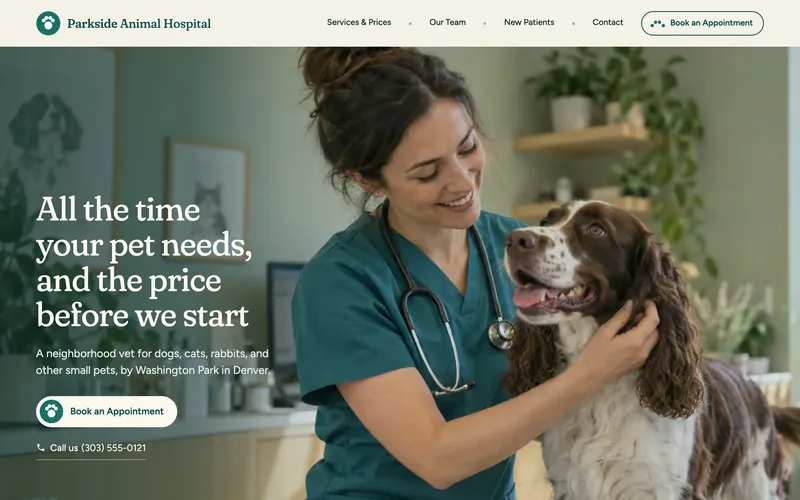
Website and booking
A website that reassures, and books.
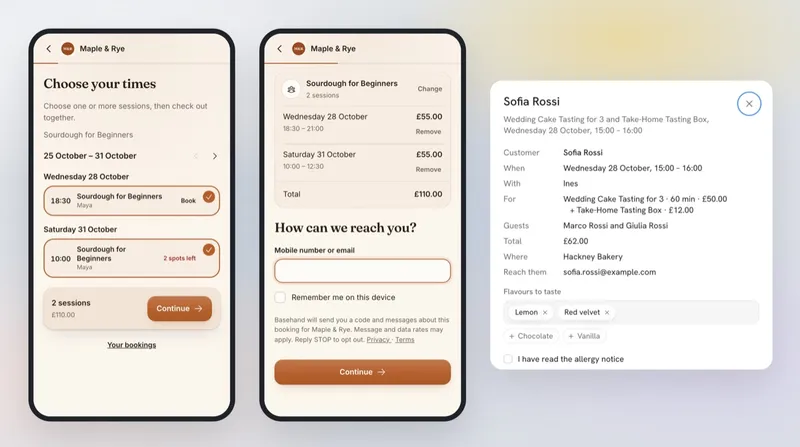
Basehand designs a site with your services, your team, your hours, and an emergency number up front. Clients book online, any time, with the clinician and the appointment they need.
- Each clinician's own hours and appointment types.
- Video consultations, with a Google Meet link sent for you.
- Holiday closures on your website the moment you set them.
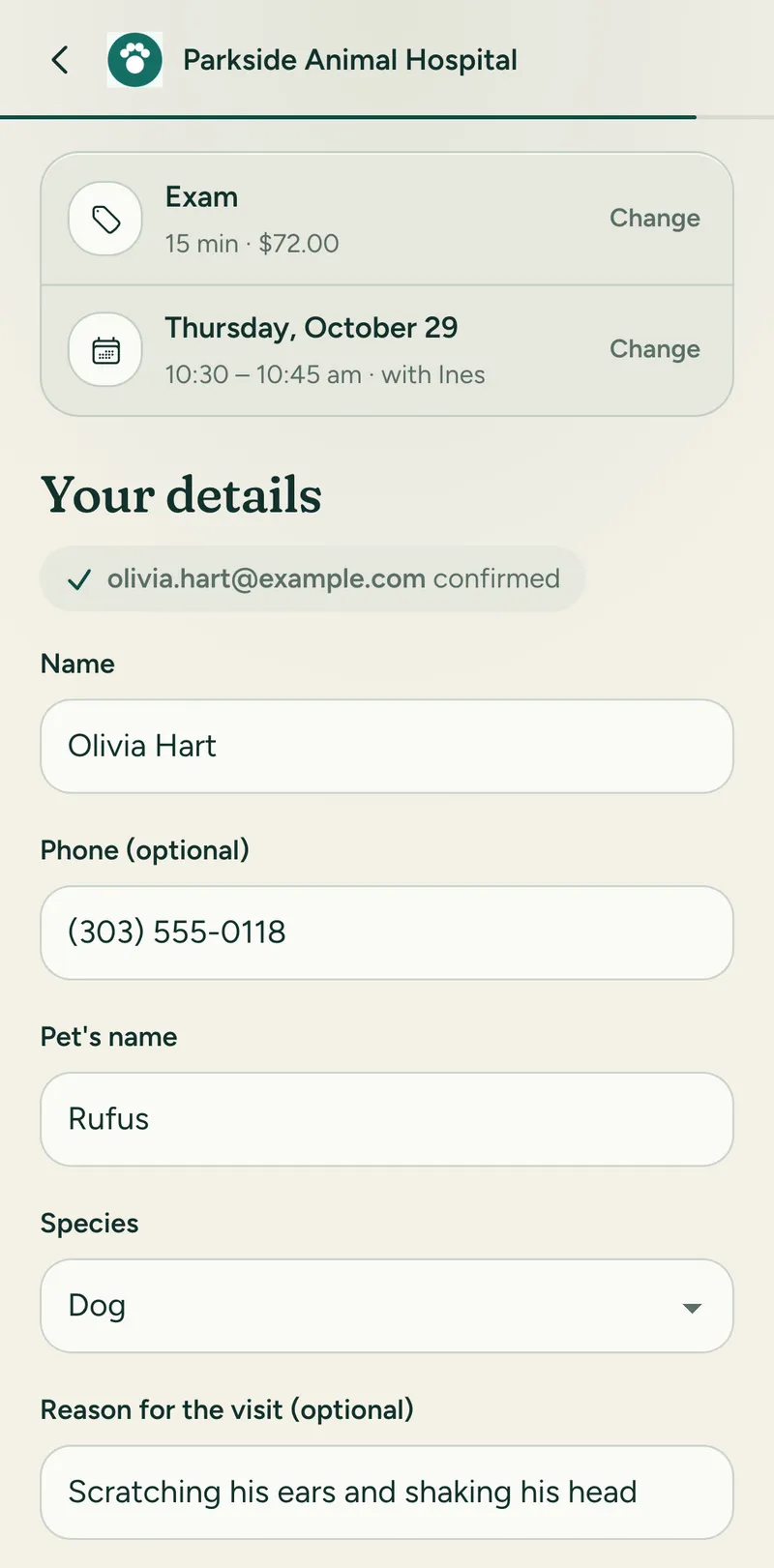
Appointment questions
Know why they're coming before they arrive.
Each appointment type asks its own questions when clients book, like a pet's name or the reason for the visit, and the answers sit on the appointment for the team.
- Text, choice, and checkbox questions, required or optional.
- Referral letters and photos sent privately through your website's forms.
- Basehand keeps the booking, not clinical records: your practice system stays where it is.
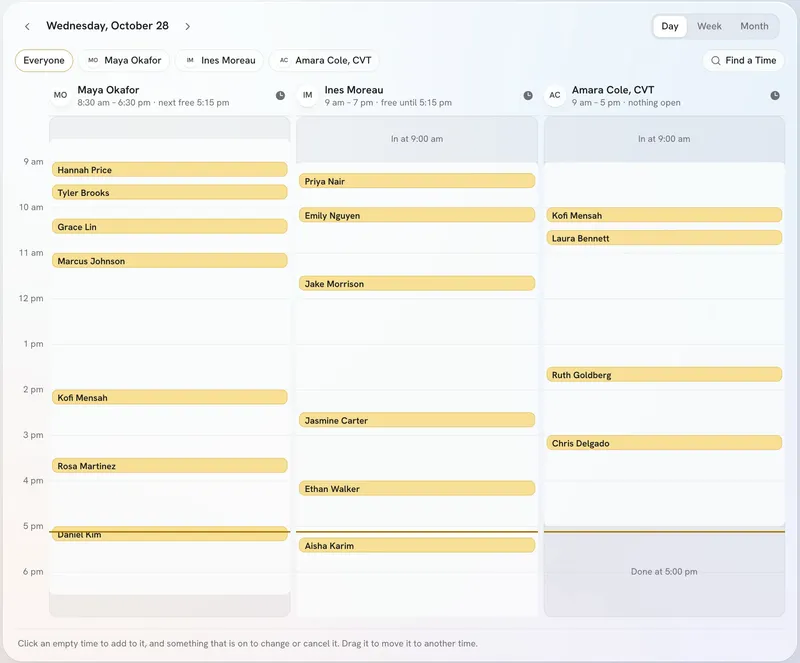
The schedule
Every clinician's day, without the no-shows.
Every clinician's appointments sit side by side on one schedule. Clients get a reminder the day before and confirm with a one-word reply, and longer appointments can take a deposit.
- Reminders and confirmations by email and text.
- Deposits and cancellation fees where you need them.
- Each person on the team sees their own day on their phone.
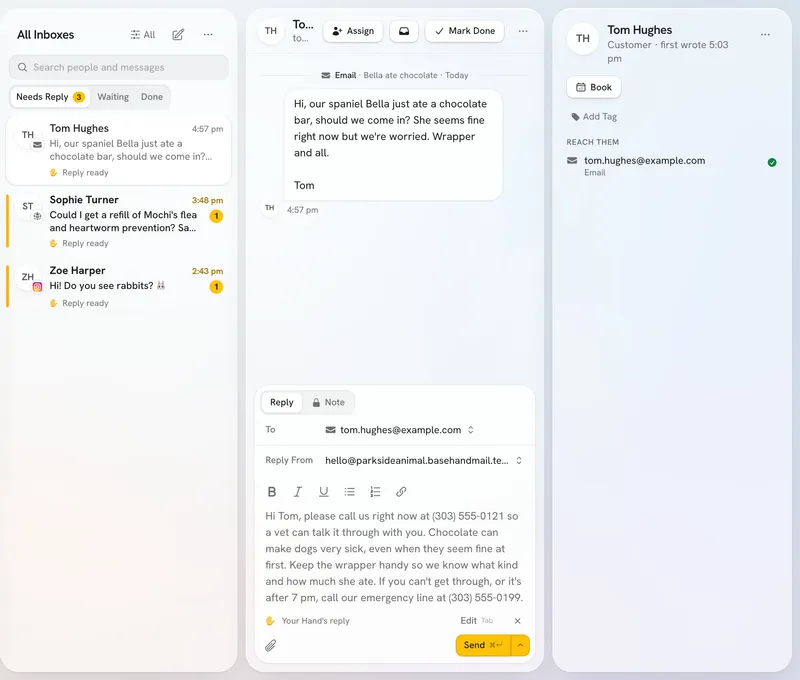
Messages
Every message answered, without the phone tag.
Emails, texts, Instagram and Facebook messages, and your website's forms land in one inbox. The Hand sums each one up and drafts a reply with your hours, prices, and policies, for your team to check and send.
- Repeat-treatment and booking requests, answered in your practice's voice.
- Urgent cases pointed to your phone line in the draft.
- Each message has one owner, so nobody answers it twice.
New clients
Approve bookings before they're confirmed.
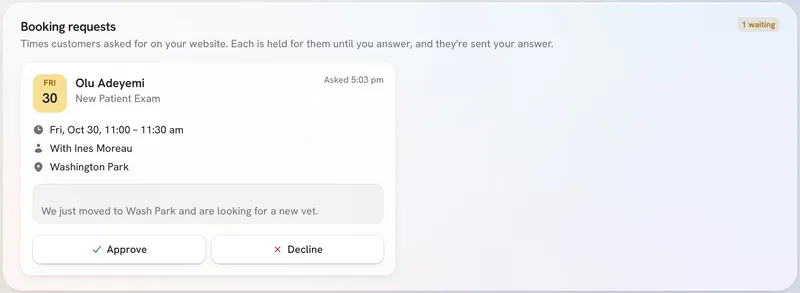
Turn on approval, and online bookings come in as requests. You see who's asking, when, and their answers, and approve or decline in a tap.
- Their answers to your questions, there before you decide.
- Approve from your phone, between appointments.
- After each visit, a thank-you with an easy way to leave a Google review.
One Tuesday
From first appointment to close, an extra hand.
What the Hand takes care of on a Tuesday at an independent vet practice, while the team sees patients.
-
Monday at 6:00 pm
Reminds tomorrow's clients
Everyone booked for Tuesday gets a reminder, and most confirm with a one-word reply.
-
Tuesday at 7:50 am
Flags an urgent email
An email about a dog that ate chocolate is summed up at the top of the inbox, with a reply ready telling them to call now.
-
Tuesday at 9:30 am
Fills a canceled slot
A 10:15 cancellation goes straight back on the booking page, and a client books it for their cat's vaccination.
-
Tuesday at 12:40 pm
Drafts a repeat-treatment reply
A website form asks for a refill of Mochi's flea and heartworm prevention. The reply says when it will be ready to pick up.
-
Tuesday at 3:15 pm
Brings you a booking request
A new client asks for a first visit online, with their pet's details. You approve it from your phone between appointments.
-
Tuesday at 7:30 pm
Thanks today's clients
Each client gets a thank-you after their visit, with an easy way to leave a Google review.
 Between appointments or after close, the Hand keeps up, and your team approves what goes out with a tap.
And the rest
Everything else a clinic runs on.
-
Reviews
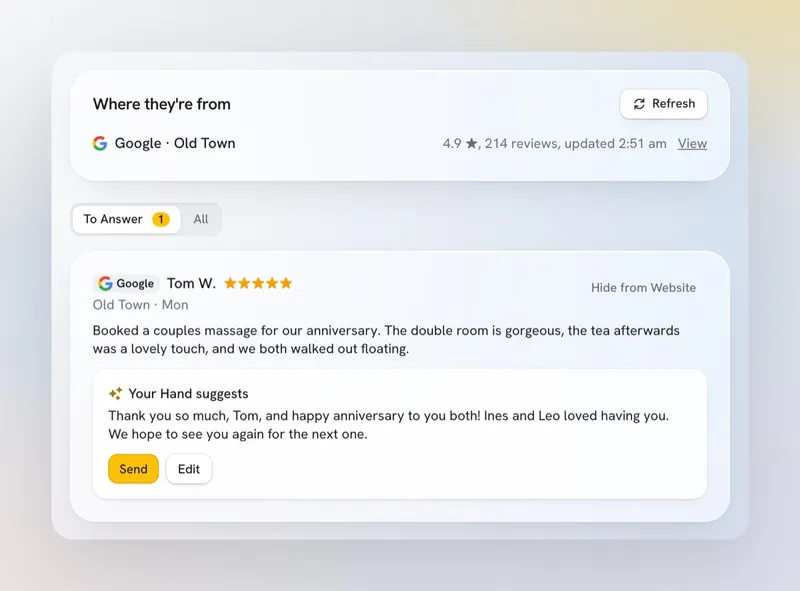
The Hand drafts a reply to every Google review, and your best reviews show on your website.
-
The whole team
Clinicians, nurses, and reception each get their own login and see their own day.
-
More than one practice
Each location keeps its own hours, team, and appointment types.
-
Holiday hours
Closures come off the booking page and the website by themselves, and the Hand reminds you before each public holiday.
-
Email at your own address
Send and receive from an address at your own domain, like reception@, in the same inbox as everything else.
-
Books and sales tax
Every payment, deposit, refund, and payout in one set of books, with sales tax worked out for you.
From the Handbook
Practical guides for running a business like yours.
-
Bookings
How to cut no-shows without upsetting your regulars
An empty chair costs you the whole appointment. How reminders, confirmations, deposits, and a fair cancellation policy work together to keep your calendar full.
-
Getting found
How to show up on Google Maps when people search nearby
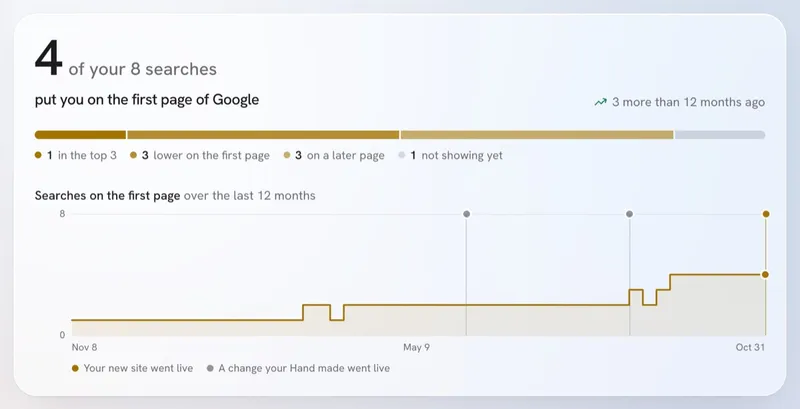
When someone searches for a business like yours, Google decides who to show using three things. Here is what they are, which ones you can change, and how to keep your listing working for you.
-
Getting found
How to get more Google reviews without breaking the rules
Most happy customers never leave a review because nobody asked at the right moment. How to ask every customer, make it one tap, and stay within Google's rules and the law.
Questions
What clinics ask us
Does Basehand keep patient records?
No. Basehand keeps bookings, messages, and payments, not clinical notes. Keep your practice management system for records, and use Basehand for your website, booking, and everything around it.
Can we approve bookings before they're confirmed?
Yes. Turn on approval for online booking, and each booking comes in as a request. It's confirmed only when your team approves it.
Can we ask our own questions when people book?
Yes. Each appointment type asks its own questions, as text, choices, or checkboxes, and the answers sit on the booking.
Do you do video consultations?
Yes. An appointment type can be held online, and Basehand sends a Google Meet link with the booking.
We have more than one practice.
The Pro plan runs several locations from one account, each with its own hours, team, and appointment types. It covers two locations for $499 a month, and each additional location is $99 a month.
What does clinic booking software like Basehand do?
Basehand gives your vet practice, dental clinic, or physical therapy practice a website with online booking by appointment type and clinician, the questions you need answered, approval before a booking is confirmed, and reminders by email and text. It also drafts replies to every client message and review. It works beside your practice management system, which keeps your records.
What does it cost?
Plans start at $79 a month. Every plan starts with a 7-day free trial, and no card is needed to begin.
Give your clinic an extra hand,so your team can focus on patients.