 Basehand
October 26, 2026
Sales tax and VAT, Accounting reports, and payment links for bookings you make
Sales tax and VAT
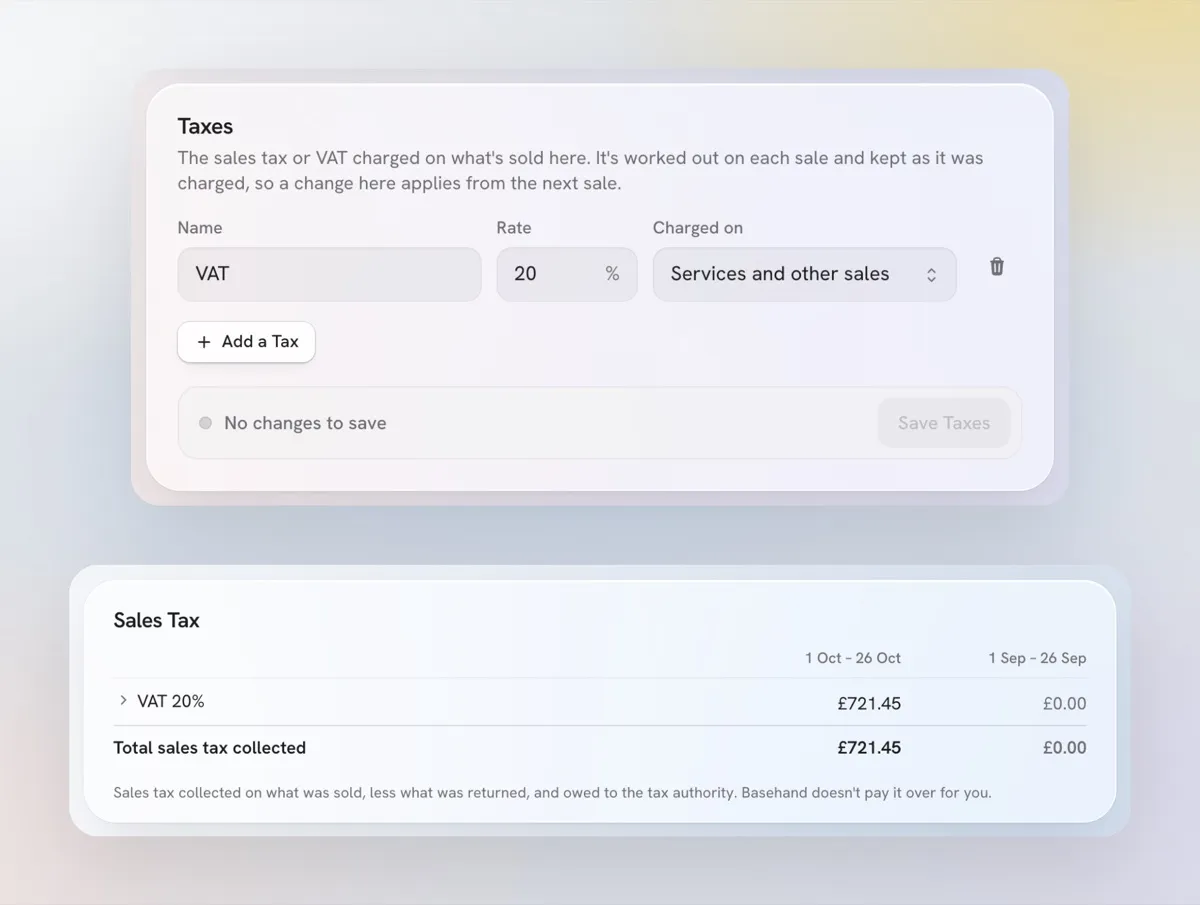
Add the taxes each location charges under Settings › Locations & Hours: a name, a rate, and whether it applies to services, products or other sales. A business with two taxes, like Canada's GST and PST, adds both.
Say whether your prices already include tax. Basehand starts from what's usual in your country.
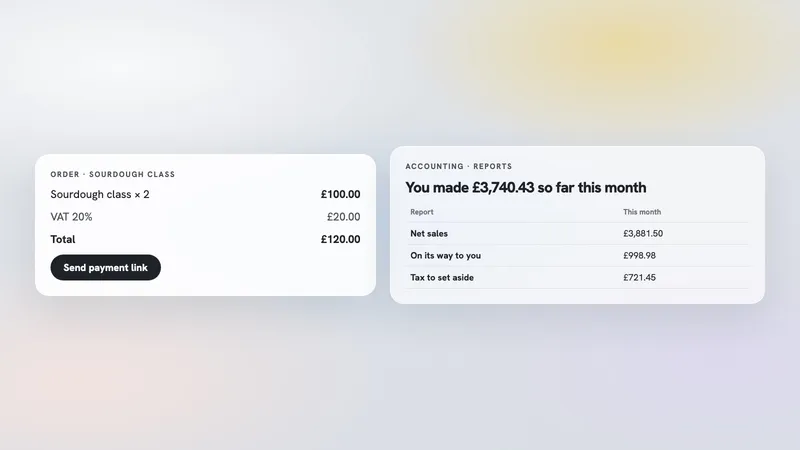
Tax is worked out as something is sold and shown on orders, at checkout, on the booking page before customers book, on Payments and in Accounting. Discounts lower what is taxed, and a refund gives back its share of the tax.
The Sales Tax report shows what you collected, by tax, so you know what to set aside.
Accounting reports
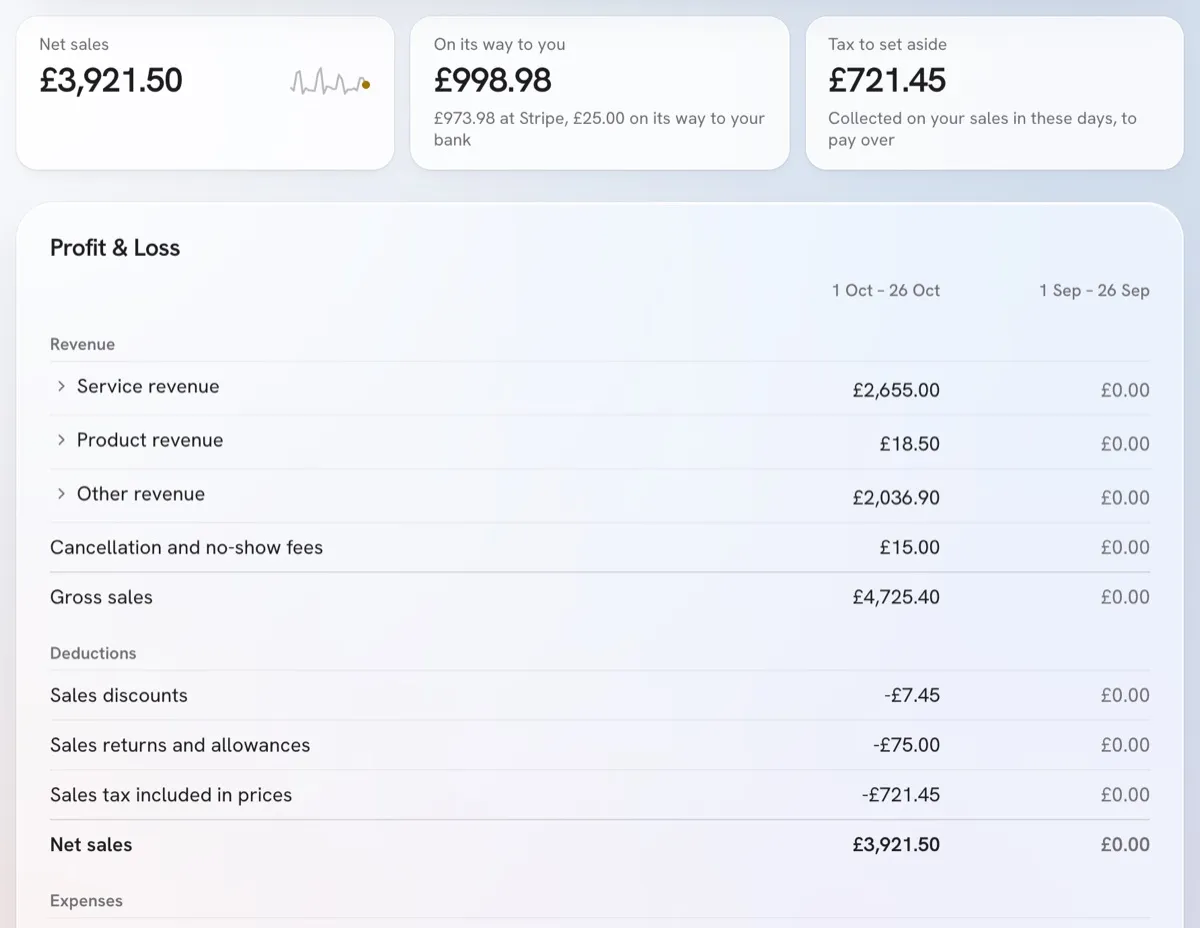
Accounting now sits under Insights with three pages: Reports, Your Money and Transactions.
Reports opens on your Profit & Loss with a sentence on how you did and what moved it most. Open any line to see what it is made of.
Other reports: sales by category, team member, location and customer, payments received, who owes you and for how long, and sales tax.
Report Builder makes your own: pick what to show, group it by up to three things, such as month, item or team member, and compare it with the period before.
Your Money shows what you have and what you owe: money waiting at Stripe, payouts on their way, deposits held for customers and tax you've collected.
Ask the Hand for any report and it opens it for you. Export gives your accountant the full set.
Ask customers to pay for bookings you make
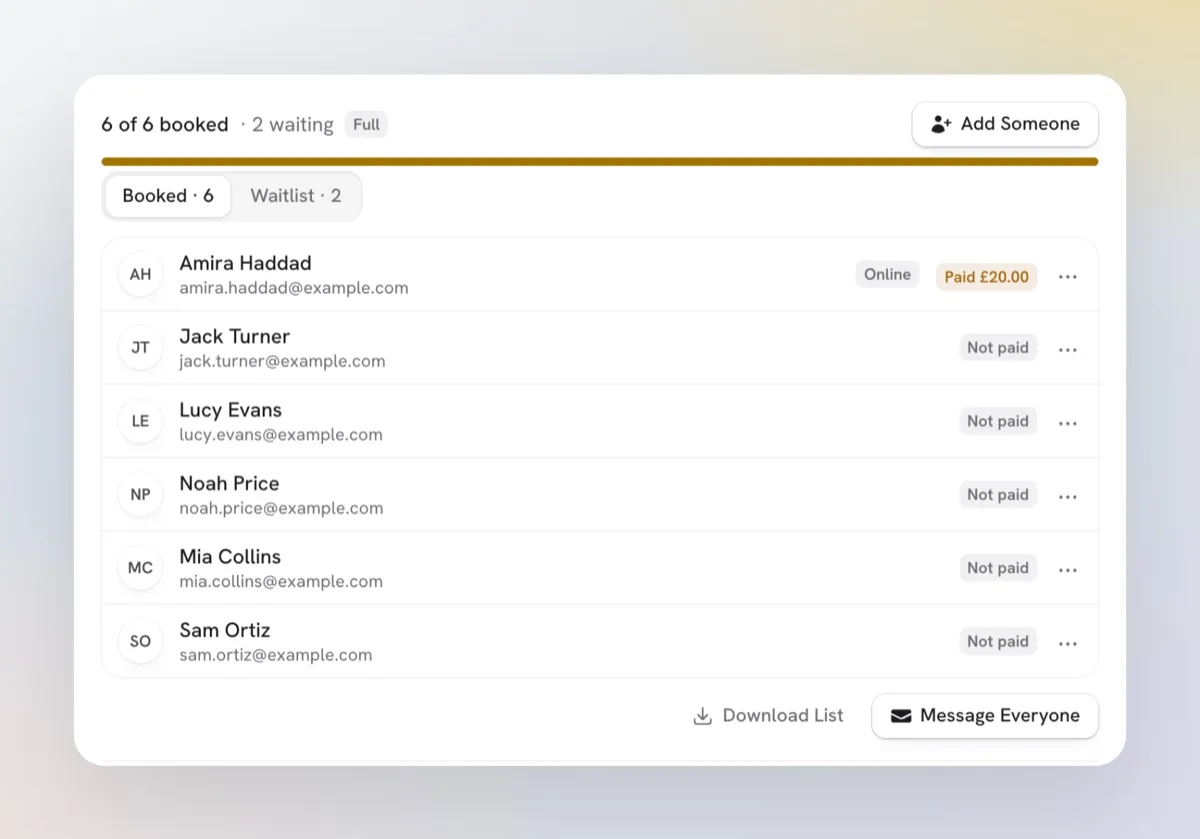
When your team books an appointment, or a spot in a class or event, you can ask the customer to pay its price or a deposit online. It stays booked either way.
Send the payment link by email or text from New Booking, a class's Add Someone, or the booking itself. Add a discount code if you like.
A class's list shows who has paid, who was asked and who hasn't, and its menu sends the link again.
Inbox that sorts itself
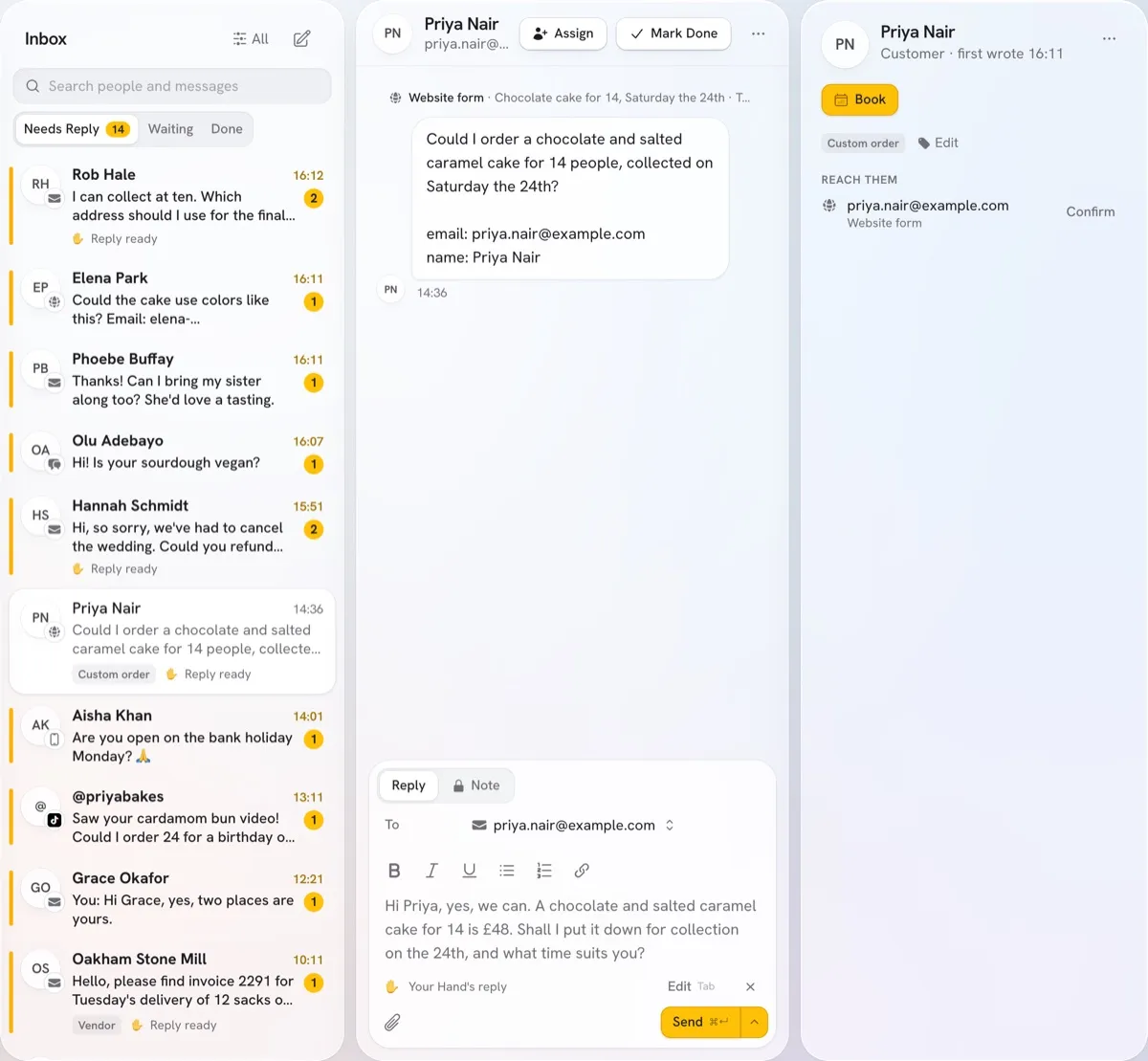
Conversations get tags that suit your kind of business, such as Custom order or Allergies for a bakery. Filter the Inbox by a tag, or edit the list.
The Hand guesses what type of contact a new sender is, and you can keep or change it.
Its suggested reply now shows faded in the reply box. Press Tab to make it your own draft and edit it, type to replace it, or send it as it is.
When a customer has several open requests, the Hand writes one reply that covers them.
Also
Make discount codes in batches of up to 200 and print them as vouchers, each with a QR code that opens your booking page with the code filled in.
Choose several contacts at once to tag them or change their type.
Add a task right from Home.
Each person's chats with the Hand are their own.