 Basehand
October 27, 2026
Sell your products on your website
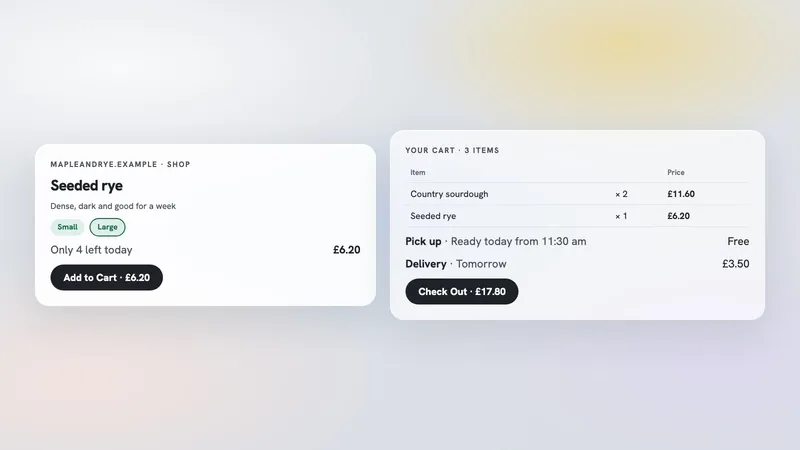
An online store on your website
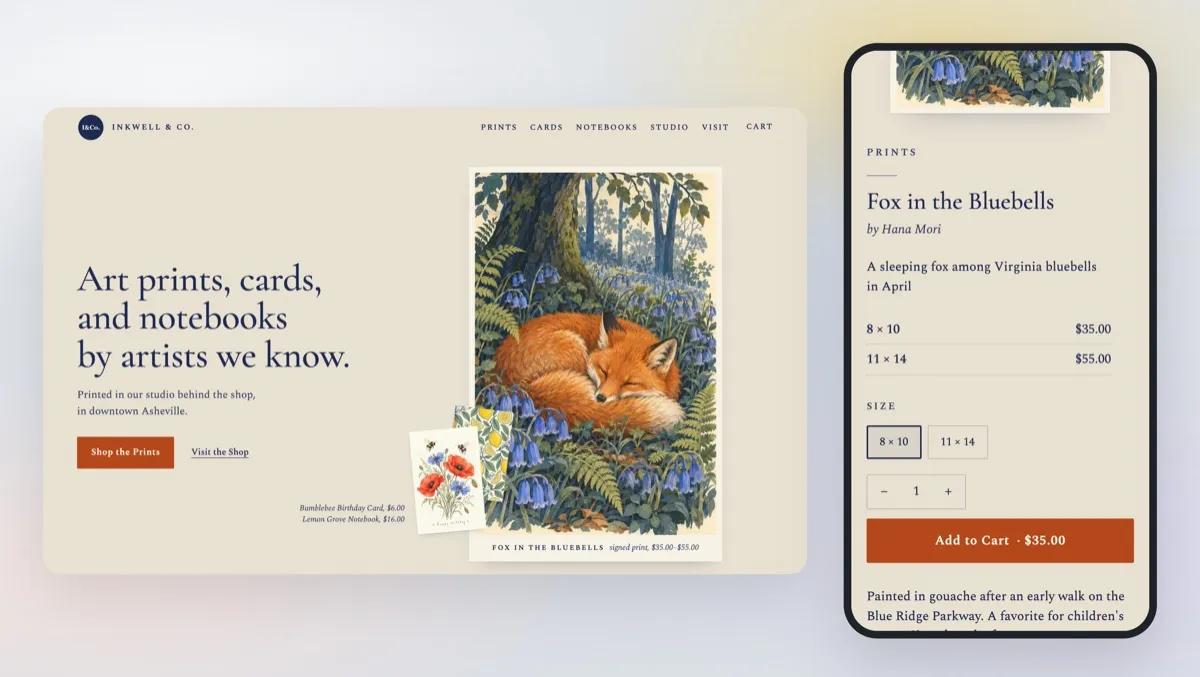
Sell the products you keep in Basehand on your website. Customers add them to a cart that opens over the page, so they never leave it.
They pay on one checkout page with Apple Pay, Google Pay, or a card. The money goes to your own Stripe account.
Offer pickup at the locations you choose, delivery to the postal codes you choose, or shipping. Set a fee for each, and an amount over which it's free.
The cart shows the whole total before checkout, and when the order will be ready or arrive.
Customers choose options like size and color, add a discount code, and leave a note with their order.
Keep count of what's left of each product, and it shows as sold out when none are left. Mark fresh things as pickup or local delivery only.
Switch it on under Settings › Online Store, and add your returns policy there.
Orders from your website
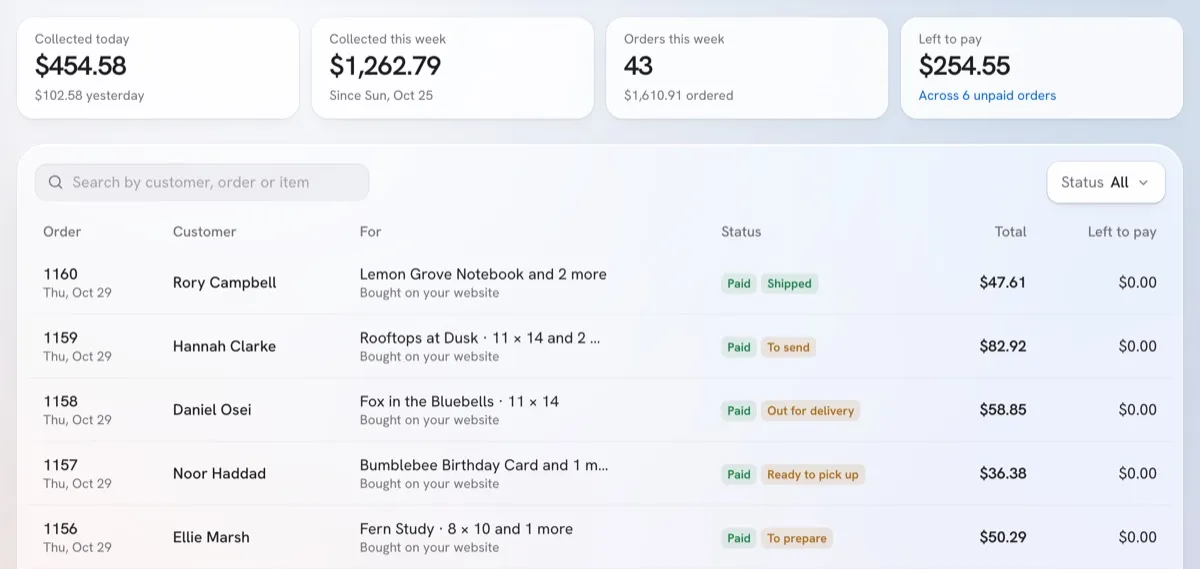
Website orders come into the Orders page, where you can see which still need to go out.
Each one shows how and when the customer wants it, where it goes, and their note.
Mark it ready, out for delivery, or shipped with its tracking number. The customer gets an email at each step, in your own words.
Cancel and refund an order that hasn't gone out yet.
Your team hears about each new order, the way each person chooses under Notifications.