 Basehand
October 30, 2026
Memberships with perks, pages for members, and orders customers can find
Memberships
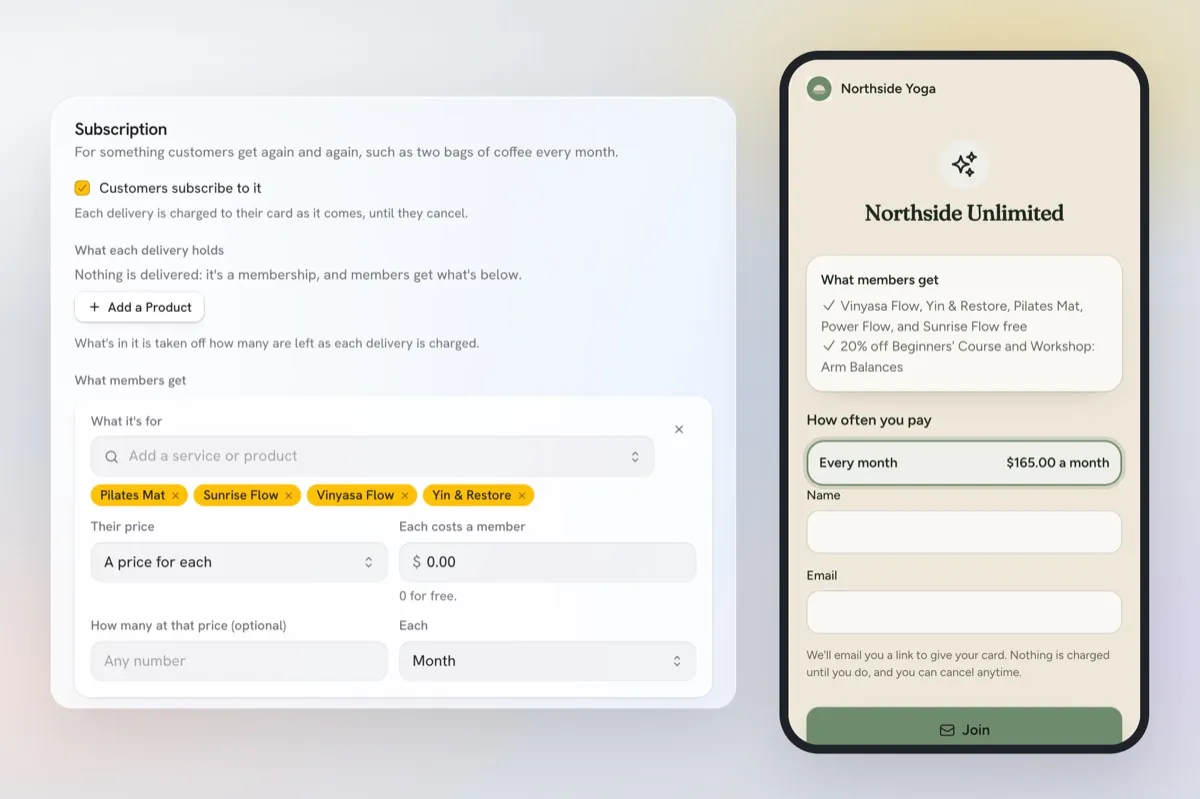
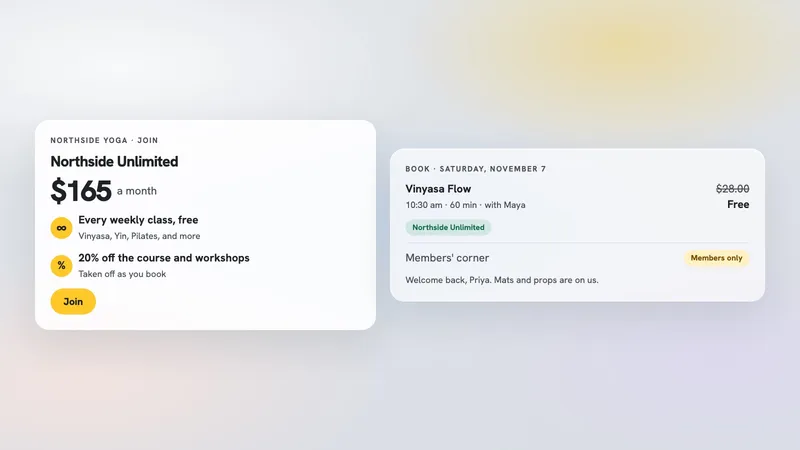
Give a subscription plan perks: 10% off everything, one free class a month, or classes at $5 each, up to five a month.
A plan with perks and nothing to deliver is a membership. Customers join on its own page on your website, or tick Join as they book and pay for both at once.
Members' prices come off on the booking page, in the cart, and when you take payment on the Schedule or the Orders page.
On the booking page, people who aren't members yet see what they would pay as one.
A member's subscription in the app shows their perks and how many are left this month or year.
Pages for members
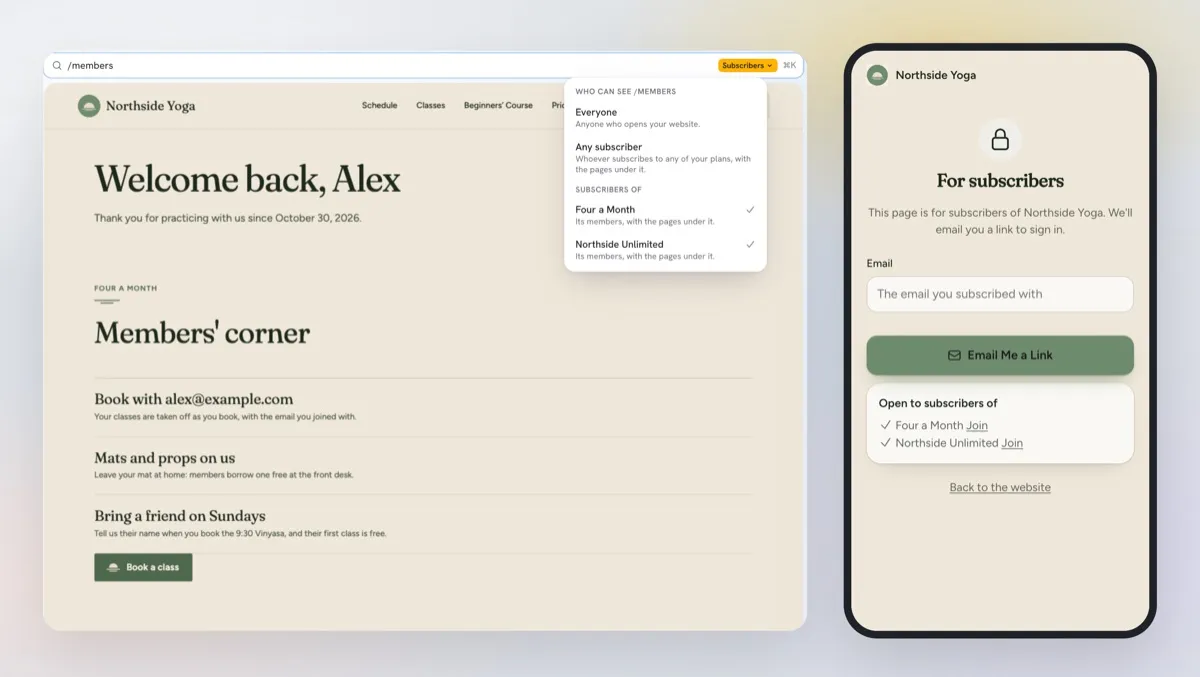
Keep a page of your website, and the pages under it, for your subscribers: everyone who subscribes, or only those of the plans you choose.
Set it from the address bar over the preview in the site editor, or ask the Hand.
Subscribers sign in with a link emailed to them, and the page can greet them by name.
Customers find their orders on your website
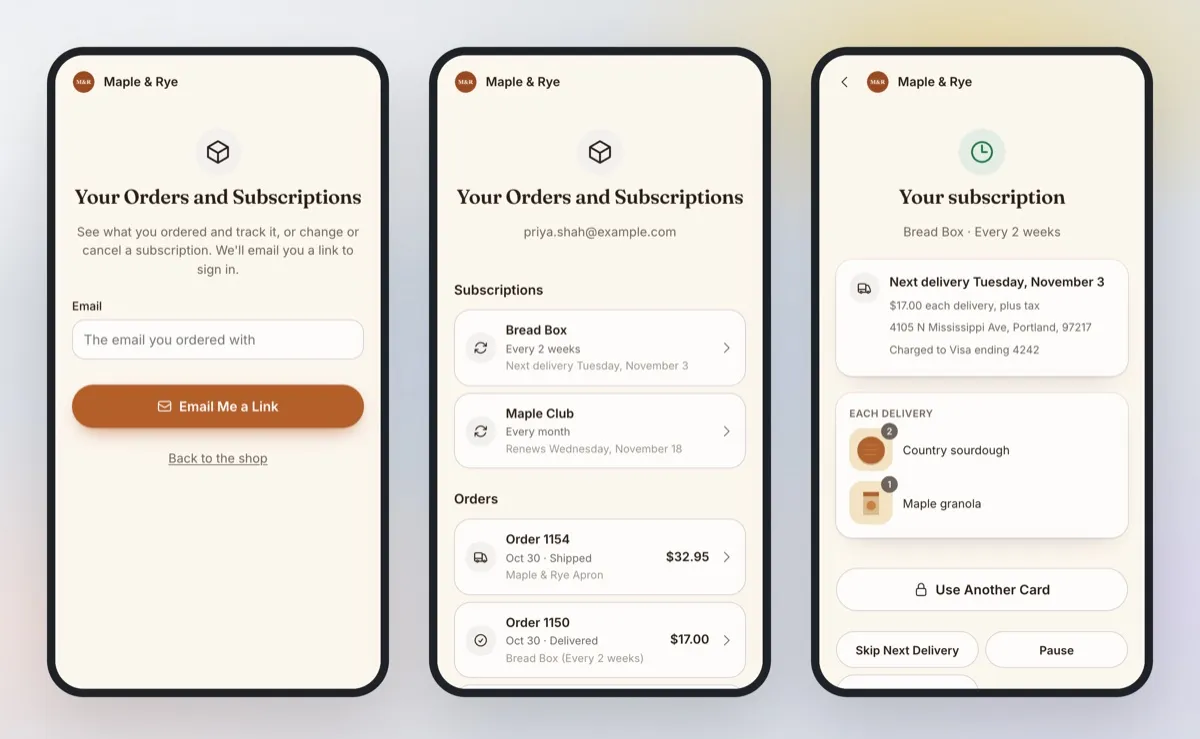
Every page of your site links to Your Orders, or Manage your orders and subscriptions if you sell subscriptions.
Customers give their email and get a link. Then they see each order and where it stands.
From there they skip a delivery, pause, cancel, or change how often a subscription comes.
Order emails now show how far along the order is, when and where it is picked up or delivered, and each item with its picture.
Subscriptions on a set day
Send a plan to every subscriber on the same day, such as a wine club shipped on the 1st of every third month.
Customers pay ahead for the next set day, and the cart and their emails say when it comes.
Inbox
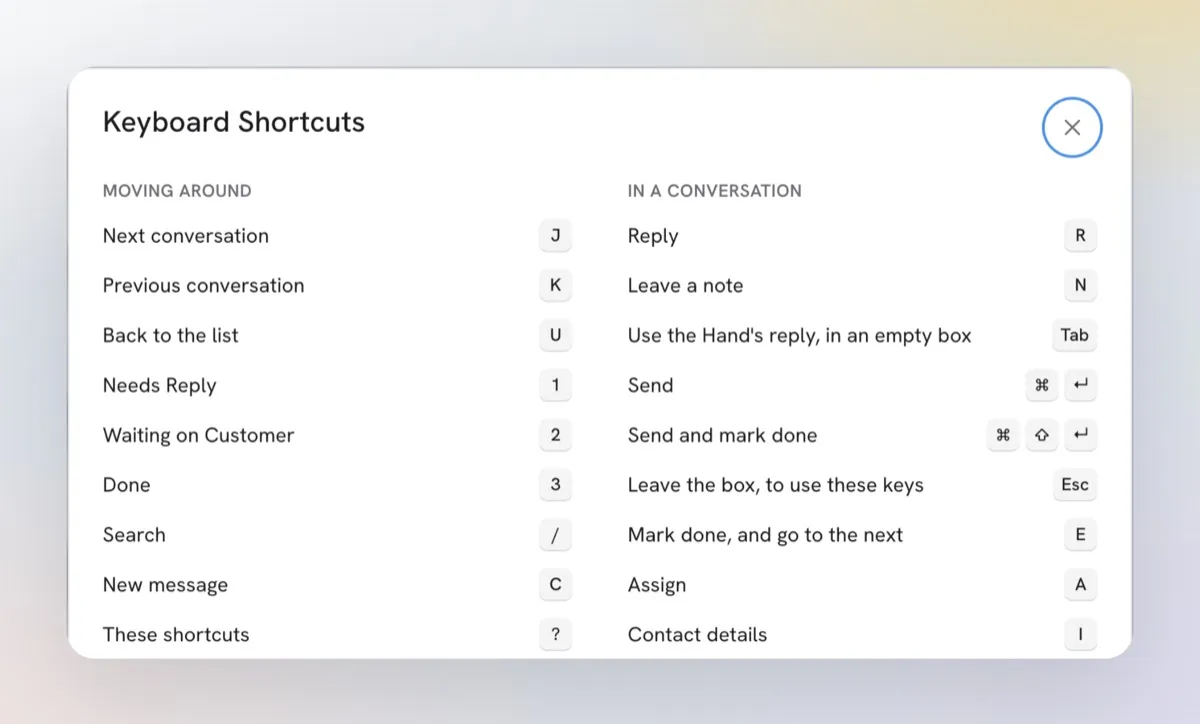
Work through the Inbox from the keyboard: J and K to move, R to reply, E for Done. Press ? to see every key.
Each inbox has an icon, picked from its name. Choose another in Edit Inbox.
Owners choose who on the team reads each inbox.
Also
Add your own fields to products, such as a material or allergens, and show them on your website.
Whoever sends a form is kept as a contact. A question can fill in their name, phone, birthday, or one of your contact fields.
Receipts always come from your business, in your brand, including for what you charge later to a saved card.
Settings that turn on and off are switches now, and the Features page says what each feature adds.
The Assets page is easier to use on a phone.