 Basehand
November 2, 2026
Sales in one place, gift cards, and downloads you can sell
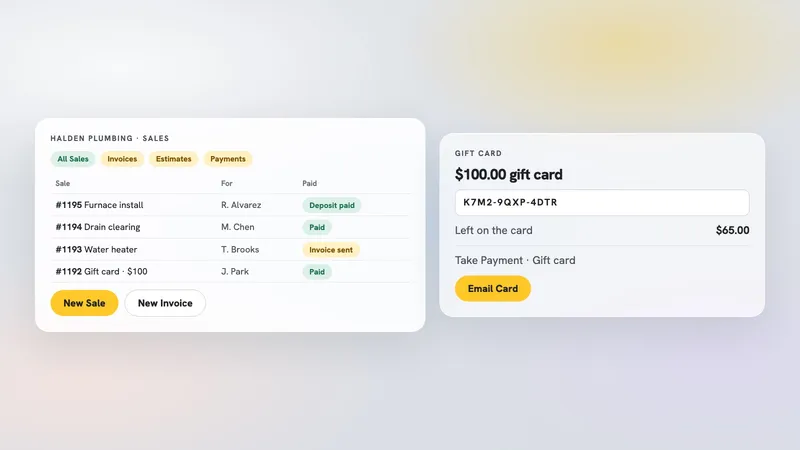
Sales in one place
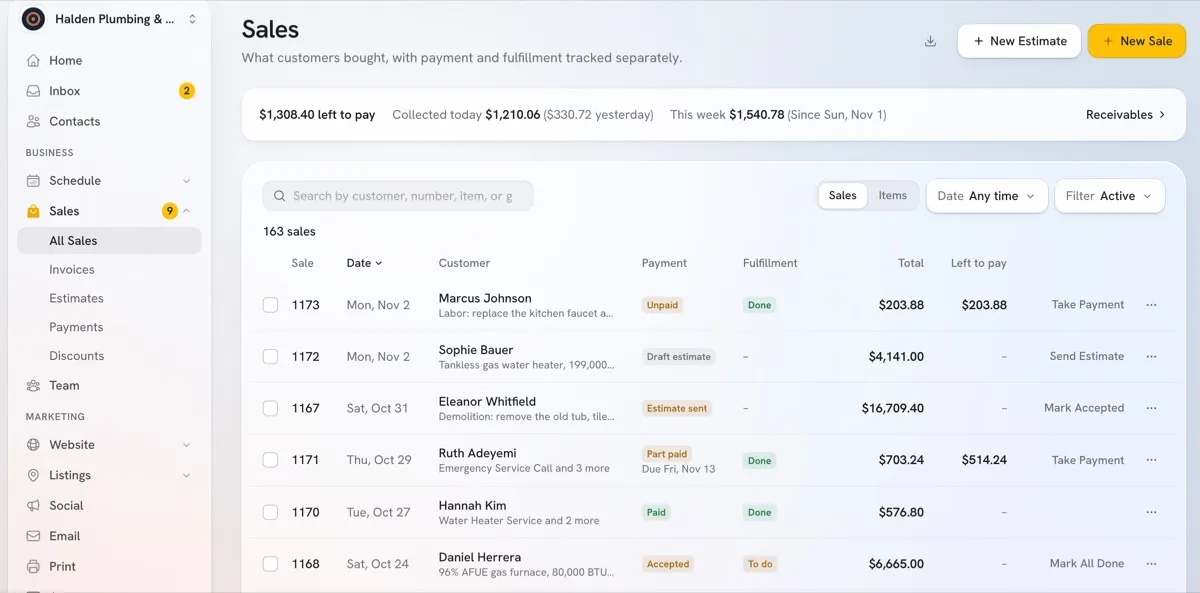
Orders, invoices, estimates, payments, discounts and subscriptions now sit together under Sales in the sidebar, with a count of what needs you.
New Sale records a purchase from the counter, a phone call or a booking. New Invoice bills a customer. Both open the same page.
Every sale shows what it was for, what was paid and what was handed over, whether it came from your website, a booking or you.
Ask for a deposit on any sale, estimate or invoice. Your customer sees what is due now and what is left.
Record a payment by card on file, cash, card reader, bank transfer, check, a gift card or anything else, with a reference for the ones that need it.
Refund a payment from the sale's own page.
Book a visit for a sale from its customer's card.
Discounts show in the totals, and estimates that ran past their last day have their own count.
Gift cards
Make a product a Gift Card and set what each version is worth, or type any amount on a sale.
When the sale is marked done, the card gets a code. Email it to the buyer or to the person it is for, and send it again any time.
Take payment with a code. It takes up to what is left on the card, and a refund goes back onto it.
A Gift Cards Outstanding report in Accounting shows what you still owe on cards you have sold.
Cards are sold and spent in Basehand, on the Sales page. Not on your website yet.
Address suggestions
Start typing an address and pick it from the list. Every part fills in.
It works at your store's checkout, in booking questions, in your website's forms and on the pages in Basehand.
You can still type an address yourself, and the form works without picking one.
Digital products
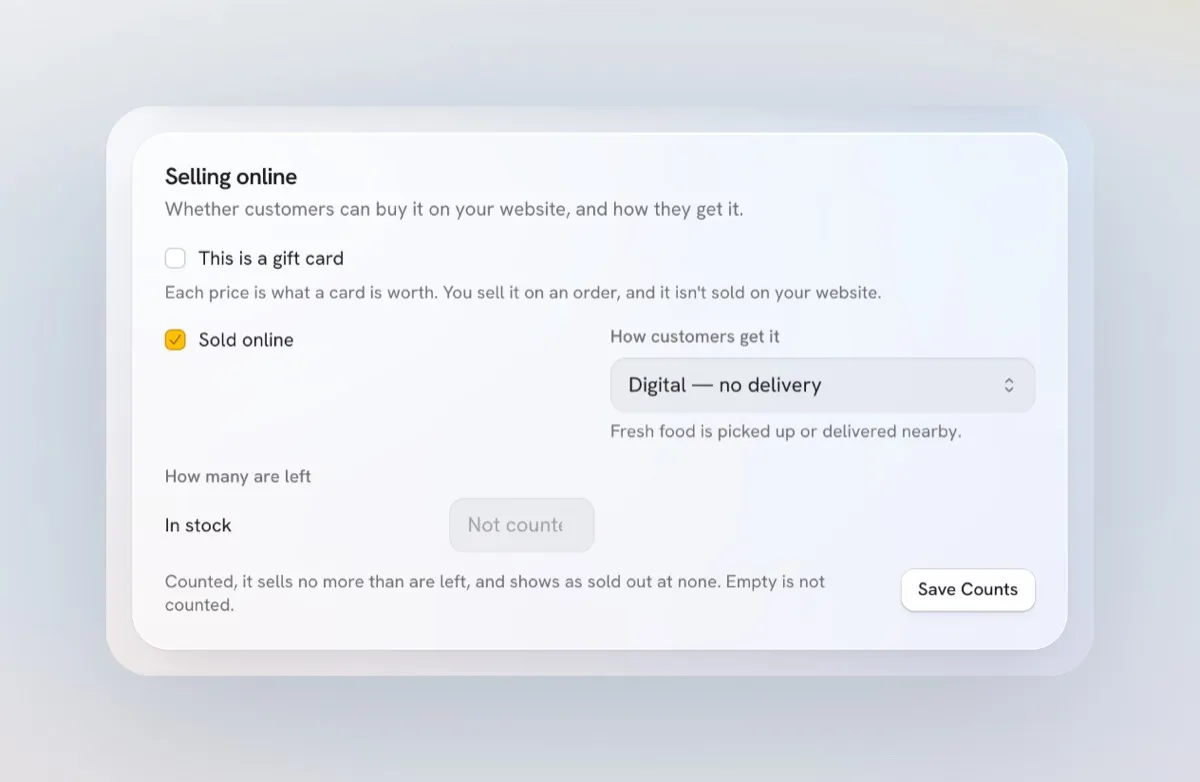
Sell guides, downloads and other digital products in your online store. There is no pickup or shipping to choose.
A digital order counts as sold as soon as it is paid.
A cart of digital products checks out apart from physical ones.
Booking types, one part at a time
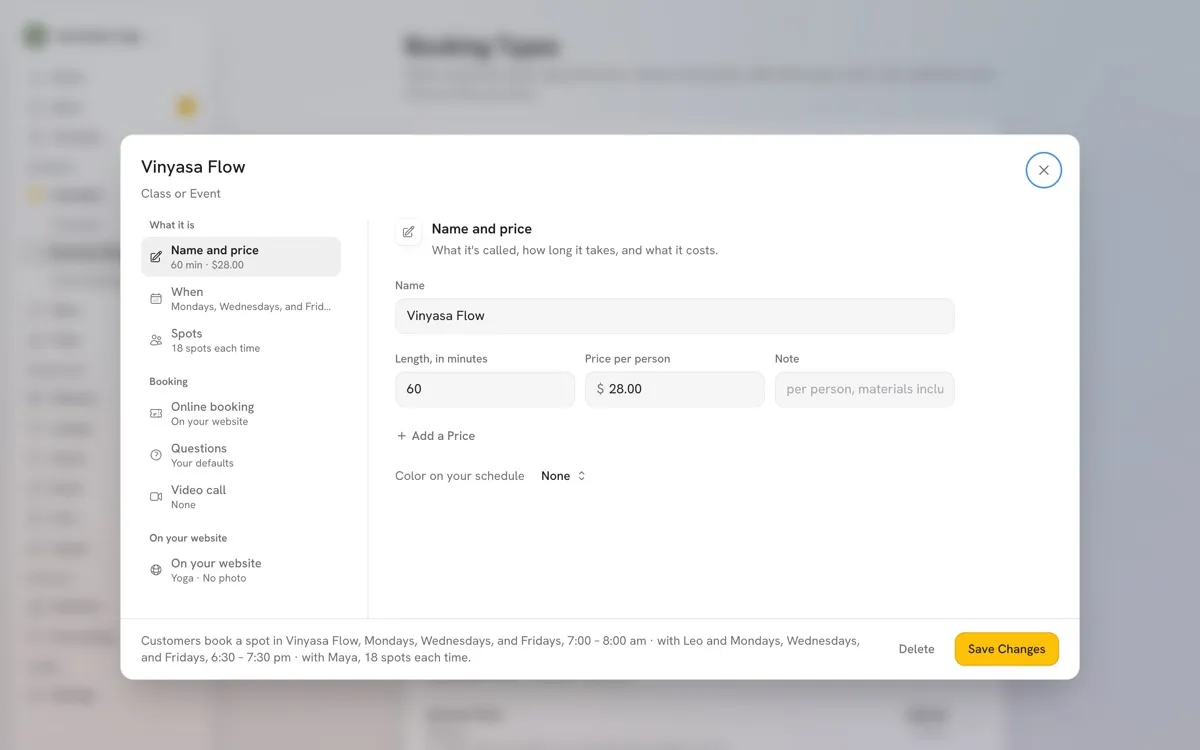
A booking type opens in one dialog, one part at a time, with a list down the side. Each part says in a line what is set in it and marks anything that needs fixing.
How a booking type is booked online is a part of it. The Online Booking page now lists only the exceptions.
Reminders moved to your schedule settings, since they go to every customer however they booked.
Also
Customers can change the address of a subscription from its page, beside changing the card.
Getting a web address needs a paid plan, and you can start your plan from the page where you pick it. Basehand renews your address every year while you are on a plan and emails you when it does. It stays yours if you leave.