 Basehand
November 12, 2026
Boards: follow every job from first message to done
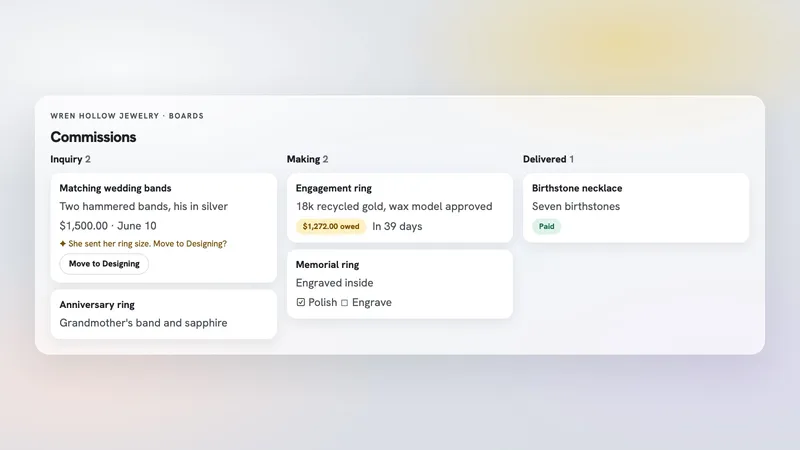
Boards for the work that moves
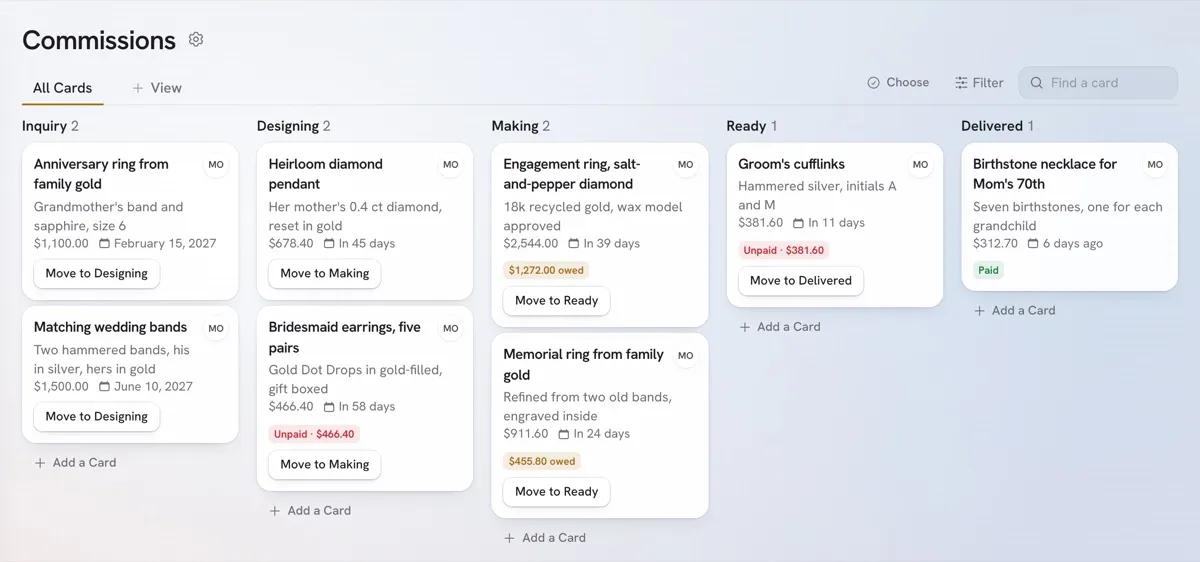
Boards are new in the sidebar. Make one for commissions, event cakes, projects, hiring, or anything that goes through steps, with columns named the way you work.
Tell the Hand how the work goes in a sentence or two, and it sets up the board for you, with its columns and what to do in each.
Each card has a title, a line about where things stand, what it's worth, who's on it, and the customer it's for. Link it to their estimate or invoice to see what's paid and owed, and take payment from the card.
Drag cards between columns, or press the button on a card to move it to the next step. On a phone, the board shows one column at a time.
Add your own fields, such as a date it's wanted by or a number of guests, and choose what each card shows.
Give a column a checklist, like "Ask the date and how many", and tick it off on each card.
Save views of a board, such as a list of the cards nobody has claimed, sorted by date.
The Hand keeps cards up to date
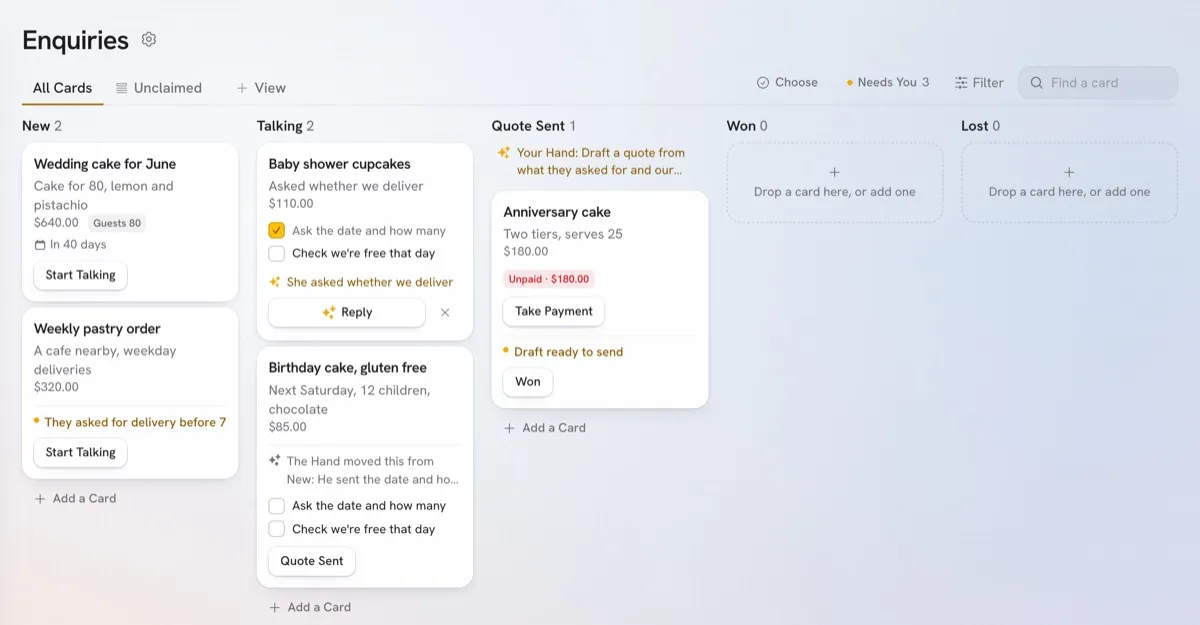
Say which messages belong on a board, in your own words, like "someone asking about a cake for an event". New ones in the Inbox become cards there.
A form on your website can add a card for each answer.
As customers write, the Hand updates each card's line and suggests a move when they settle something, with a reply ready when they're waiting on one. You choose whether it only suggests, or moves cards itself and says why.
Set rules for what happens to a card: when it reaches a column, sits too long, or a date gets close, move it, add a next step, or ask the Hand to draft something.
Cards that need you are marked on the board and on Home, and each morning you get a short note of what's waiting.
Boards that follow your orders and bookings
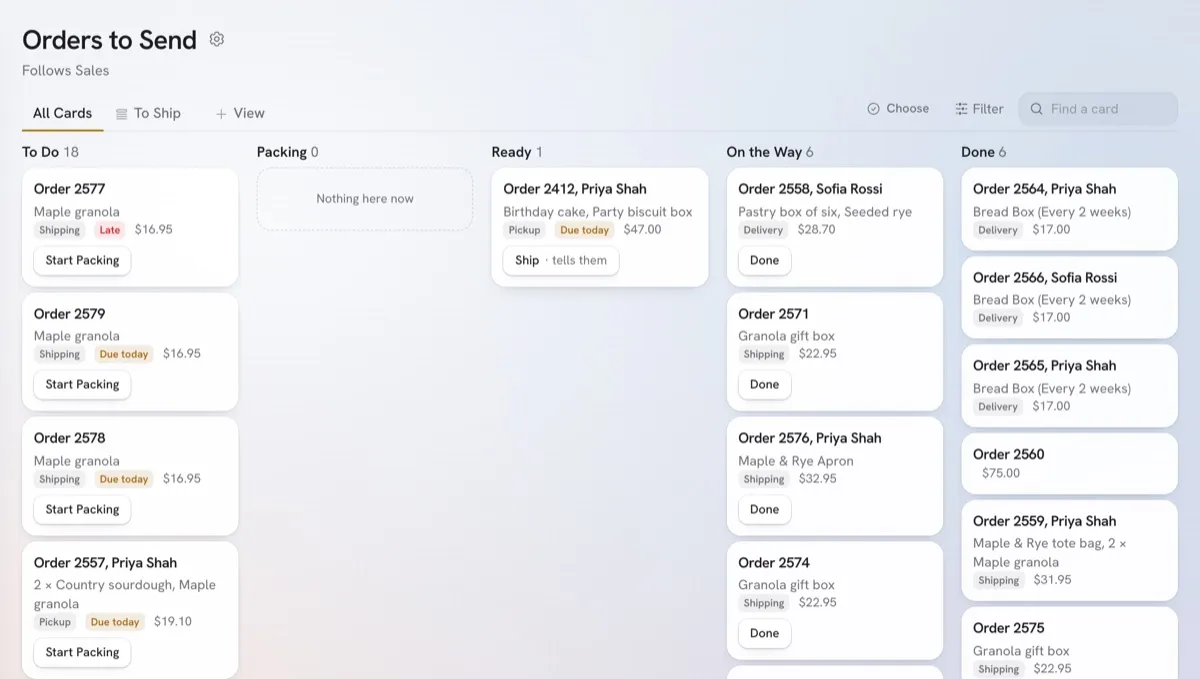
A board can follow your orders or your bookings, with a card for each one that moves on its own as the order or booking changes.
Moving a card does the real thing, like marking an order shipped. When that would email the customer, the board asks first.
Each card shows what matters for the job: what's in an order and how it's sent, or when a booking is and who it's with.
Choose several orders to move them together, buy their labels, or print packing slips.