 Basehand
November 13, 2026
Your bank in your books, estimates customers sign, and Notify Me for sold-out products
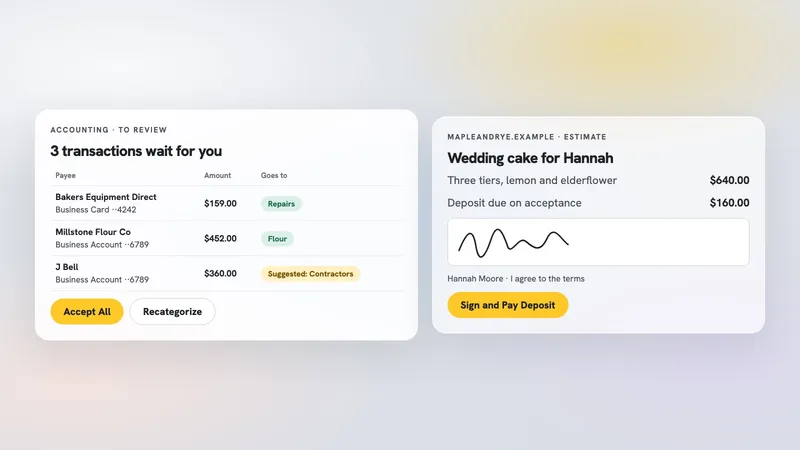
Your bank and cards in your books
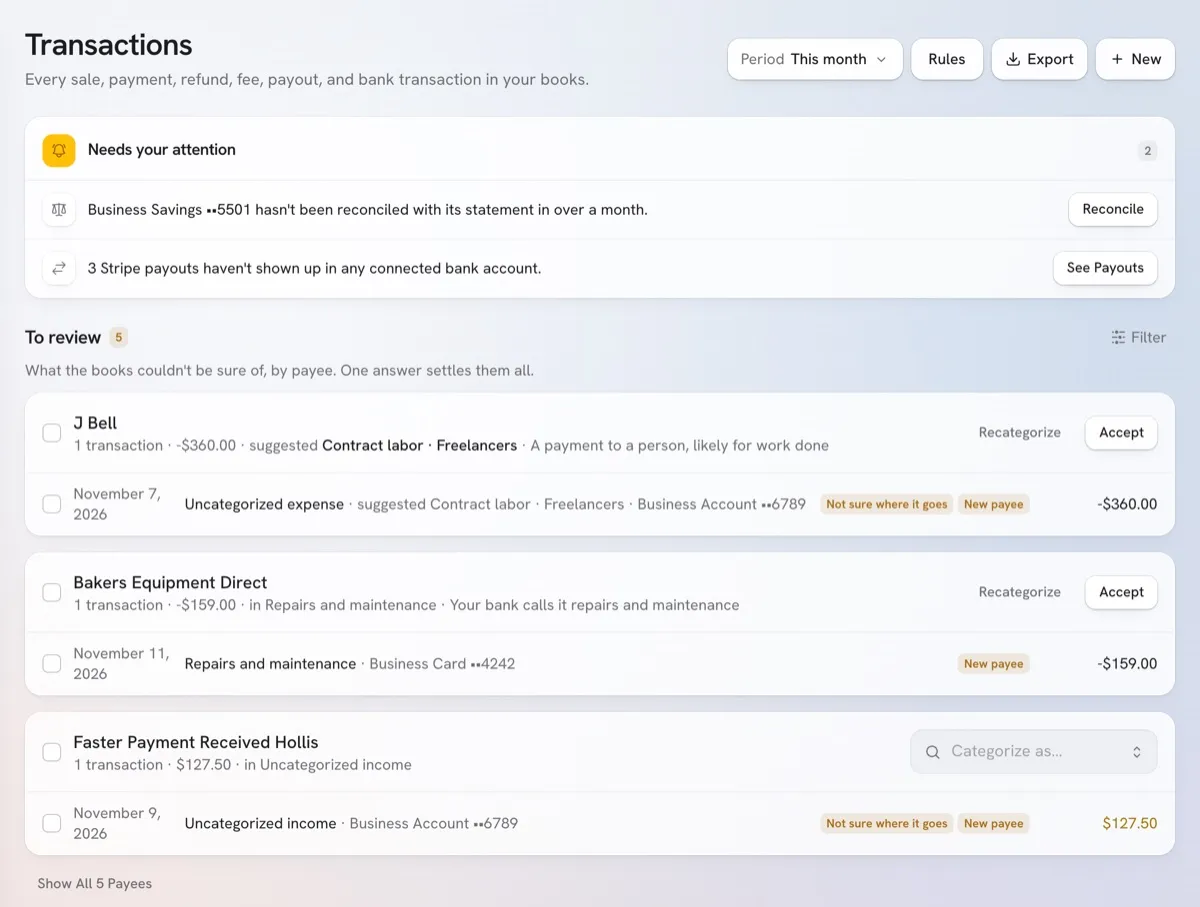
Connect your bank accounts and cards under Settings › Bank Accounts. Every transaction comes into Accounting: what you spend, other money in, what you put in or take out, and moves between your own accounts. Basehand only reads them. It never moves money.
Each one is sorted for you. Stripe's payouts and customers' bank transfers are matched to what you sold, and the rest goes where your rules, your past choices, or the Hand's suggestion put it.
What needs a look waits under Transactions. Accept a suggestion, pick another place for it, split it, or add a tag like Flowers under Supplies.
Keep receipts with a transaction, and write in what the bank can't see, like an expense you paid yourself.
Bank not connecting? Import its statement file instead.
Reconcile each account against its statement, and close the books through a day once a month is done.
New reports: a Balance Sheet, every expense in Profit & Loss, and spending by payee and by tag.
Give your accountant their own Accountant role. They keep the books but can't connect a bank.
Available in the United States, Canada, the United Kingdom, and much of Europe.
Estimates your customers sign
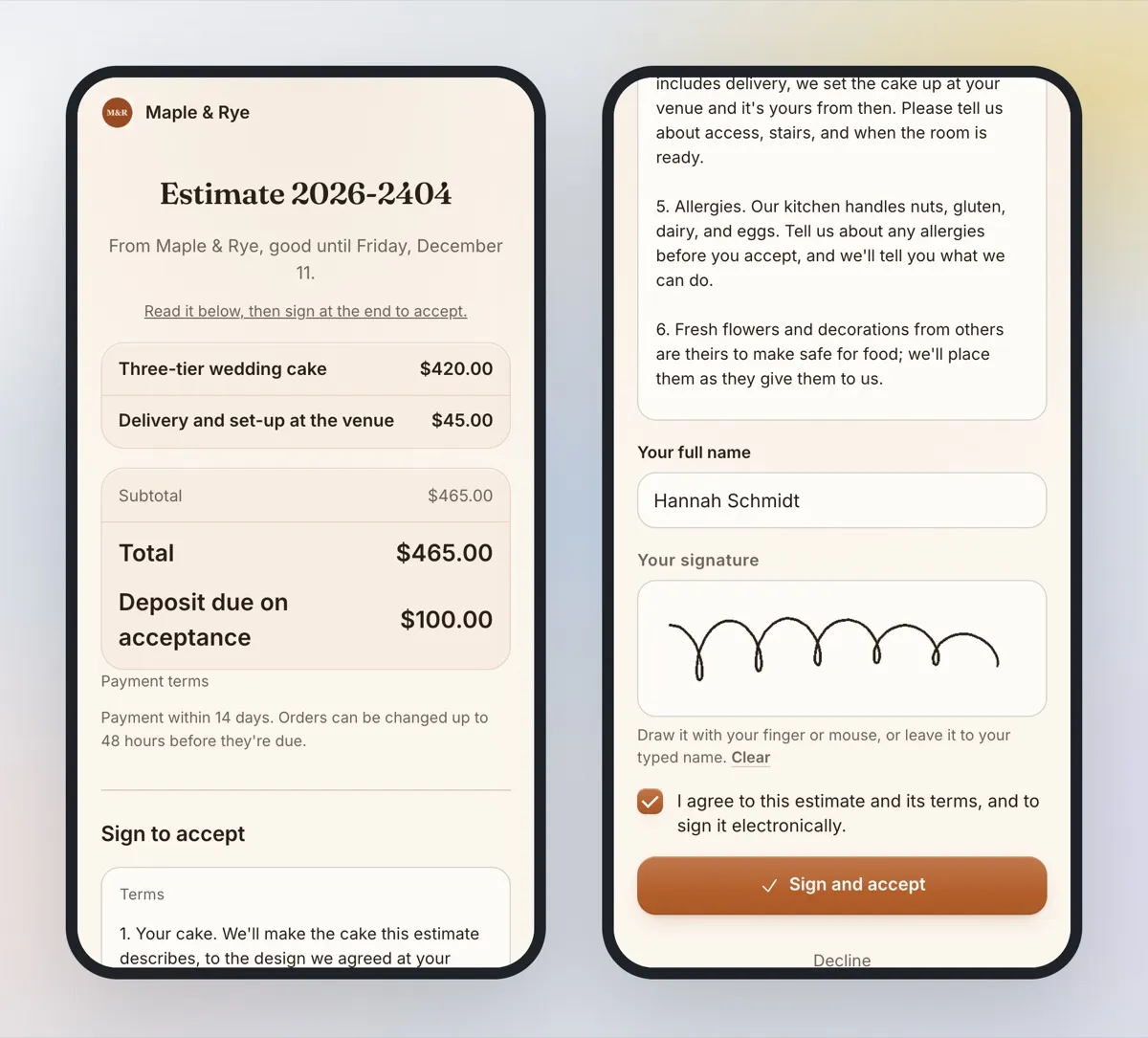
Ask customers to sign estimates to accept them, under Settings › Accounting, with your own terms. Starter terms are there to begin from. Turn it on or off for one estimate too.
The customer reads your terms, types their name and draws their signature, then accepts or pays the deposit in the same step.
Hand them your phone or tablet with Sign Now to sign in person.
They get a PDF of what they signed, and you're told who signed.
Changed the work after it was signed? Ask to Sign Changes, and they sign what's new.
Notify Me for sold-out products
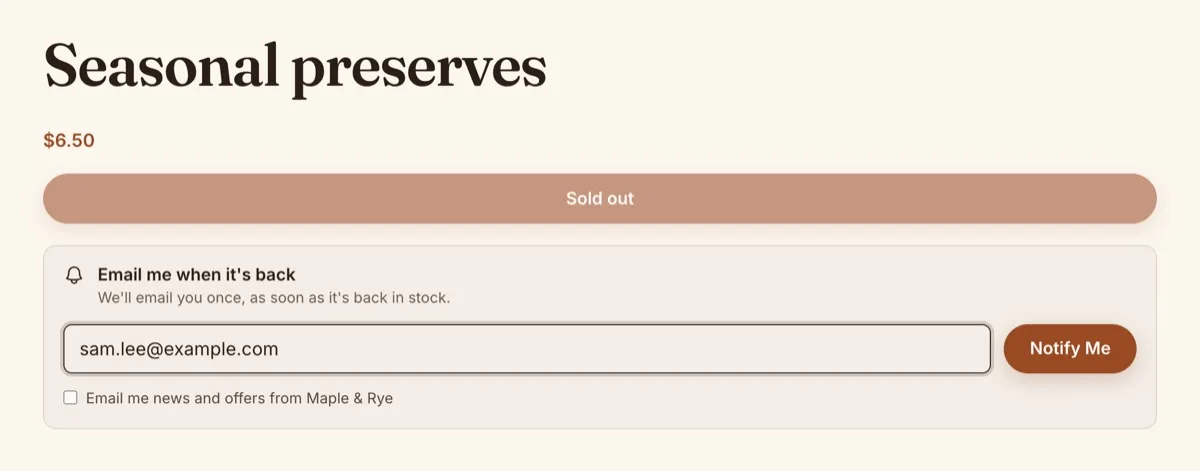
When something in your online store is sold out, customers can leave their email to hear when it's back.
They get one email when it can be bought again, in your look and their language.
Whoever asks is added to your contacts, and can tick a box to get your emails too.
It's on for every store. Turn it off under Settings › Online Store.
Also
The month view of the Schedule shows each day's appointments, classes, and events.
Start invoice numbers with the year, like 2026-1001, under Settings › Payments.
Preview an invoice's PDF, or copy its link to share it however you like, without sending an email.
The Hand asks for fewer approvals when it books and publishes, and can add repeating tasks for you.