 Basehand
November 15, 2026
Give another business a free month, sign your emails, and see every automatic message
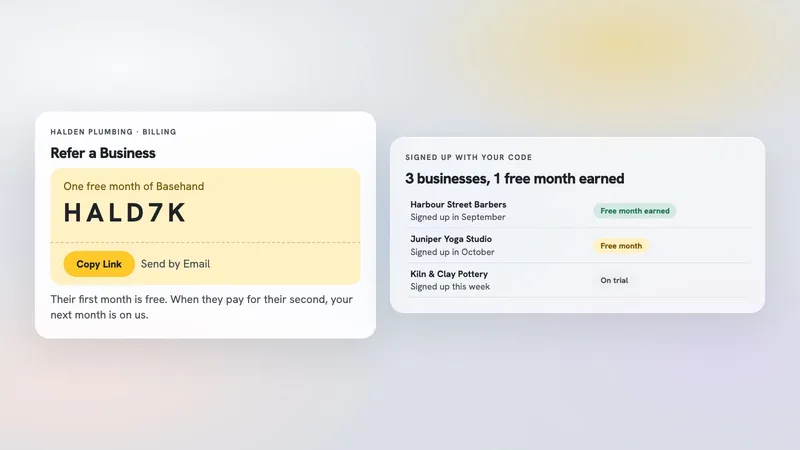
Refer a business
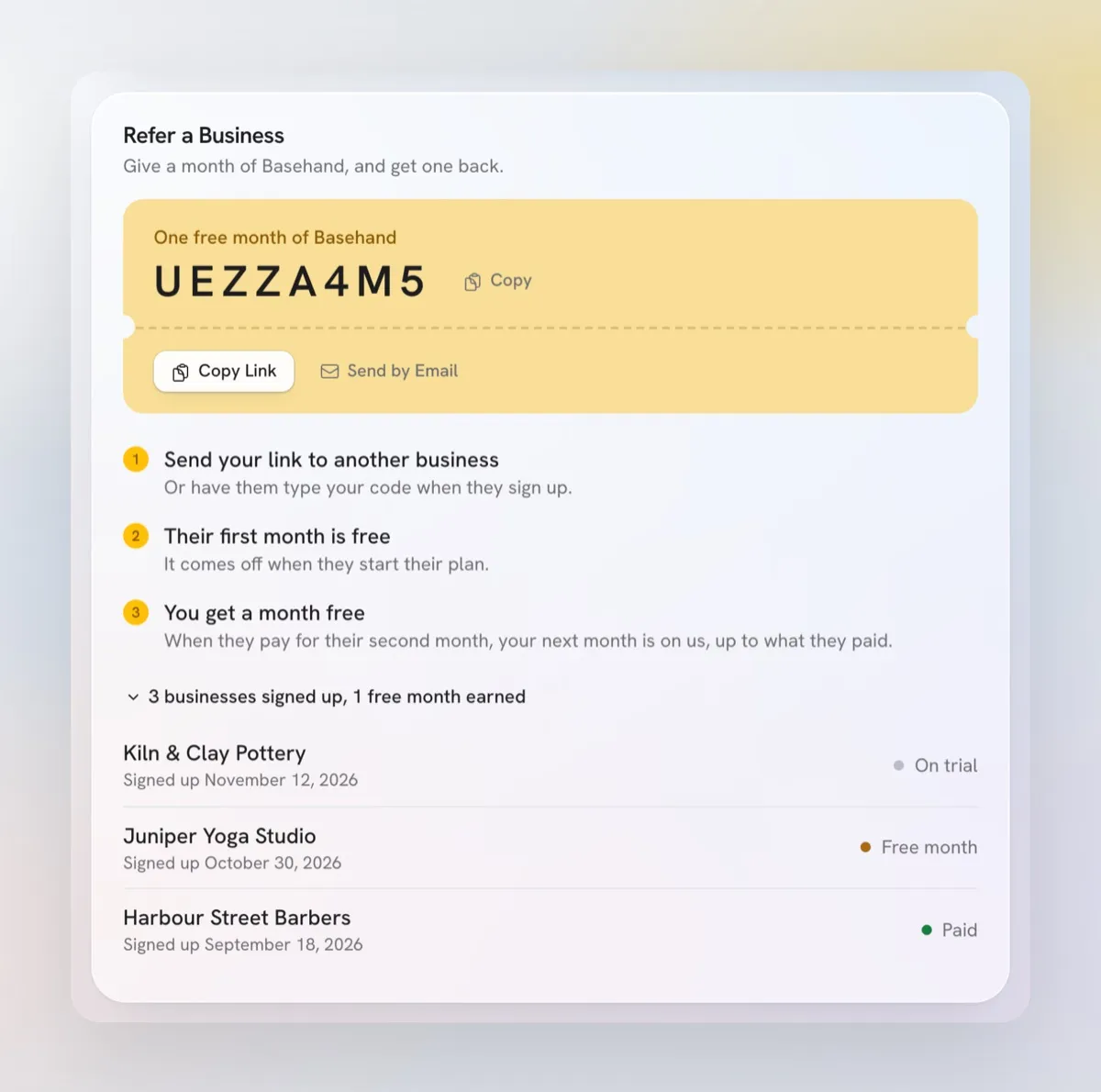
Every business now has its own code and sign-up link, on the Billing page under Settings.
A business that signs up with it gets its first month of Basehand free.
When they pay for their second month, your next month is free, up to what they paid.
Copy the link, or press Send by Email for an invitation already written in your Inbox, ready for you to address and send.
See every business that signed up with your code and where each one stands.
Were you referred? Enter the code you were given on the Billing page before your plan starts.
Email signature
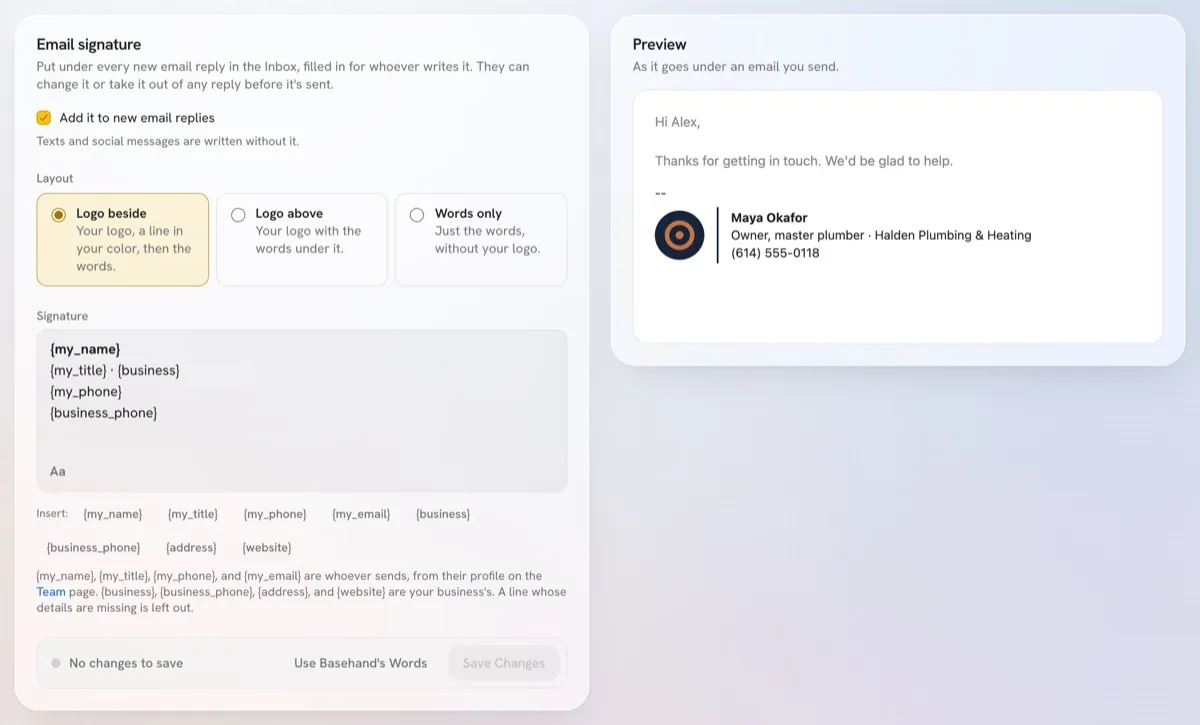
Set up one signature for your whole team under Settings, in Email Signature.
Put your logo beside the words with a line in your color, above them, or leave it out.
It fills in whoever is writing: their name, title, phone, and email, beside your business's phone, address, and website.
It's added to every new email reply in the Inbox. Change it or take it out of any one reply before you send it.
Every automatic message in the Inbox
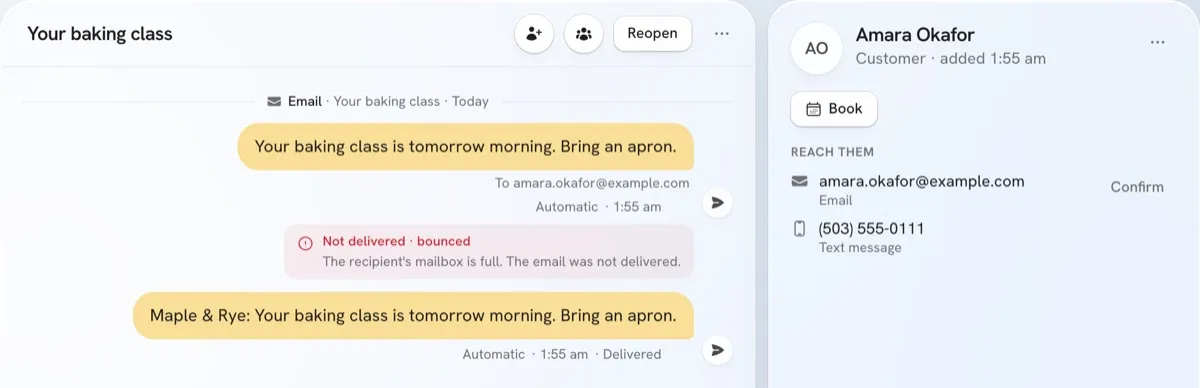
Booking confirmations, reminders, order and invoice emails, and the texts Basehand sends for you now show in the customer's conversation, marked Automatic.
Each shows its subject, its words, and its files, and whether it was delivered, or why it wasn't, such as a full mailbox.
An automatic message doesn't mark a conversation done or wake it from Snooze.
Also
Booking Types shows how many bookings each appointment has coming up and when the next one starts. Open it to see the next ten and go to each on the calendar.
When Basehand is fairly sure where a bank transaction goes, it puts it there and asks you to check it in To Review, instead of leaving it Uncategorized.
When you approve something the Hand asked about, it carries on with the work from there.