 Basehand
October 31, 2026
See how you're found on Google, send newsletters, and forms that work out a quote
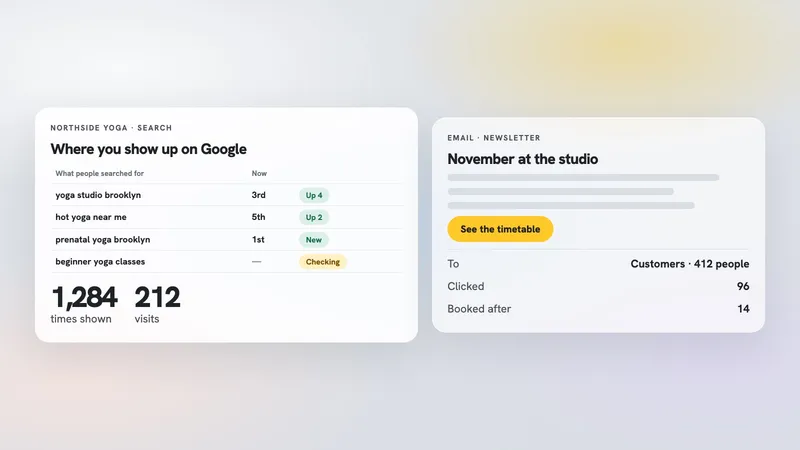
How you're found on Google
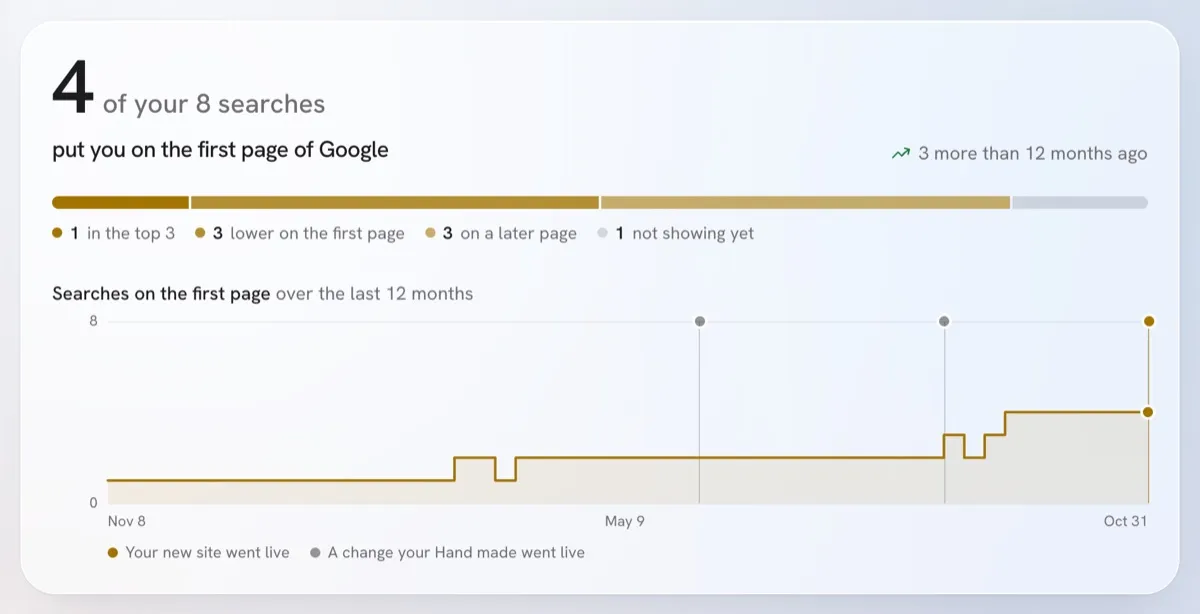
A new Search Engines page shows where you come up on Google for the searches your customers make, and how that changes week to week.
See how many people saw you on Google and how many visited your site, and the calls and directions from Google Maps.
Connect your Google account and the Hand suggests the searches to follow. Once you agree, it checks each one every day.
The Hand suggests what to do next to move you up, and the page tells you what happened after each change.
It works with the website you have today, even before your site is on Basehand.
More in the Handbook: how to show up on Google Maps when people search nearby.
Newsletters and offers
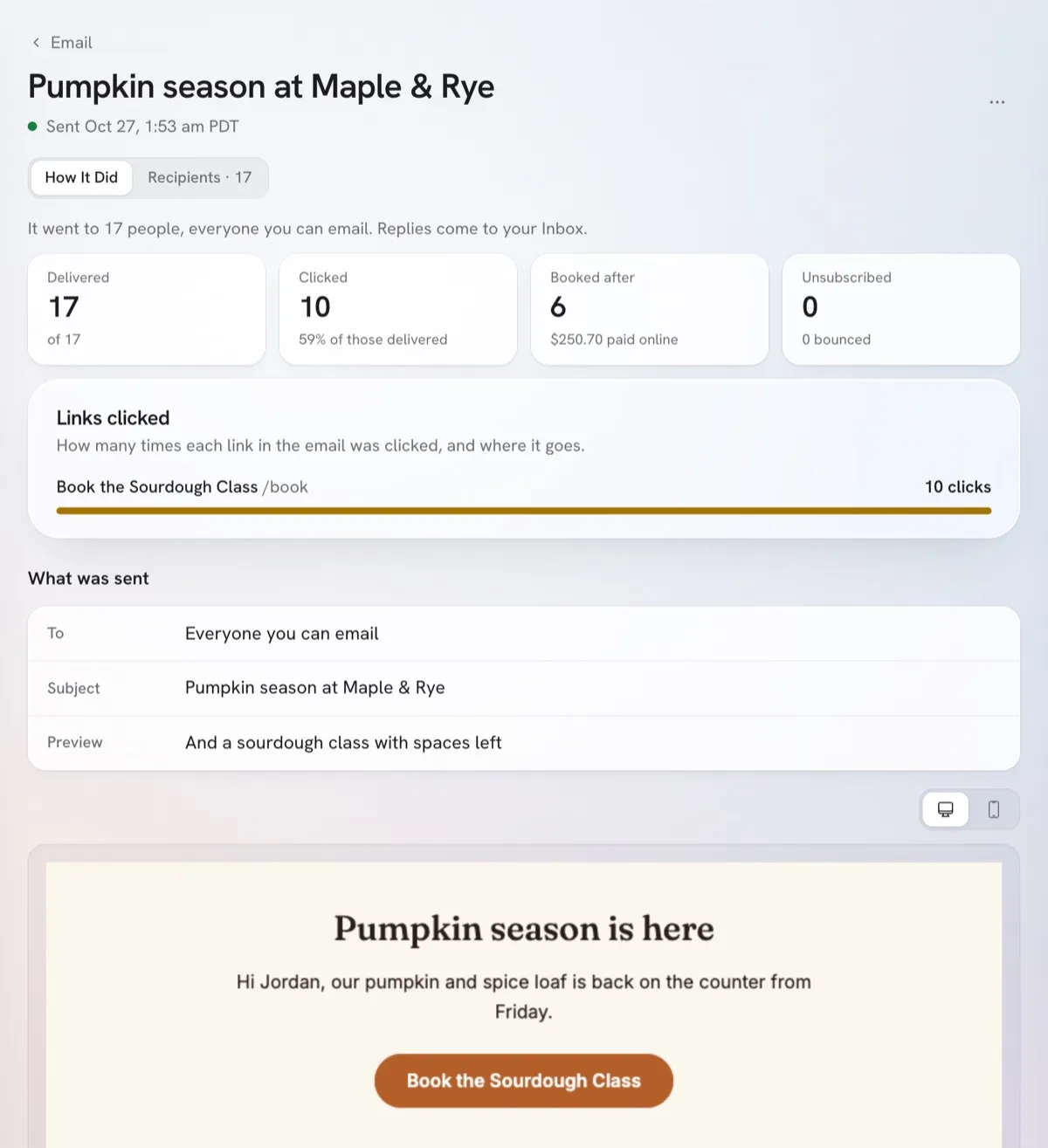
Send your contacts a newsletter, an offer or an announcement from the new Email page, under Marketing.
Tell the Hand what it's about and add your photos. It designs your first email in your website's look, and every email after starts from it.
Change the words and pictures right where they are on the email, and see it as it looks on a laptop or a phone.
Send it to your customers, a type or tag of contacts, or a saved view. It goes only to people you're allowed to email, and anyone can unsubscribe.
Send it now or at a set time, from your address at your own domain. Send yourself a test first.
See who clicked, what they clicked, and what they booked in the week after.
Customers subscribe with a box on your booking page and your forms.
Forms
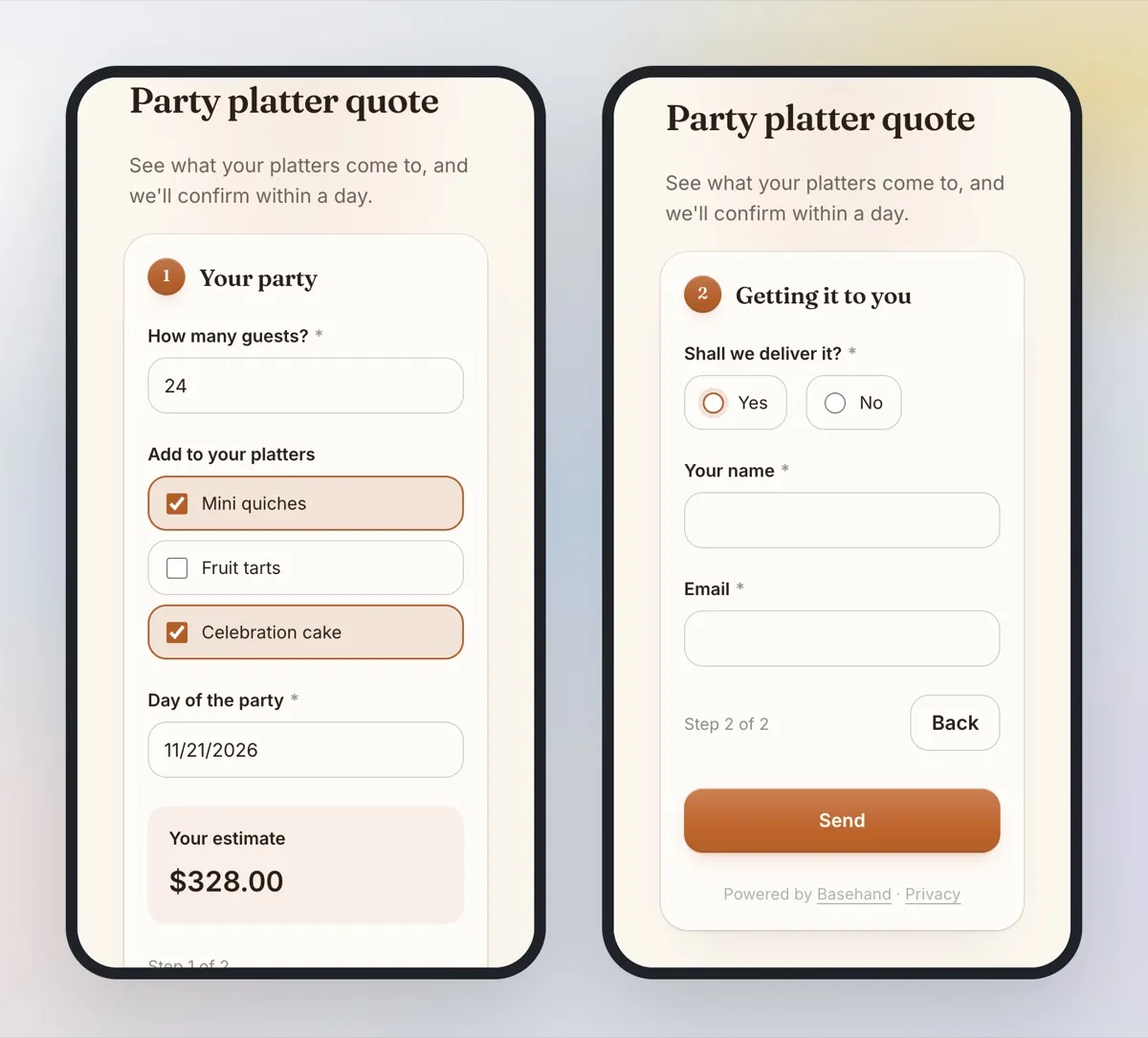
Show a question only when an earlier answer calls for it, like asking about the venue only for a delivered cake.
Work out a figure from the answers, such as an estimate from the number of guests. It's for the customer to read, and nothing is charged.
Ask a long form one section at a time, with Back and Next.
New kinds of question: a time, yes or no, a rating, and an address.
Set limits on answers, like a number of guests or a date that isn't in the past.
A link to a form can fill in an answer for the customer, such as the service they picked.
Forms never ask for card numbers, bank details or passwords, and take out card numbers a customer types in by mistake.
Orders, estimates and invoices
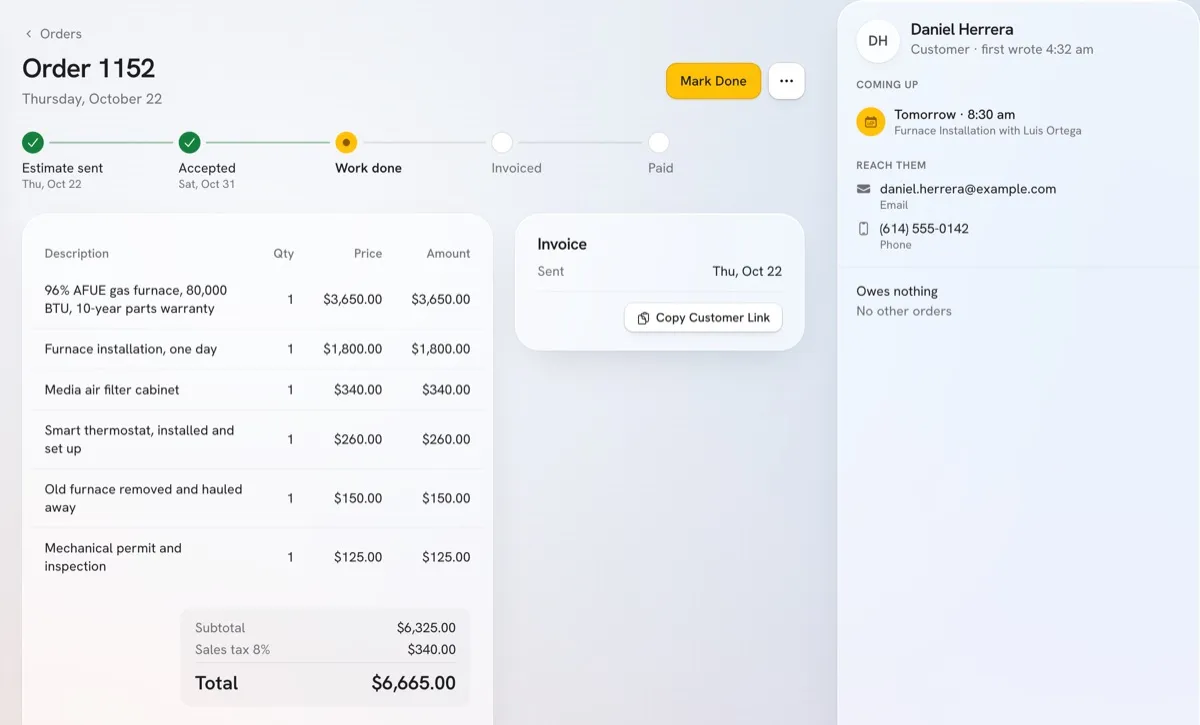
Each order shows the steps it goes through, from estimate sent to paid, and where it is now.
The customer sits beside the order, with what they owe across all their orders and a link to the others.
Change an order's items right in the invoice, and add items from your products and services as you type.
After an invoice is sent, void an item. It stays on the invoice struck through, and the total follows.
Take part of a payment, change the due date, or pause reminders for one invoice.
Add a note for the customer to an estimate or invoice, and copy someone else in when you send it.
Invoice PDFs list each payment and refund.
On the Orders page, choose several orders to send, mark done or shipped, or download as a spreadsheet. Estimates have their own list.
Inbox
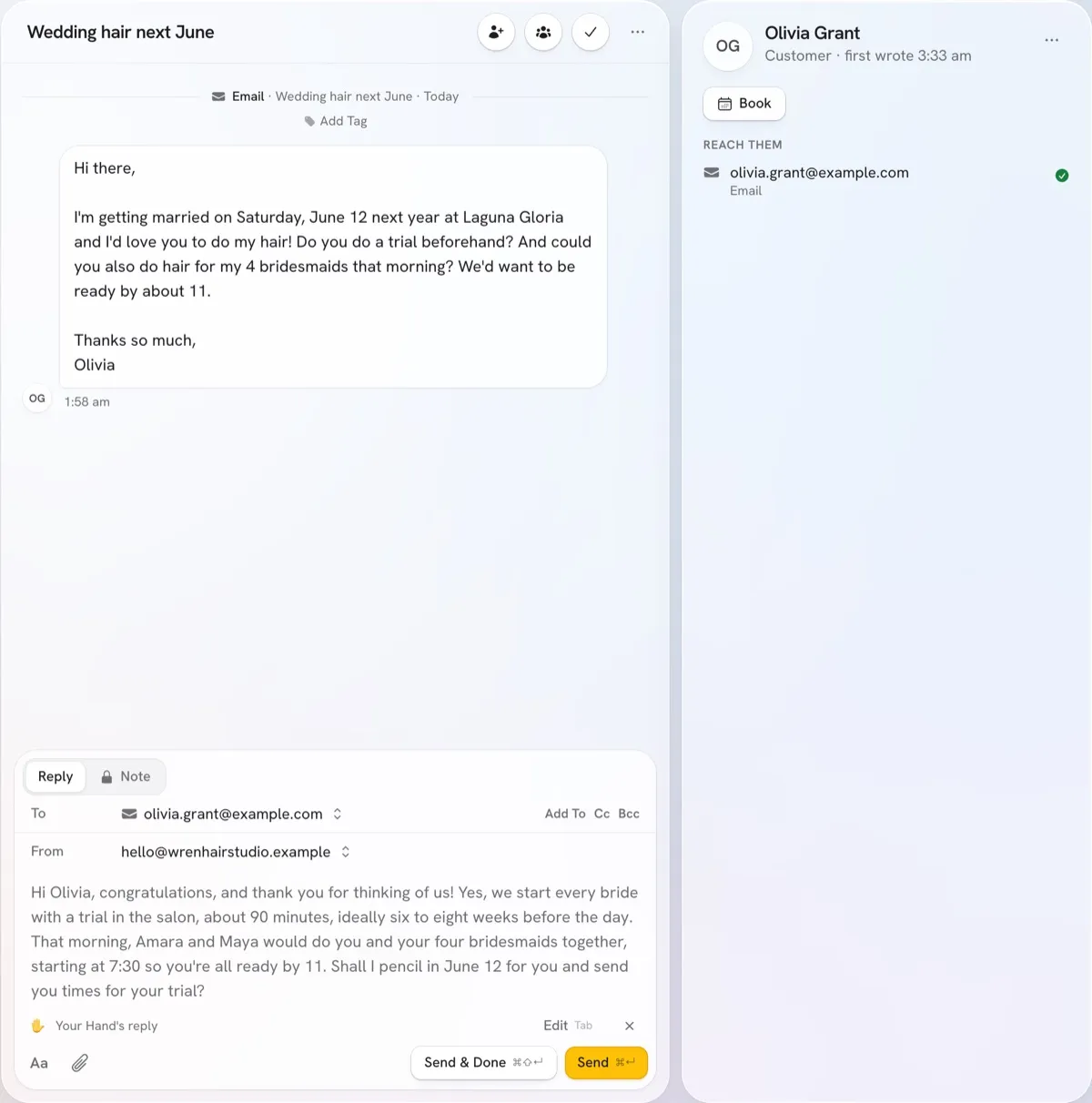
Email more than one person in a conversation, with To, Cc and Bcc. Your reply goes to everyone on the email unless you take them off.
Quote what someone wrote in your reply, and format your words from the Aa button.
Send a reply and mark the conversation done in one step with Send & Done.
Search finds words in messages and the names of attached files, and names spelled a little differently.
Pictures open larger in a viewer.
Ask the Hand to write an email to someone, and it saves it as your draft in the Inbox, ready to send.
Memberships
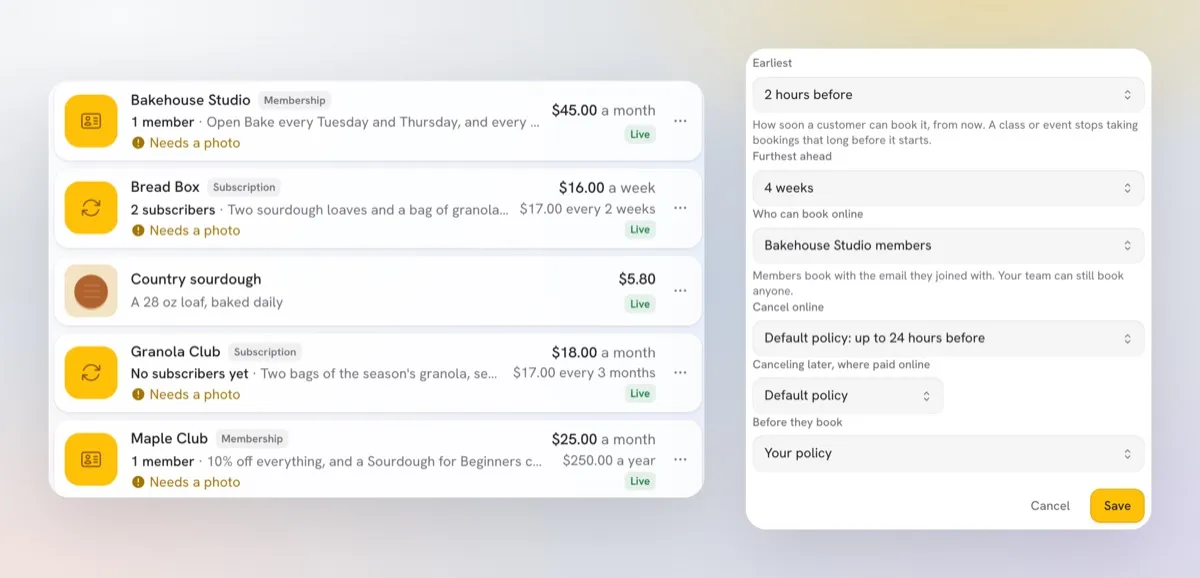
A membership can give access to pages of your site and nothing else, such as a baking challenge with its recipes.
Keep a service or class for members when booking online: one plan's members, or any subscriber.
Members who book several sessions at once get their perk on each one.
The Products list marks memberships and subscriptions, with their price a week, month or year, and how many people have each.
Also
A service can take up someone's whole day, like a party they travel to. Nothing else is booked with them that day.
Find Unused on the Assets page lists the files nothing uses, so you can clear them out.
The Hand can add calculators, filters and tabs to your website.
If you leave while the Hand designs your first website, it emails you when the sketches or the design are ready.
Product fields have their own page, Customize Products.