 Basehand
November 5, 2026
Post to Facebook and Instagram, and sell class packs
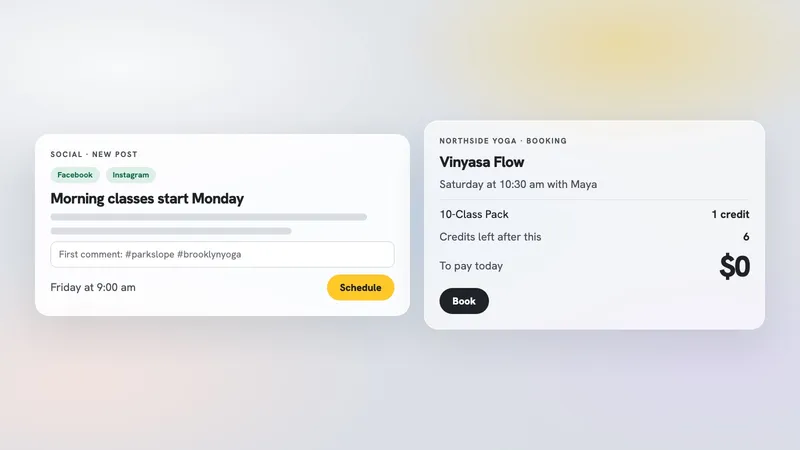
Facebook and Instagram
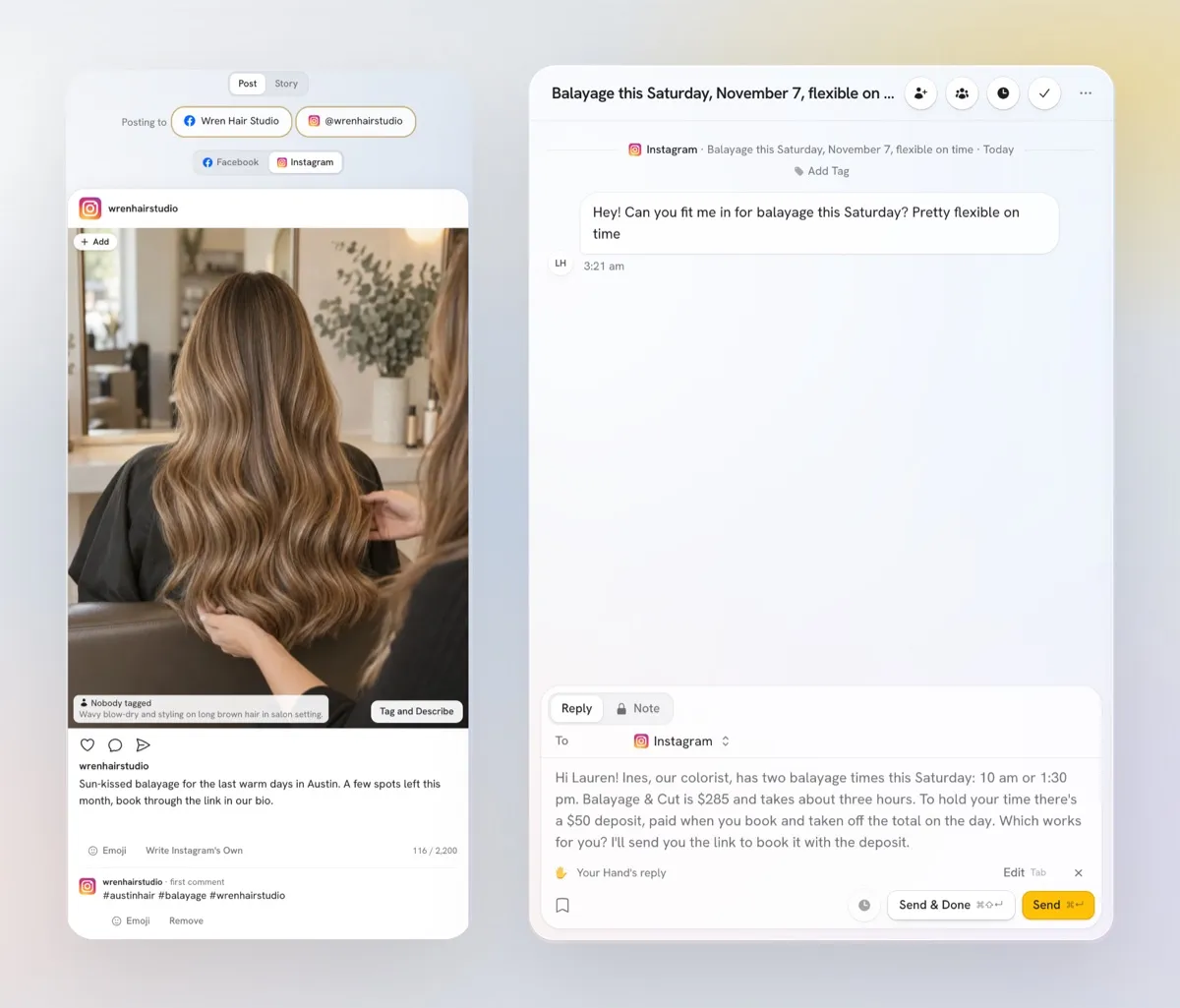
Connect your Facebook Page and your Instagram professional account under Settings › Integrations.
Write a post once on the new Social page, under Marketing, and send it to both. Give either one its own words if you like.
Post pictures or a video, as a post or a story, now or up to 30 days ahead.
Put your hashtags in a first comment, which goes up with the post.
See the week ahead, your drafts, and how each post is doing, with its likes and comments.
Read and answer comments in one place, and hide or delete the ones you don't want.
Instagram and Messenger messages come into your Inbox with everything else, with the Hand's reply ready.
Ask the Hand to draft a post. It asks you before anything goes out.
More in the Handbook: how to answer Instagram, Facebook, and email messages in one place.
Class packs
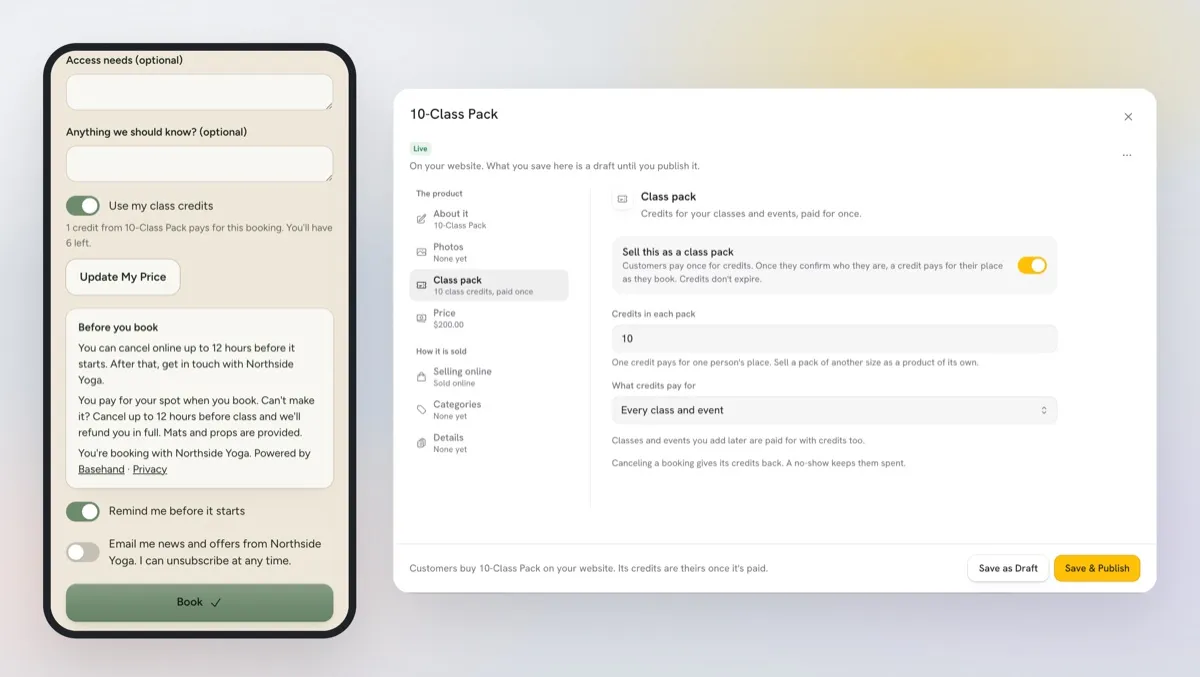
Sell a pack of classes that customers pay for once, such as ten classes for $200. It has no renewal and no expiry.
Make any product a class pack: choose how many credits it holds, and whether they pay for every class and event or only the ones you pick.
Customers buy it on your website, like any other product.
Credits come off on their own when customers book, with no code to type. They can choose to pay instead.
Booking several dates at once shares the credits, and only what credits don't cover is charged.
Canceling a booking gives its credit back. A no-show uses it.
Customers see what they have left on your website, and you see every pack on the customer's page.
Your team can use a customer's credits on an order, or charge for the classes instead.
Orders at a glance
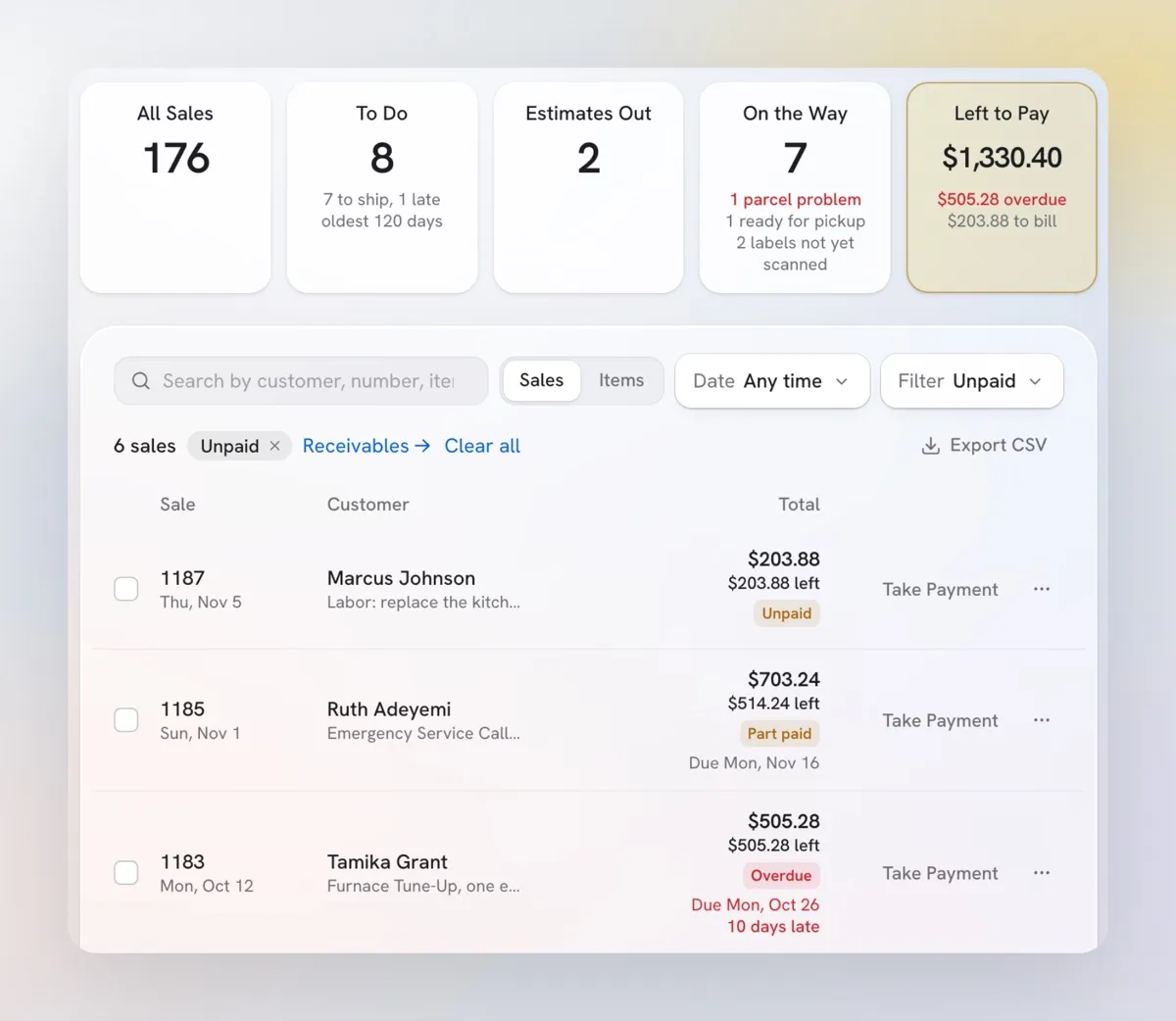
The Orders page opens with five cards: All Sales, To Do, Estimates Out, On the Way, and Left to Pay. Click one to narrow the list to it.
Each card says what is inside it, like how many orders are to ship or overdue.
An order's payments have a card of their own under the totals, with what is left to pay.
Ask for a deposit as an amount or a percent, right where the payments are.
Take a payment on an estimate before the customer answers, and it counts as accepted.
Also
Changed your mind? A reply you send from the Inbox waits ten seconds, with Undo.
See every time an email was opened, not only the first.
Mark a conversation done and the next one opens.
Open days on the booking calendar stand out, whatever your brand's colors.
The Hand finds typefaces closer to your brand when it designs your website.