 Basehand
Customers
How to answer Instagram, Facebook, and email messages in one place
Customers write to you wherever they found you, and they expect a quick answer. How to stop checking five apps, reply faster, and make sure no message slips through.
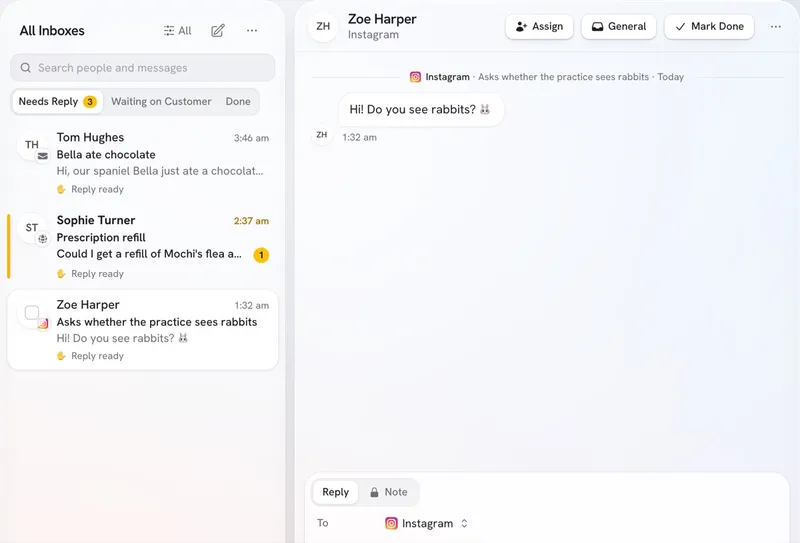
A customer sees your post on Instagram and sends a question. Another emails you. A third fills in the form on your website. A fourth writes to your Facebook Page. Each one is waiting for an answer, and each one is in a different app.
Most small businesses don't lose these customers because they don't care. They lose them because a message sat unread in an app nobody checked that day, or because the person who usually answers was off. A message answered two days late is often a customer who has already booked somewhere else.
Know where your messages come from
Start by listing every place a customer can write to you. For most businesses it's some mix of:
Email
Instagram direct messages
Facebook Messenger, through your Page
The contact or booking forms on your website
Texts and calls
If there's a channel you never check, either start checking it or remove the way to reach you there. An Instagram account that never answers is worse than none.
Bring them into one place
Checking five apps several times a day is how messages get missed. The better way is a shared inbox, where messages from every channel arrive in one list, and you reply from there. The customer still gets your answer in the app they wrote from.
A single inbox has other benefits too. Everyone on the team sees the same list, so two people don't answer the same question, and nobody assumes someone else has it. And when the same customer writes on Instagram one week and by email the next, you can see the whole conversation together.
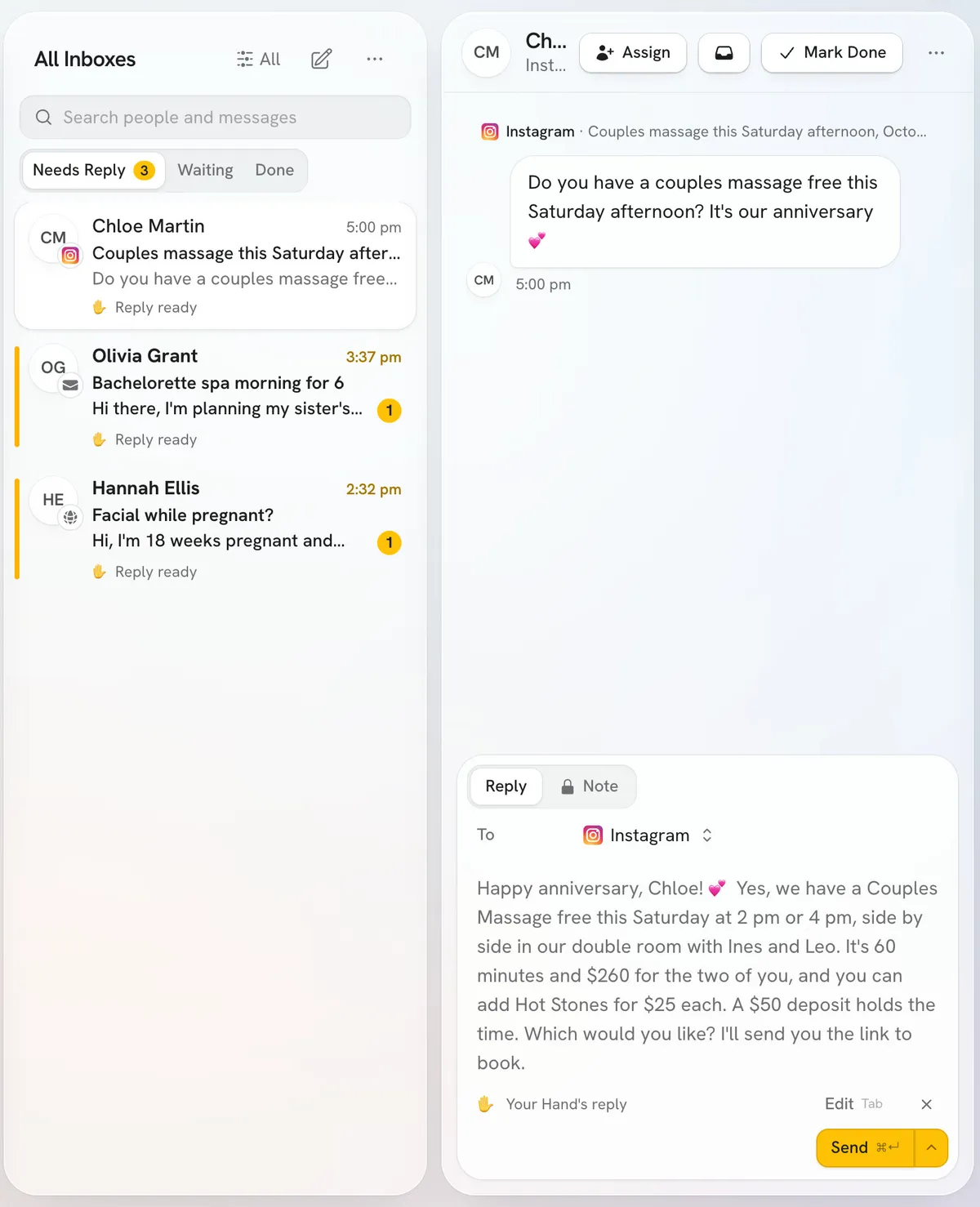
Instagram and email in one list. The reply goes back to Instagram.
Reply quickly, even if it's short
Speed matters more than polish. A short, helpful answer within the hour beats a perfect one tomorrow. If you need time to check something, say so: "Good question, let me check with the team and get back to you this afternoon."
Instagram and Facebook have a practical reason to be quick too. Their rules give a business a limited window, usually 24 hours from the customer's last message, to reply freely. Leave it longer and you may not be able to reply there at all.
Write down your common answers
Most businesses answer the same ten questions over and over. What are your prices? Do you have anything Saturday? Is there parking? Do you do gift cards?
Write a good answer to each one once, and save it so anyone on the team can use it. Saved replies make answers faster and more consistent, and they help new staff answer like someone who's been there for years. Adjust each one a little so it doesn't read like a form letter. There are replies to start from at the end of this guide, and an AI assistant can draft the rest.
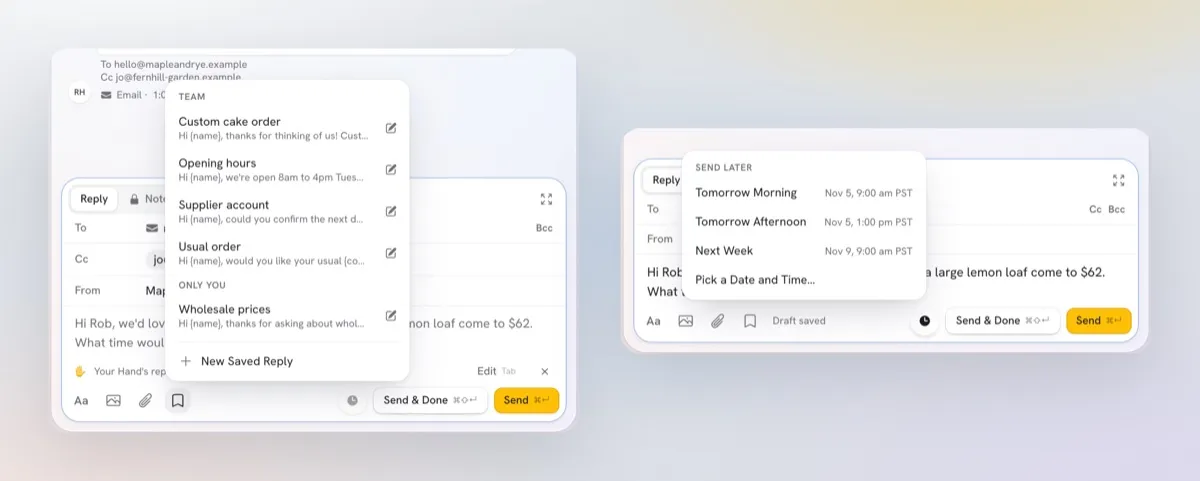
Saved replies for the questions you answer every week, and a choice of when the reply goes.
Turn questions into bookings
Many messages are really booking requests. "Do you have anything Thursday afternoon?" is a customer ready to book. The best answer is a time, or a link to book it, not "please call us." Every extra step between the question and the booking is a chance for them to go elsewhere. And once they've booked, a reminder makes sure they turn up.
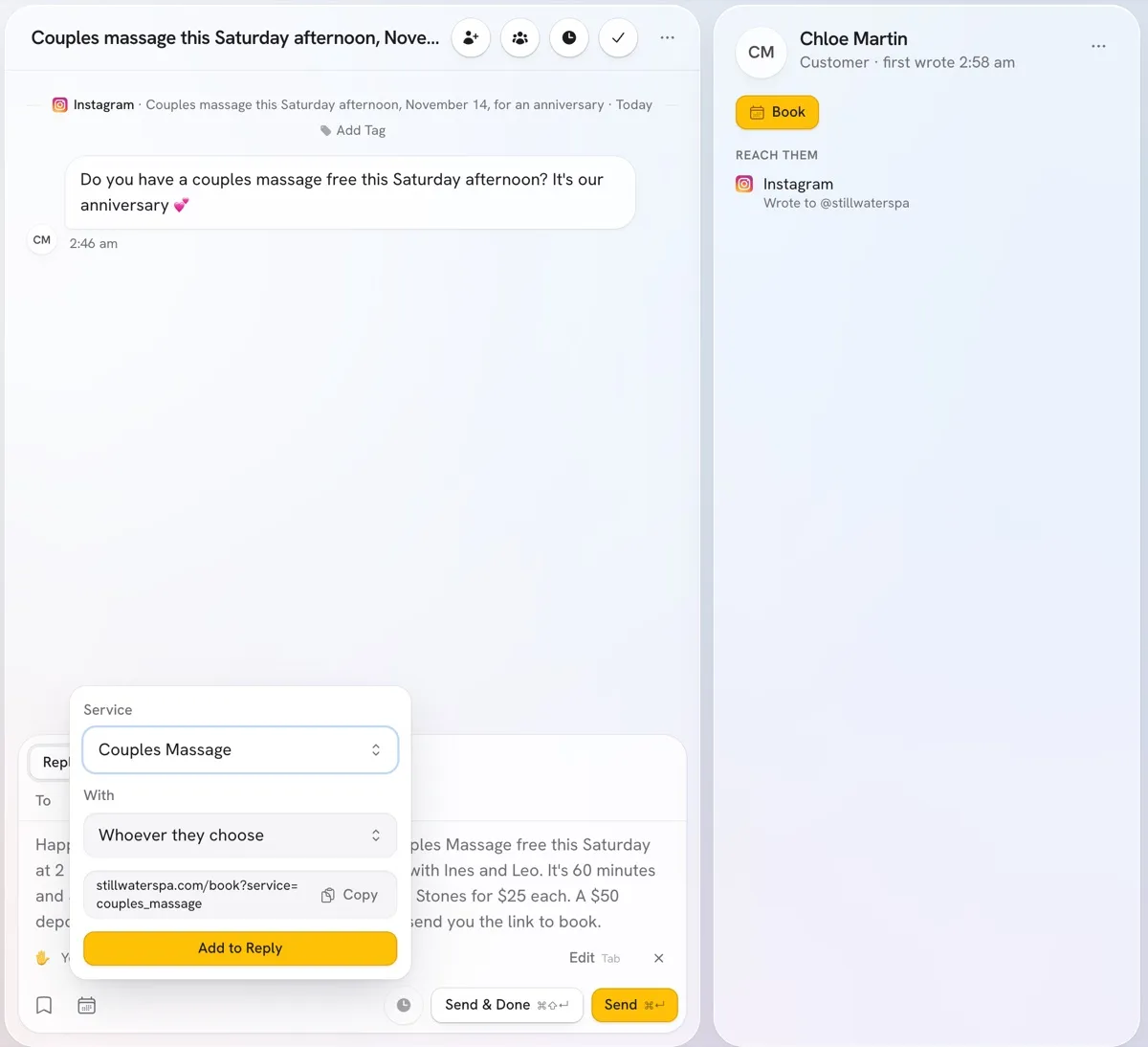
A link to book the exact service the customer asked about, added to the reply.
Agree who answers what
If more than one person handles messages, agree on a simple system:
Whoever opens a message deals with it, or passes it on
A message that's been answered is marked done, so it leaves the list
Anything that needs the owner is flagged for the owner
Someone checks the inbox at the start and end of each day
It sounds obvious, but writing it down is what stops messages falling between two people.
Don't forget to follow up
Some conversations end with "Let me think about it." A friendly note a few days later, such as "Just checking whether you'd still like that Saturday slot," often turns a maybe into a booking. Keep it to one follow-up, and make it easy to say no.
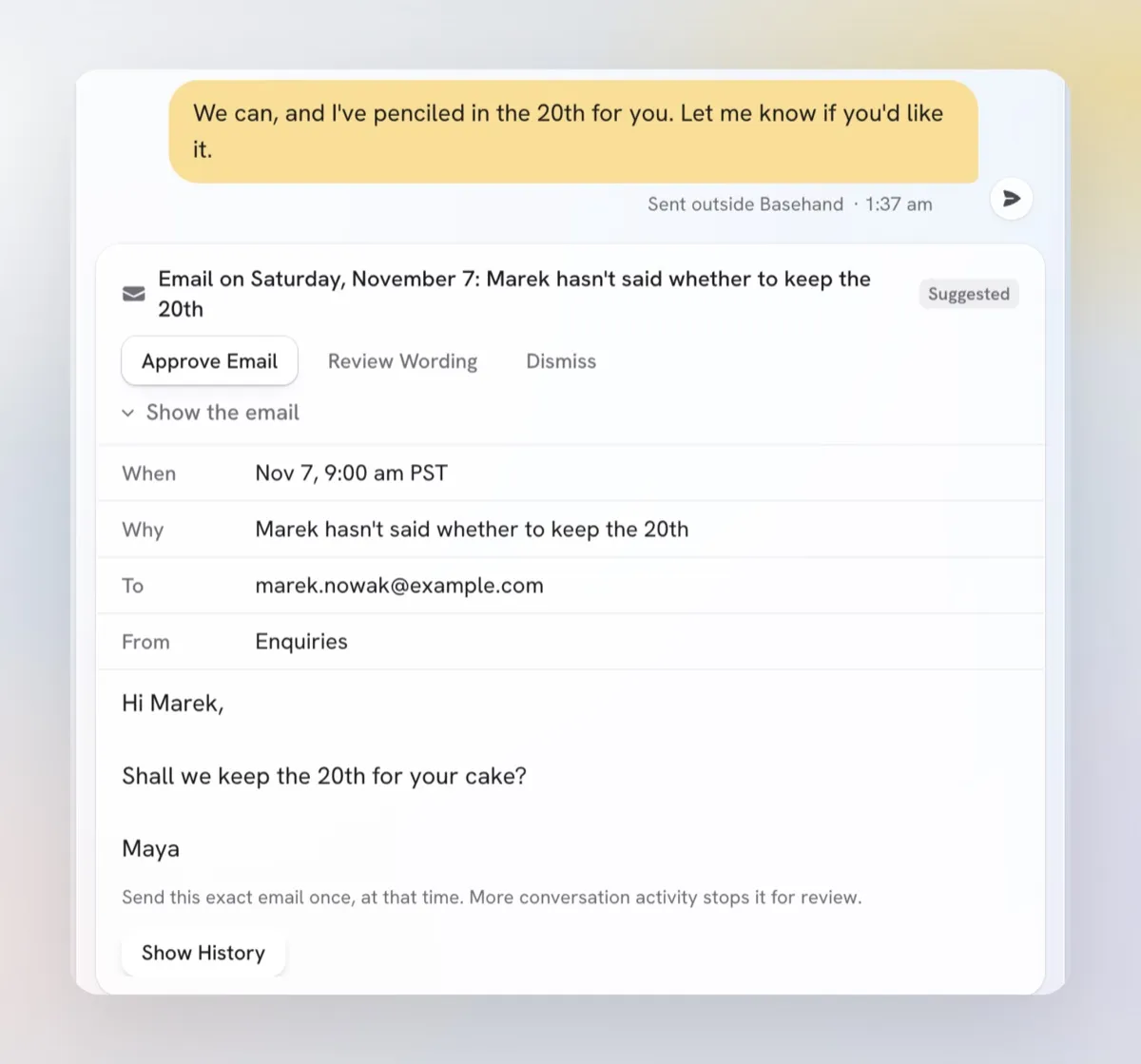
A follow-up suggested for a customer who went quiet. It sends only once someone approves it.
Look after your evenings
Answering quickly doesn't mean answering at midnight. Set the hours you reply, and say so in your automatic replies and on your profiles. Most customers are happy to wait until morning if they know when to expect an answer. Schedule replies written late at night to send in the morning, so you don't train customers to expect answers at all hours.
Saved replies you can copy
Here are replies to the questions most businesses get every week. Copy them into your saved replies, change the words in square brackets, and adjust each one a little when you send it.
Prices
Hi [first name], thanks for asking! [Service] is [price] and takes about [length]. You can see all our prices here: [link]. Would you like me to find you a time?
Availability
Hi [first name], we have [day] at [time] or [day] at [time]. You can book either one here: [booking link]. If neither works, tell me what suits you and I'll check.
Directions and parking
We're at [address], [a landmark, such as "next to the post office"]. [Parking: free lot behind the building / street parking on X Street.] Here's a map: [map link].
When you need to check something
Good question! Let me check with [the team / name] and get back to you by [this afternoon / tomorrow morning].
Automatic reply outside your hours
Thanks for your message! We reply between [9am and 6pm, Monday to Saturday], so you'll hear from us by [10am] on our next working day. To book now, use [booking link].
One friendly follow-up
Hi [first name], just checking whether you'd still like [that Saturday slot / the quote for X]. I'm happy to hold it until [day]. No worries at all if not.
How Basehand helps
Basehand's Inbox brings your Instagram direct messages, Facebook Messenger, email, and website forms into one list. You connect your own mailbox, or use an address at your own domain, and choose which website forms send their answers to the Inbox. You reply from Basehand, and the customer gets your answer where they wrote to you. Each customer has one conversation across channels, so you see everything they've said in one place.
The Hand sorts new messages as they arrive and drafts a reply for each one, shown in the reply box for you to send, change, or ignore. It never sends a reply on its own. It also suggests follow-ups, such as a note to a customer who hasn't confirmed, which an owner or manager approves before they go.
You can save replies for your whole team or just for yourself, schedule a reply to send later, snooze a conversation until you're ready for it, and book an appointment straight from a conversation. Team members can also connect a personal inbox, which only they can read. Customers' texts and WhatsApp messages don't come into the Inbox. Read more about the Inbox.