 Basehand
November 11, 2026
Get invoices paid by bank transfer, and see why a message was sorted
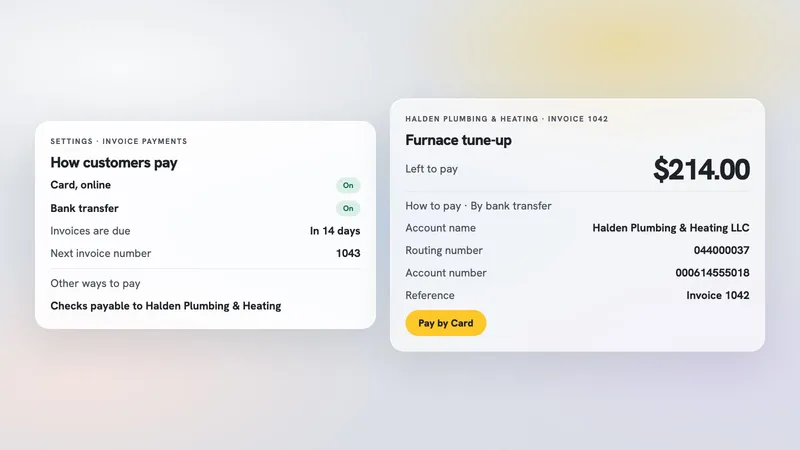
How customers pay your invoices
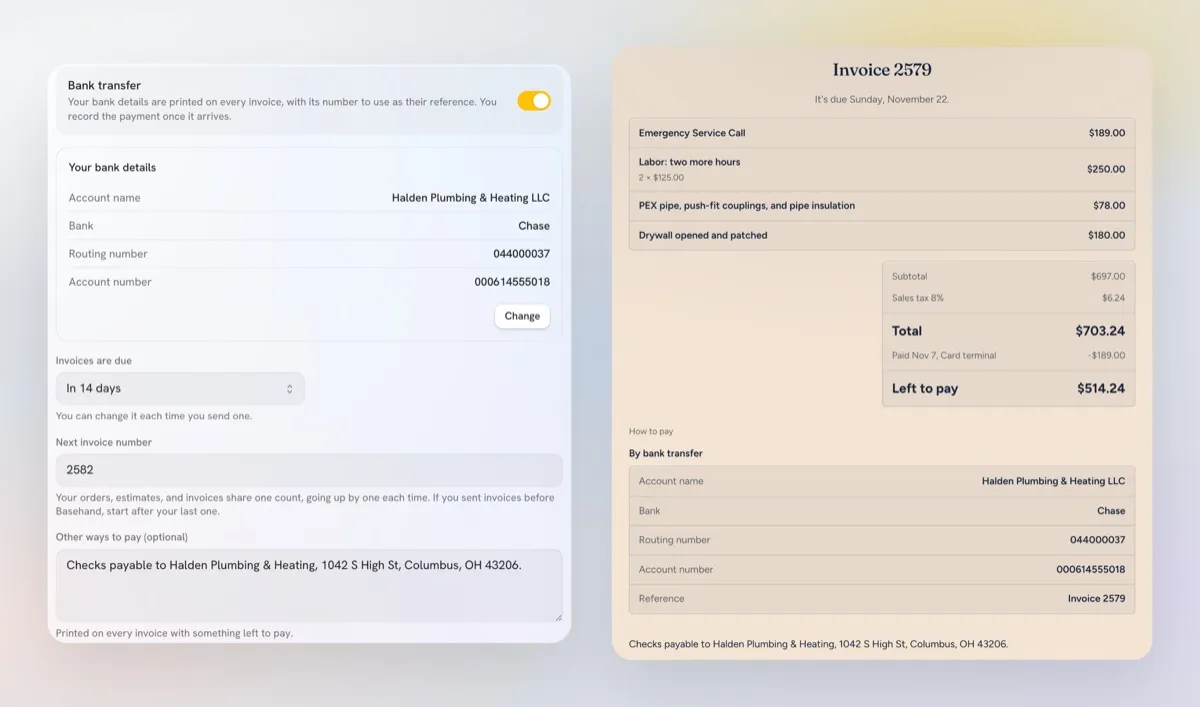
Choose how customers pay the invoices and estimates you send: by card online, by bank transfer, or both. Set it once under Settings › Payments, and change it for one invoice from its page.
Add your bank details once, and they're printed on every invoice and its PDF under How to pay, with the invoice number to use as the reference. Record the payment when it arrives.
Every owner gets an email whenever the bank details change.
Add other ways to pay in your own words, such as checks or cash, and they're printed under the bank details.
Choose when invoices are due: on receipt, after a week, two weeks, a month, or any number of days. Change it each time you send one.
Moving from another system? Set the number your next invoice takes, so your numbers carry on where they left off.
More in the Handbook: how to get paid on time.
Why a message was sorted
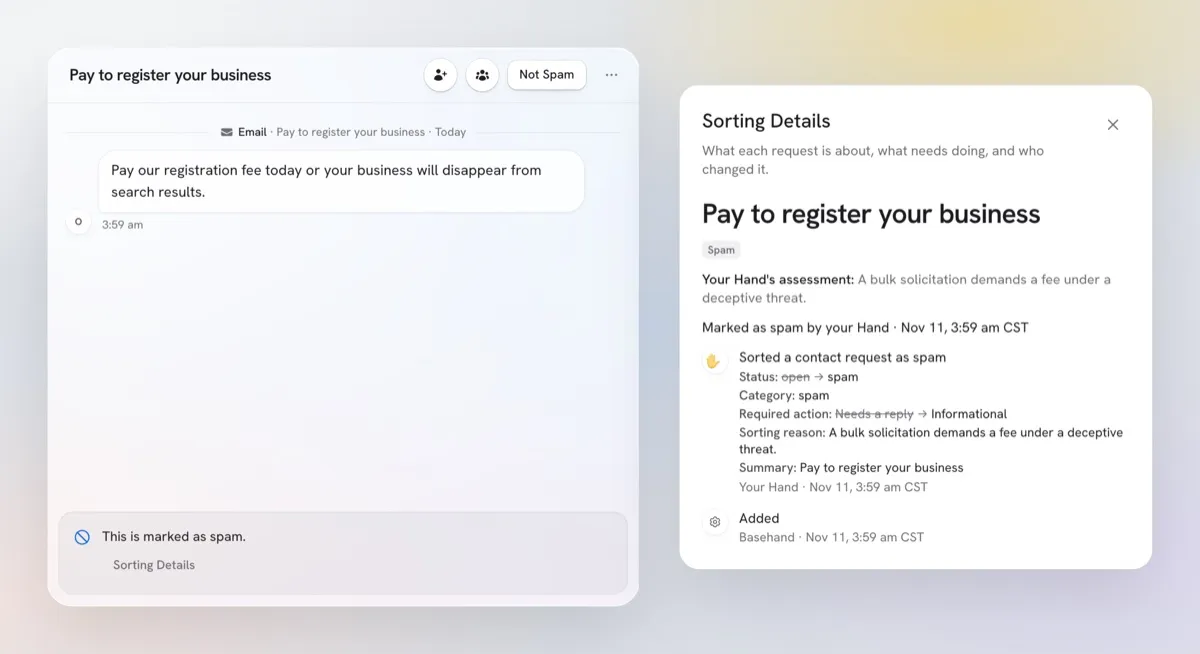
Open Sorting Details from a conversation's menu, or from the notice on a message marked as spam, to see what the Hand made of it and why.
It says who marked a message as spam: your email service, the Hand, or someone on your team, and when.
A message that asks you to do something without needing a reply stays in Needs Attention, with no reply drafted. One that's only for your information can be marked done.
Also
A service or class kept for members is marked as members-only on your booking page.
Ask the Hand to bring back something your site used to say, and it looks through your earlier versions for it.
A message from before today shows its date beside its time.
A contact's details say when they first wrote to you.