 Basehand
Getting paid
How to get paid on time: a simple invoicing routine
Late payments are usually a process problem, not a customer problem. A routine for estimates, invoices, and reminders that gets money in without awkward conversations.
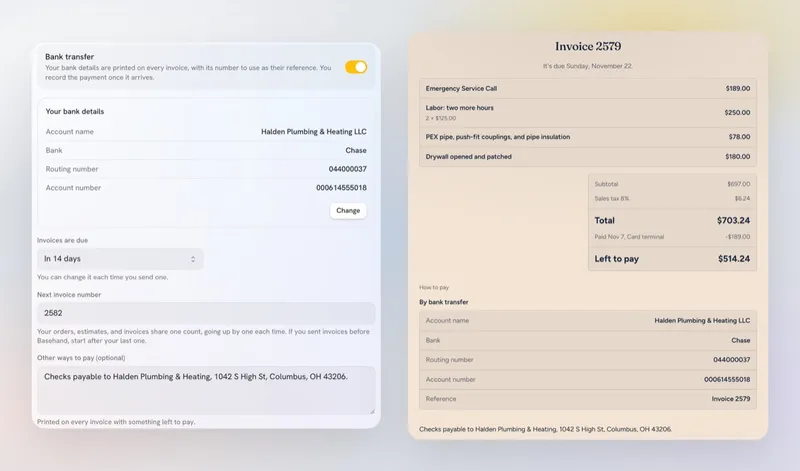
Most late payments aren't customers refusing to pay. The invoice went out a week after the job, it was unclear, it was hard to pay, or nobody followed up. Each of those is in your hands.
Getting paid on time doesn't take a finance team. It takes a routine you follow for every job, so that nothing depends on remembering. Here's one that works for most service businesses.
Agree on the price before the work
For anything bigger than a quick job, send an estimate first and ask the customer to accept it. An estimate sets expectations, settles what's included, and gives you something to point to if questions come up later.
A good estimate lists the work line by line, says what isn't included, and says how long the price stands. For larger jobs, ask the customer to sign it. A signature makes the agreement clear for both of you.
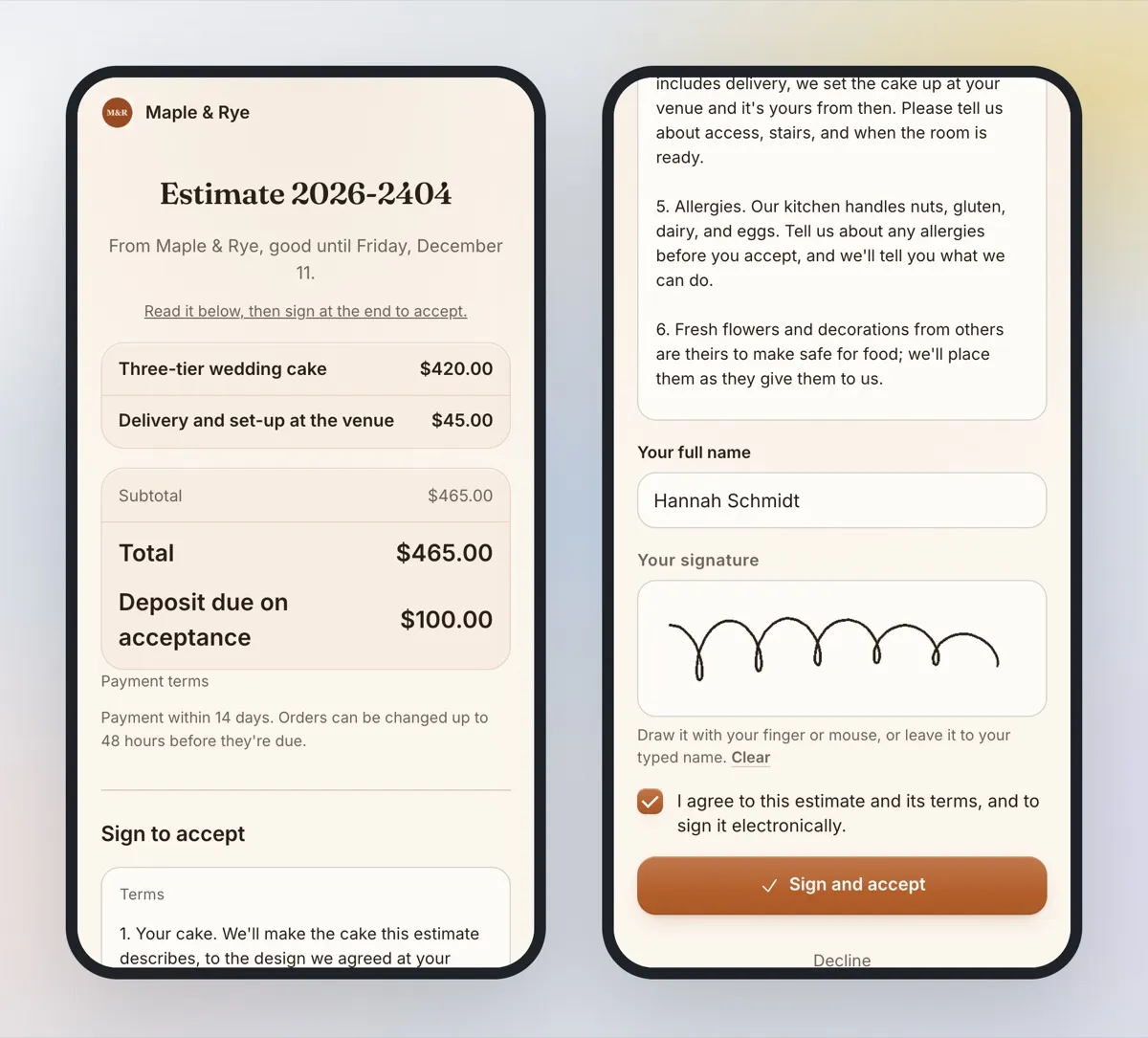
An estimate the customer reads, signs, and accepts on their phone, with the deposit due on acceptance.
When the work is done, the invoice should match what they agreed to. If the job grew, tell the customer before you invoice, not on the invoice.
Invoice the same day
The longer you wait to send an invoice, the longer you wait to be paid. Send it when the job is done, while the work is fresh in the customer's mind and they're pleased with it.
If you can't invoice on the spot, set a time each week, such as Friday afternoon, when every finished job is invoiced. Never let a finished job wait for the end of the month.
Make the invoice clear
A good invoice answers every question a customer might have before they pay:
Your business name and contact details
What was done, line by line, with prices
Any tax, shown separately
The total, and the date it's due
How to pay
An invoice number, so both of you can refer to it
If a customer has to email you to ask what something is, that's a week lost.
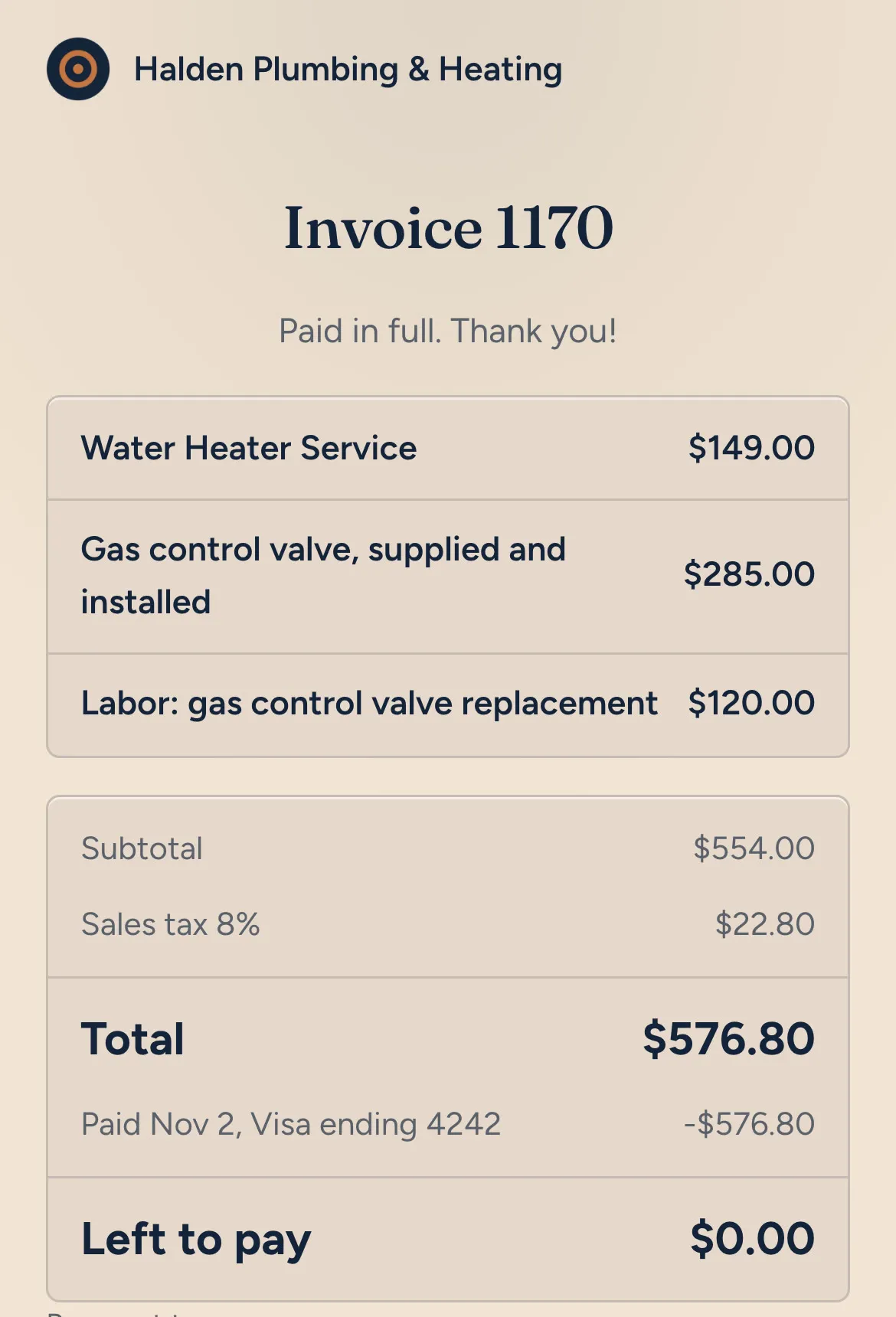
Every line, the tax, the total, and what's left to pay, readable on a phone.
Make it easy to pay
Every extra step is a reason to put it off. The easiest invoice to pay is one with a link the customer can open on their phone and pay by card in a minute.
If you also accept bank transfers, put your bank details and a payment reference on the invoice, so the money arrives with a reference you can match.
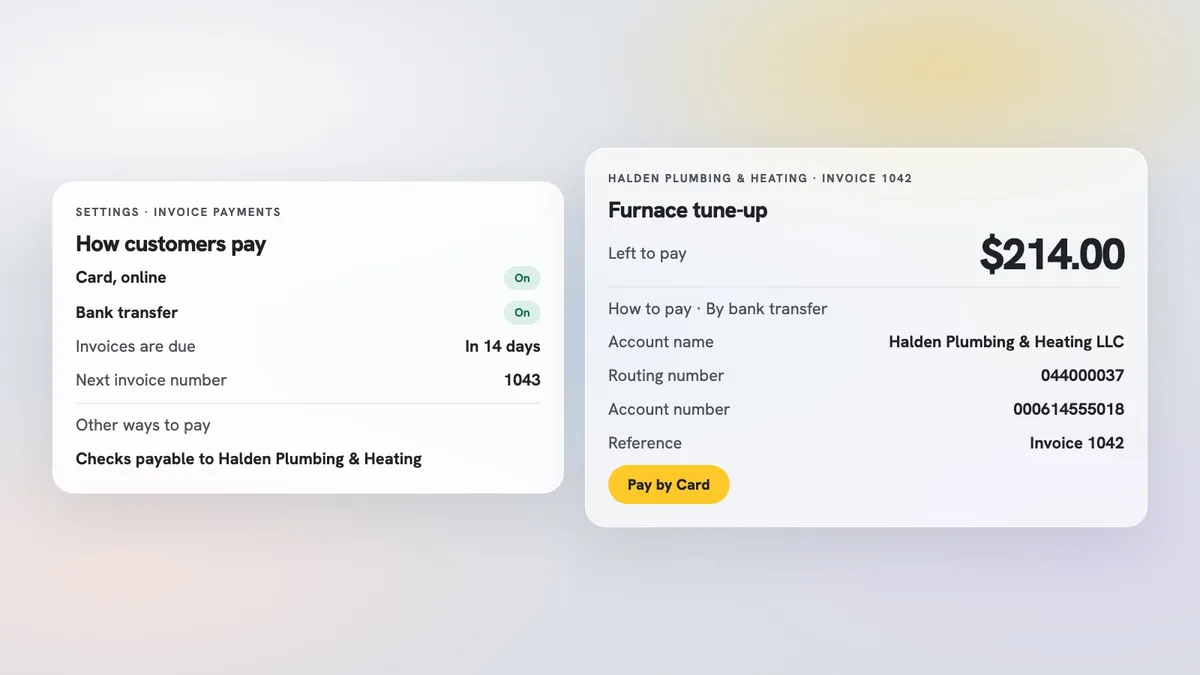
Customers can pay by card from the invoice, or use the bank details and reference shown on it.
Set a due date and keep to it
"Due on receipt" can end up meaning "due whenever." Choose a clear date, such as 14 days after the invoice, and put it on every invoice. Pick terms that fit your customers. Households usually pay quickly; larger businesses often have their own payment cycles.
A clear date is easier to remind someone about than a vague expectation, and it makes it obvious when an invoice is late.
Let reminders do the chasing
Nobody likes asking for money. Reminders that go out on their own take the awkwardness away, and they bring in most late payments without you writing a word.
A simple pattern works: a reminder on the day it's due, another a week later, and another the week after. Keep the tone friendly. Most people simply forgot, and a polite nudge with a link to pay is all they need.
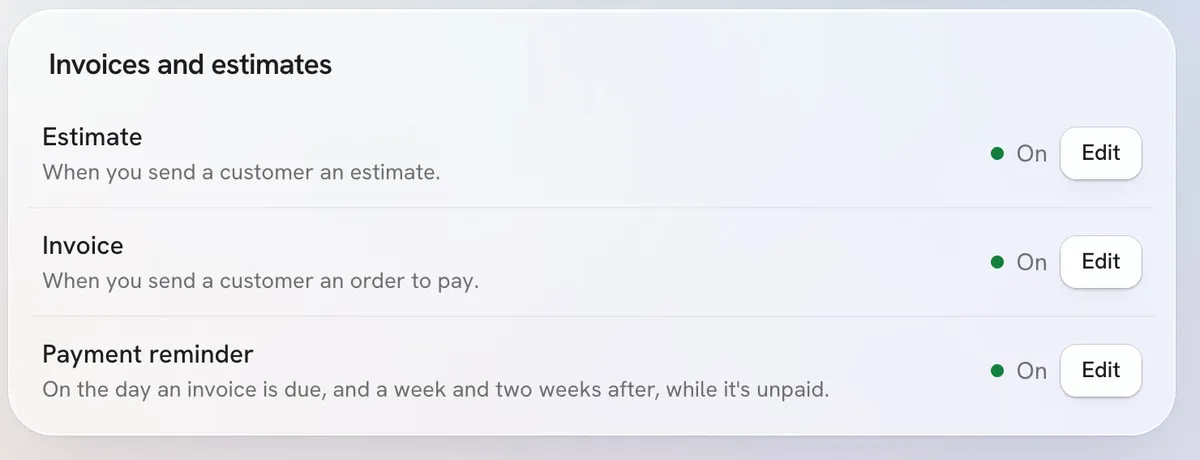
Payment reminders, switched on once and sent for every unpaid invoice.
If an invoice is still unpaid after that, pick up the phone. A conversation sorts out most problems, such as a lost email, a question about the work, or a customer who needs to pay in two parts.
Take a deposit on big jobs
For large jobs, or anything with materials bought up front, ask for part of the price before you start. A deposit covers your costs, shows the customer is committed, and means less is owed at the end. For appointments, deposits also cut no-shows.
Keep an eye on what's owed
Once a week, look at every unpaid invoice. Note which are late and by how much. A short weekly look stops a late invoice from quietly becoming a bad debt.
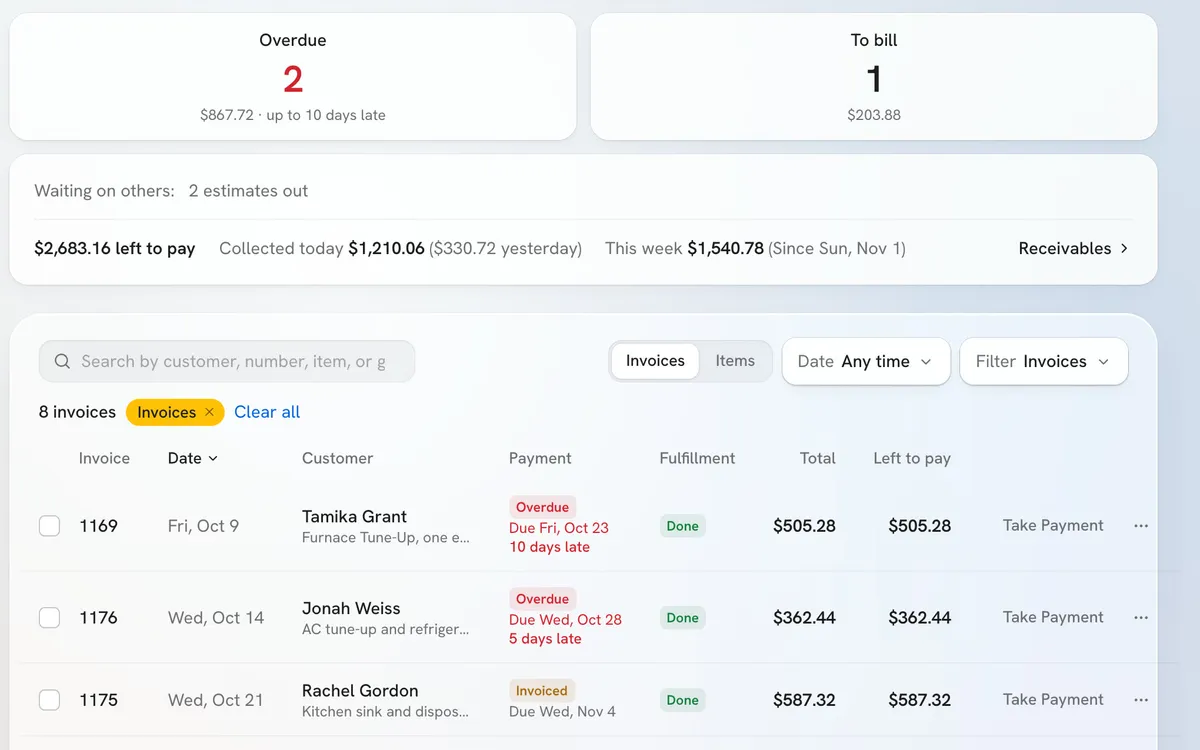
What's overdue, by how many days, and what's left to pay, on one page.
Wording you can copy
Copy any of these and change the words in square brackets. The reminders follow the pattern above: on the due date, a week later, and a week after that.
Payment terms for your invoices
Payment is due within [14] days of the invoice date, by [card, using the link on this invoice / bank transfer to the account below]. Please use the invoice number, [INV-0000], as your payment reference. Questions about this invoice? Call or email [your name] at [phone or email].
Deposit line for an estimate
To book your [job] in, we ask for a deposit of [amount or X%] when you accept this estimate. The deposit counts toward the final price, and the rest is due [when the work is finished / within 14 days of the invoice].
Reminder on the due date
Subject: Invoice [number] is due today

Hi [first name],

A quick reminder that invoice [number] for [job], [amount], is due today.

You can pay by card here: [payment link]
[Or by bank transfer to [account details], with [number] as the reference.]

If you've already paid, thank you, and please ignore this email.

[your name]
[business name]
A week after the due date
Subject: Invoice [number] is a week overdue

Hi [first name],

Invoice [number] for [job], [amount], was due on [date], and we haven't received payment yet. It may simply have slipped through, so here's the link again: [payment link]

If there's a question about the work or the invoice, just reply and I'll sort it out.

Thanks,
[your name]
Two weeks after the due date
Subject: Invoice [number] is two weeks overdue

Hi [first name],

Invoice [number] for [amount] is now two weeks past its due date of [date]. Could you pay it this week, using this link? [payment link]

If you need to pay in two parts, or something is holding it up, let me know by [day] and we'll agree on a plan. If I haven't heard from you, I'll call you on [day].

Thanks,
[your name], [phone]
How Basehand helps
In Basehand, customers can accept an estimate online, and you can ask them to sign it with their name and a drawn signature. An estimate can have a last day to accept it. Once it's accepted, the work is ready to invoice whenever you are.
Each invoice has a due date and its own page, where the customer can pay by card once you've set up payments. If you take bank transfers, your bank details and a reference appear on the invoice and its PDF, and you record the payment when it arrives. You can ask for a deposit on any order, and take part of a payment at a time.
Basehand emails payment reminders for you: on the due date, and one and two weeks after it, for as long as the invoice is unpaid. You can pause them for any invoice, or send one yourself. Read more about payments and invoices.