 Basehand
November 20, 2026
Schedule your team, and let them clock in
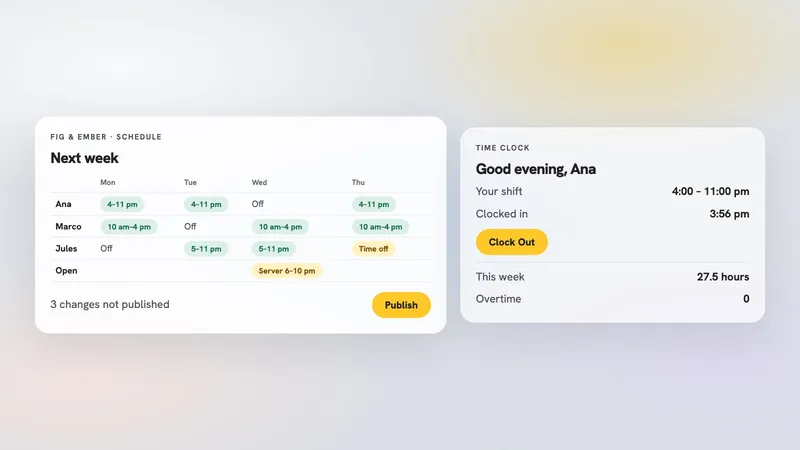
Shifts and the time clock
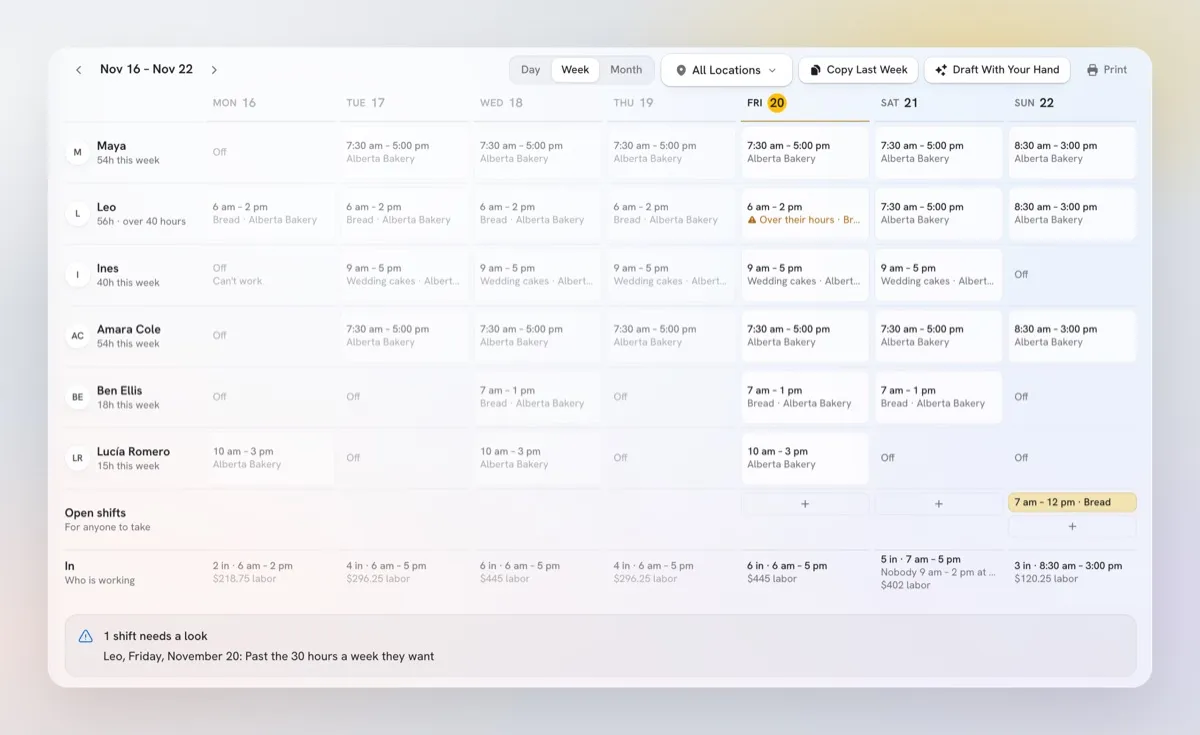
Turn on Shifts & Time Clock in Settings › Features, and your team's hours on the Team page become a schedule. Draft the week, then publish it, and each person hears about what changed for them.
Post open shifts for anyone to take. Your team asks for time off, gives up a shift, or swaps one with a teammate, and you approve it.
Ask the Hand to draft next week. It works from who can work when, their time off and the hours they usually do, and leaves publishing to you.
A shift that overlaps another, falls on time off, or takes someone past the hours they want is marked before you publish.
Print the week to pin on the wall.
Your team clocks in from their phone, by asking the Hand, or on a tablet by the door with a PIN. Anyone who forgets to clock out is reminded.
Timesheets add up each pay period, with overtime worked out for the US, including California's daily overtime and meal breaks, and tips. Approve the period and download it for Gusto, QuickBooks, or OnPay.
Labor vs. Sales in Accounting sets what your team cost each day beside what you sold.
More in the Handbook: how to make a staff schedule your team will actually follow.
Basehand on your phone and tablet
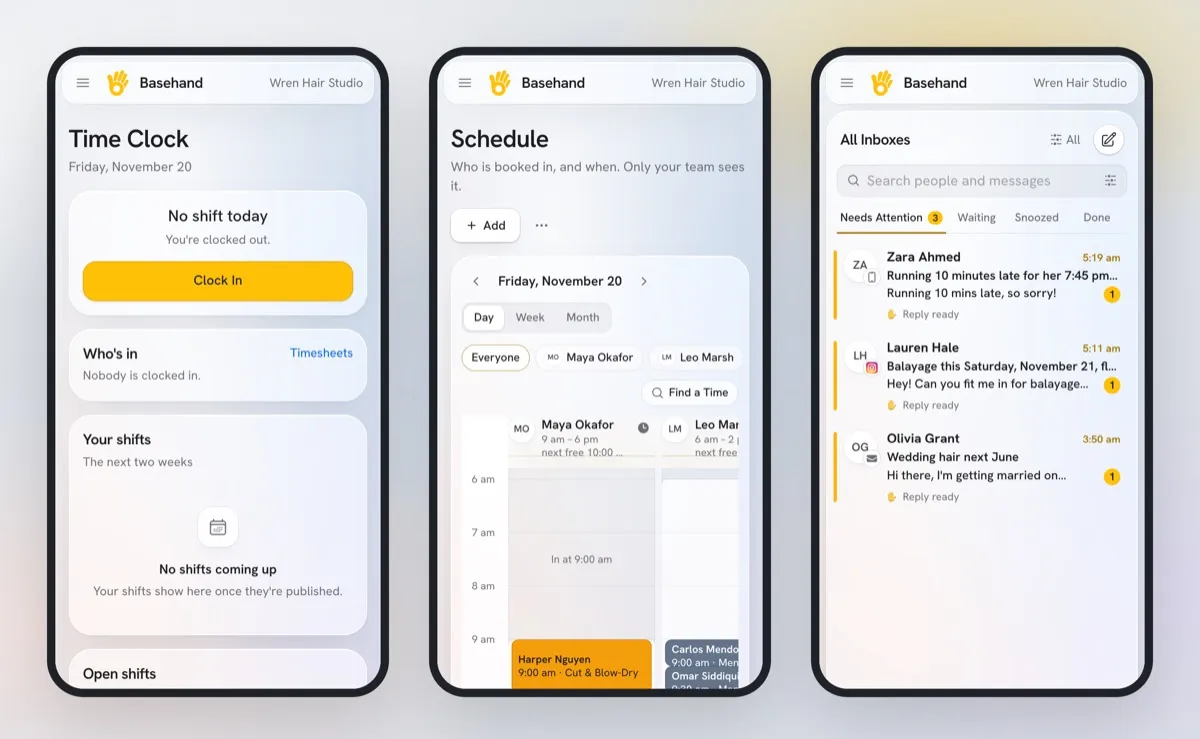
Every page of Basehand now fits a phone, and an iPad either way up. Check the Schedule, answer the Inbox, or change a product away from the counter.
Also
Send a newsletter to your members: all of them, one plan's, or those whose plans have lapsed. Contacts narrows to them the same way.
When the Hand mentions a page of Basehand, it links you straight there.
Click around your new website's home page while the Hand builds the rest of your pages.
A booking for several people counts each place for member perks and class credits.