 Basehand
Getting found
How to get more Google reviews without breaking the rules
Most happy customers never leave a review because nobody asked at the right moment. How to ask every customer, make it one tap, and stay within Google's rules and the law.
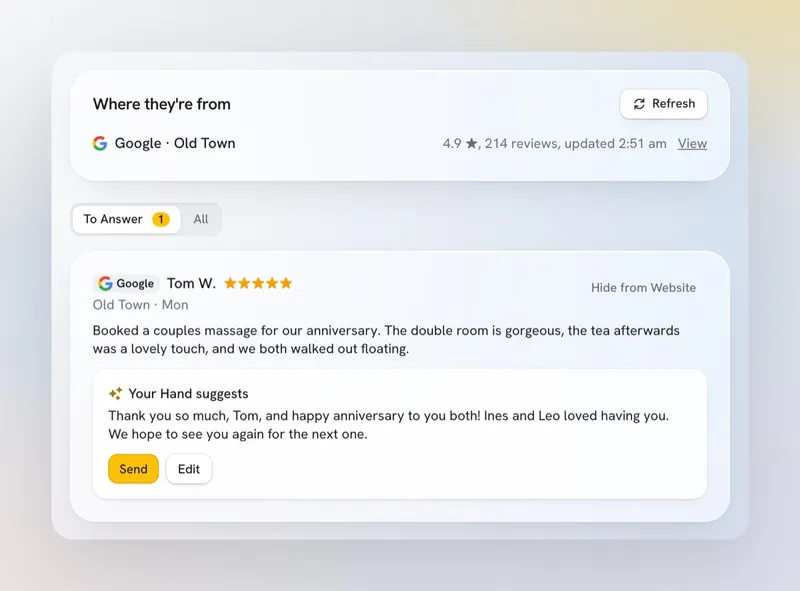
Most of your happy customers would leave you a good review if you asked them. Most of them never do, because nobody asks, or because they're asked at the wrong time, or because leaving one takes more than a minute. Each of those is easy to fix.
Reviews matter for two reasons. Google counts them when it decides which businesses to show in local results, and people read them before they choose where to go. A steady stream of recent reviews does more for a small business than a burst of them every few years.
Know the rules first
Before asking anyone, it's worth knowing what's not allowed, because some common advice breaks the rules.
Google's policy for reviews on Maps says businesses must not:
Offer money, discounts, free products, or anything else in return for a review
Ask only the customers they expect to be happy, or steer unhappy ones away from leaving a review
Discourage or block negative reviews
Write reviews of their own business, or have friends, family, or staff do it
In the United States, the Federal Trade Commission's rule on consumer reviews has applied since October 2024. Among other things, it bans fake reviews, and bans offering anything in return for reviews that say something positive or negative. It also bans using threats or intimidation to get a negative review removed. Breaking it can lead to fines.
The second point on Google's list catches a lot of businesses. A common trick is to send customers a short survey first, and only send those who answer "great" on to Google. That's called review gating, and Google doesn't allow it. Ask everyone the same way.
Ask at the right moment
The best time to ask is soon after the visit, while the experience is fresh and the customer is still pleased with it. A few hours after an appointment usually works well. A week later, most people have moved on.
Asking in person helps too. A simple "If you have a minute, a Google review really helps us" at the end of a good visit is honest and works. Follow it with a message that makes it easy.
Make it one tap
Every step between "sure, I'll do that" and a posted review loses people. Don't tell customers to search for you on Google. Send them straight to the box where they write the review.
Google gives every Business Profile a link for exactly this. In your Business Profile, look for the option to ask for reviews, and copy the link it gives you. Put that link behind a clear button in an email, or on a small card with a QR code at the counter.
Keep the message short. Thank them for coming, say a review helps a small business like yours, and give them the button. That's all it needs.
Ask every customer, every time
The businesses with the most reviews aren't the ones with the happiest customers. They're the ones that ask consistently. A request that goes out after every visit, automatically, will bring in far more reviews over a year than a push every now and then.
Asking everyone also keeps you within the rules, and it gives you an honest picture. If some reviews are critical, that's useful to know.
Give unhappy customers a way to talk to you
You can't steer unhappy customers away from Google, but you can give every customer an easy way to tell you directly. A line such as "Anything you'd like to tell us? Just reply to this email" in the same message invites a quiet word, without filtering anyone. Some people would rather tell you than tell the internet, and when they do, you get the chance to put it right.
Answer your reviews
Replying shows people that a real person reads what customers say.
For a good review, thank them by name and mention something specific from what they wrote. Avoid pasting the same reply under every review.
For a bad review, wait until you're calm. Thank them for the feedback, don't argue the details in public, and offer a way to talk it through. Readers judge you as much by how you answer a complaint as by the complaint itself. Never share anything private about the customer in your reply.
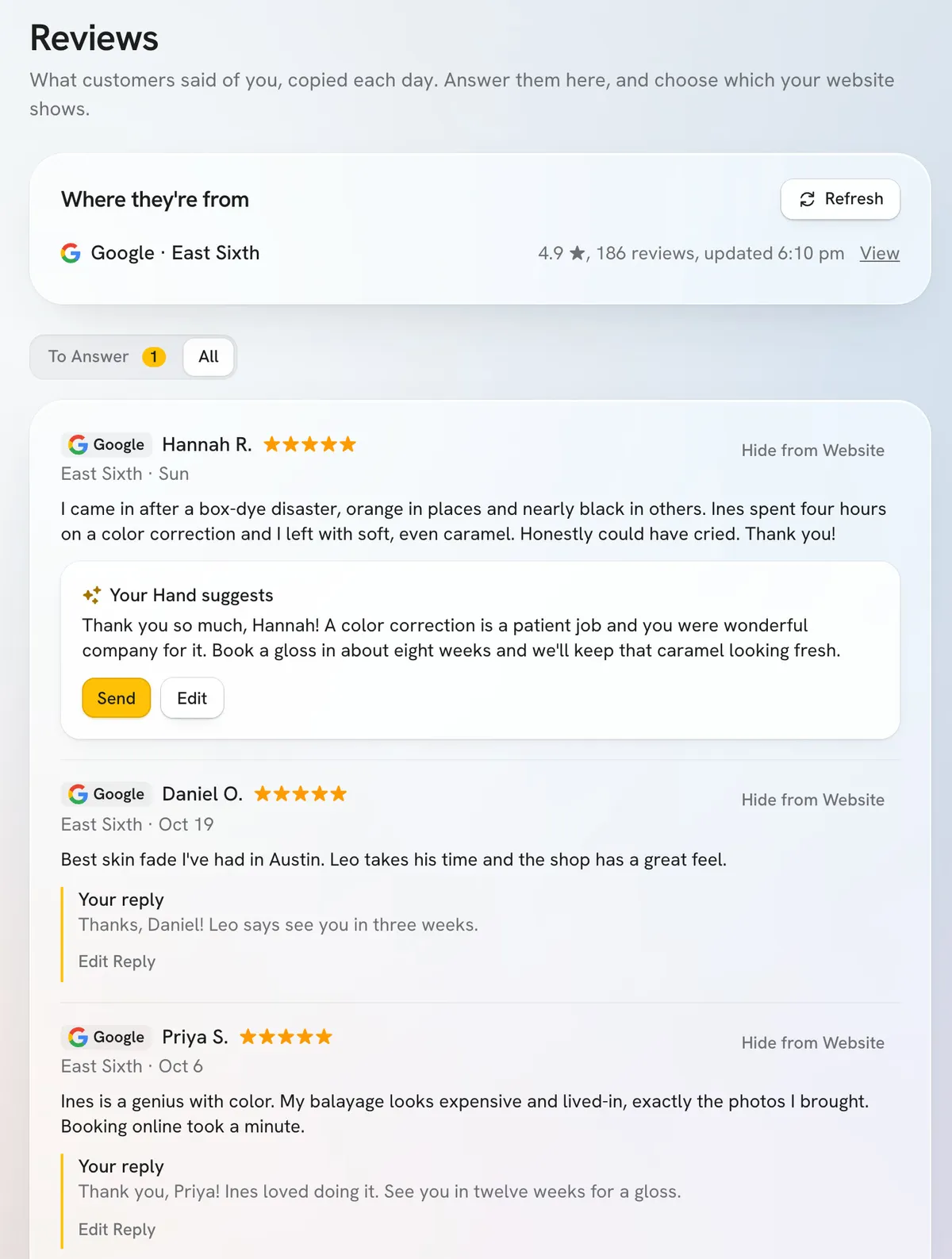
Replies that thank each customer by name and mention what they wrote.
If a review breaks Google's rules, for example because it's fake or about a different business, you can report it to Google. A review being negative isn't a reason Google will remove it.
Show your reviews on your website
People who find you through your website haven't necessarily seen your Google reviews. Showing a few recent ones on your site helps them decide. Use real reviews, word for word, with the reviewer's name as it appears on Google.
It's fine to choose a few to feature. Just don't present a chosen set as all of your reviews. In the US, the FTC's rule bans suggesting that the reviews on your site are all or most of them when you've left some out for being negative.
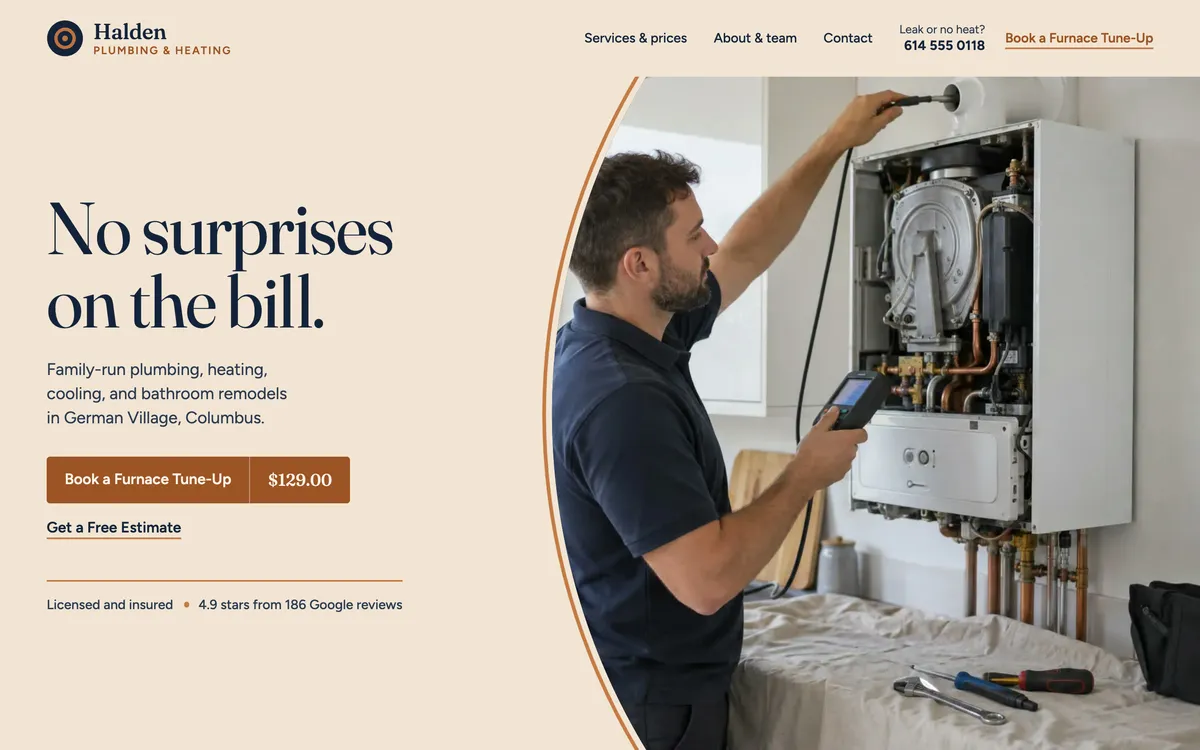
Your Google rating on your own home page, where visitors decide.
Messages you can copy
Copy any of these and change the words in square brackets. Send the same request to every customer, so nobody is filtered out.
Review request by text
Thanks for coming in today, [first name]! If you have a minute, a Google review really helps a small business like ours: [review link]. And if anything wasn't right, just reply here and tell us.
Review request by email
Subject: Thanks for visiting [business name]

Hi [first name],

Thank you for coming in for your [service] today. We hope you enjoyed it.

If you have a minute, would you leave us a review on Google? It helps other people find us, and we read every one.

Leave a review: [review link]

Anything you'd like to tell us? Just reply to this email. It comes straight to [your name].

Thanks again,
[your name], [business name]
Card for the counter
Enjoyed your visit?
A Google review helps a small business like ours more than you'd think.
Scan the code to leave one. It takes a minute.
[QR code for your review link]
Reply to a good review
Thank you, [first name]! We're so glad you enjoyed [the thing they mentioned]. [Staff name] will be happy to hear it. See you next time.
Reply to a critical review
Hi [first name], thank you for taking the time to tell us about your visit. I'm sorry [the thing that went wrong] wasn't what you expected. I'd like to hear more and put it right, so please get in touch with me directly at [phone or email]. [Your name], [your role]
How Basehand helps
Basehand can send customers a thank-you email after each appointment, a set number of hours after it ends. It's off until you switch it on, and you choose when it goes. You can rewrite its words. When you paste in your Google review link, the email's button takes customers straight to the review box. The email also invites them to reply directly, and replies land in your Inbox.
The email goes to every customer who came, the same way, so nobody is filtered by how happy they seem. It isn't sent to no-shows or to customers who asked not to get reminders. It doesn't go out overnight; one due between 9pm and 9am waits until morning.
Basehand copies your Google reviews each day once your location is linked to its listing. The Hand drafts replies to recent reviews for you to read, change, and send. Nothing is posted until a person presses Send. You can show your reviews on your website, and choose any you'd rather leave off it. Read more about reviews and the rest of Basehand's marketing tools.