 Basehand
Your website
What to put on your home page, and what to leave off
Most visitors decide in a few seconds whether you're what they're looking for. A checklist for a small business home page that answers their questions before they leave.
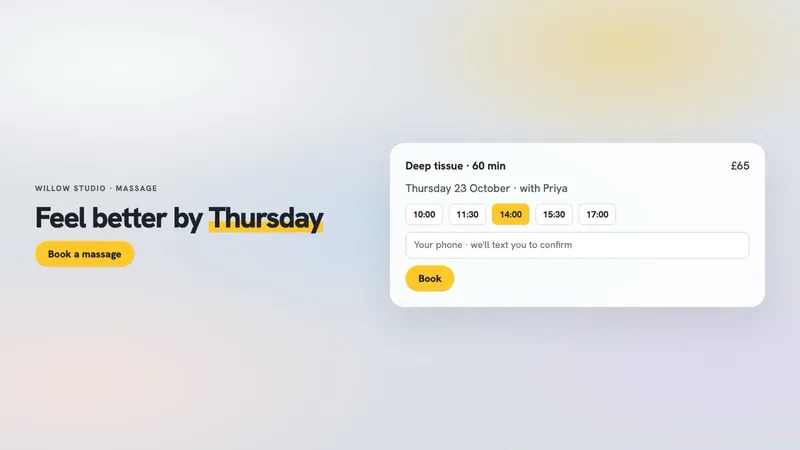
Your home page isn't a brochure. For most visitors it answers one question: can this business do what I need, and how do I get it? Everything on the page should help them answer it, quickly, on a phone.
Most people arrive on your home page from Google, from your Google Maps listing, or from a link on social media. They've already got a rough idea of what you do. The page's job is to confirm it, earn a little trust, and show them what to do next.
Say what you do, in plain words
The first line someone reads should say what you do and, where it matters, where. "Hair color and cuts in East Austin" beats "Where beauty meets passion." A clever line can come later, once the visitor knows they're in the right place.
Under it, add a sentence about what makes you worth choosing. Be specific. "Every color starts with a free consultation" says more than "We care about our clients."
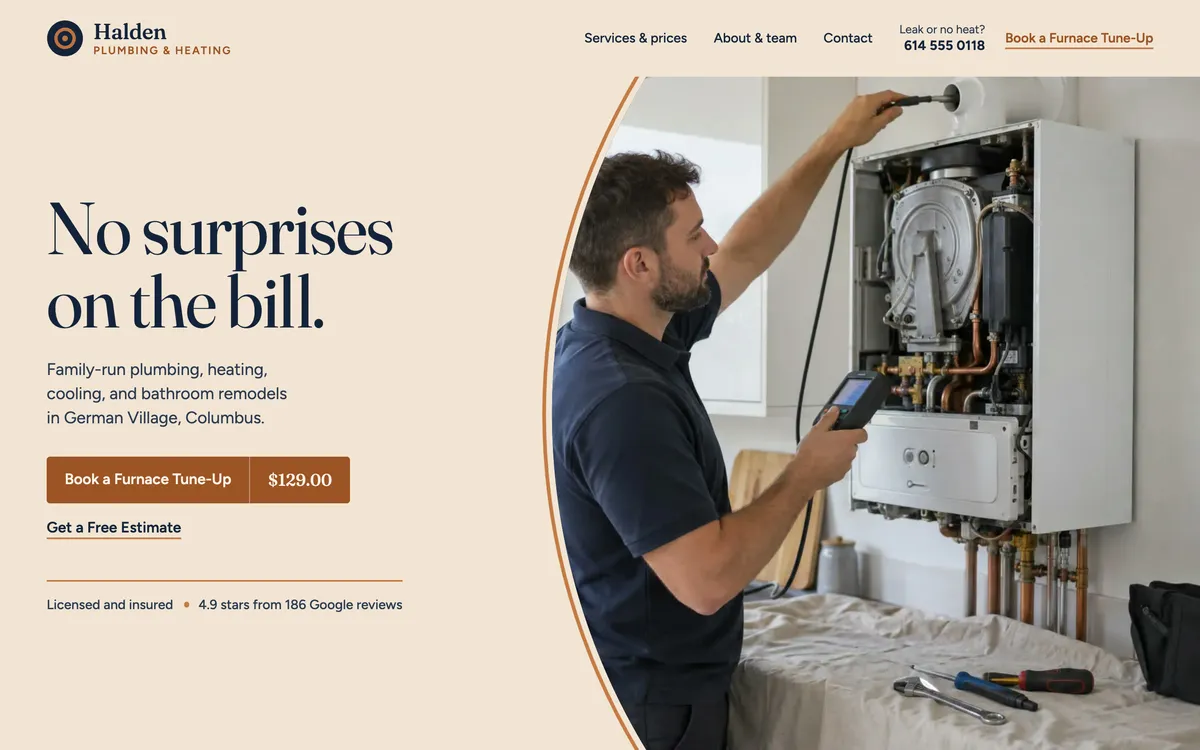
A plumber's home page that says what they do, where, and what to do next, with its Google rating right under the button.
Give one main thing to do
Pick the action that matters most, such as booking, ordering, calling, or asking for a quote, and make it the one button that stands out. Put it at the top and again further down the page.
Two buttons of equal weight make people stop and choose. One makes the choice for them. Other actions can still be there, just quieter.
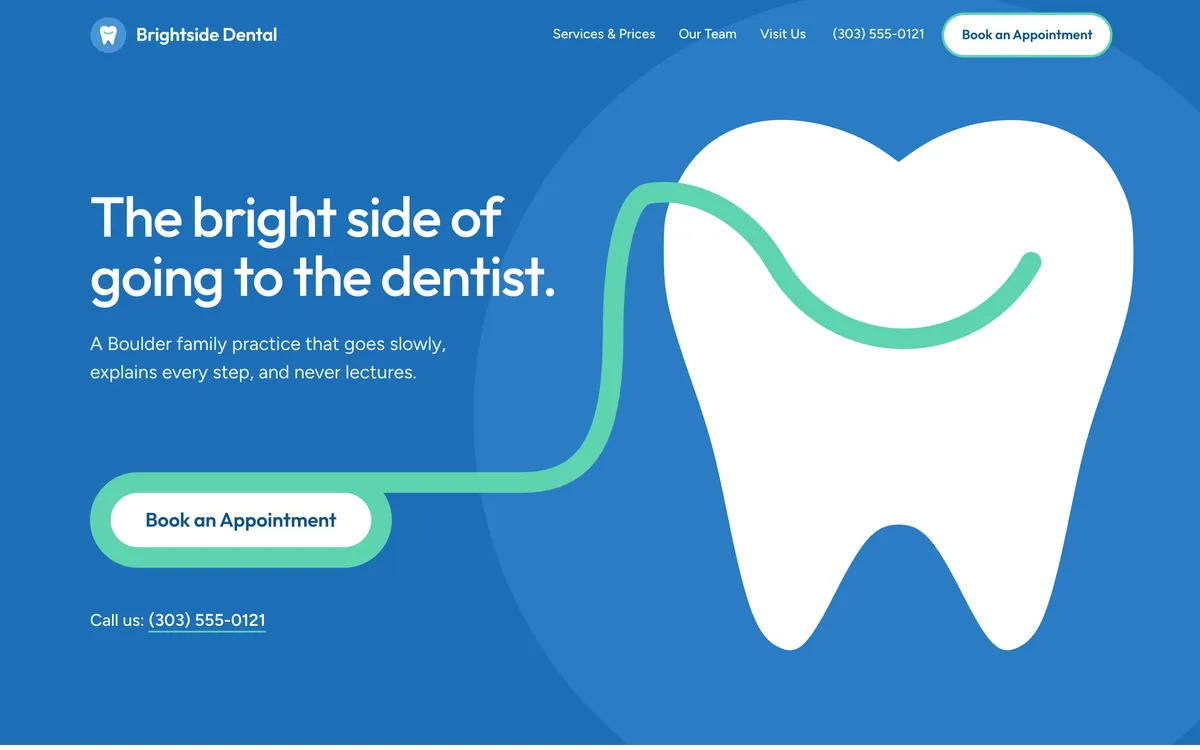
One main button. The phone number is still there, just quieter.
Answer the practical questions
People check the same few things before they visit or buy. Keep them easy to find:
Where you are, with a map or directions
When you're open, including holidays
What it costs, at least roughly
How to reach you
If any of these is missing, visitors go back to the search results to find it somewhere else, and they may not come back.
Prices put some owners off, because they worry about scaring people away. But a visitor who can't find a price often assumes the worst. Even "Cuts from $45" is enough to reassure most people.
Show your real work
Photos of your own space, your team, and your work do more than any stock photo. They don't need to be professional, just clear, well lit, and recent. A photo of the outside helps people recognize you from the street.
Put your best photo near the top. It sets the tone for everything below it.
Let customers vouch for you
A few real reviews, with names, near the top of the page do more than a paragraph about your values. Choose ones that mention something specific, such as a service, a person, or a result. Use them word for word. If you don't have many yet, here's how to get more Google reviews.
Keep it short
A home page doesn't need to say everything. It needs to point people to the right place. Detailed services, your story, and your team can each have a page of their own, linked from the home page.
A good test: can someone understand what you do, where you are, and how to book, without scrolling more than a couple of times on a phone?
What to leave off
A welcome message that says nothing, such as "Welcome to our website!"
Sliders that rotate before anyone can read them
A long history of the business, which belongs on an About page
Anything out of date, such as last season's offer or a location you've closed
Pop-ups that cover the page before the visitor has seen it
Social media feeds that pull people off your site
Help Google understand it too
The words that help visitors also help search engines. Say what you do and where, in the words your customers would search for. Give each page a clear title. Make sure your name, address, phone number, and hours match your Google listing exactly. Our guide to showing up on Google Maps explains why.
Check it on a phone
Most of your visitors are on their phones. Open your site on yours and look at it as a stranger would. Can you see what you do, and the main button, without scrolling? Can you tap the phone number to call? Does the page load quickly on a mobile connection?
Then ask someone who doesn't know your business to find your prices and book something. Watching them for two minutes will teach you more than an hour of guessing.
Copy this outline
Here is the whole page in order, to copy into a document and fill in, or to send to whoever builds your site. If an AI tool is building it, our guide to building your website with AI has requests to go with it.
1. Headline: [what you do] in [where]
2. One sentence on why you: [something specific you do that others don't]
3. Main button: [Book now / Order online / Get a quote]
4. Your best photo of your real work or space
5. Two or three reviews, word for word, with names
6. Your main services, with prices or "from" prices, each linking to its own page
7. Your address with a map, and your hours, including holidays
8. Your phone number and email, which a visitor can tap on a phone
9. The main button again
Headlines to adapt
Hair color and cuts in [neighborhood]
Family-run plumbing and heating in [city]
Sourdough and pastries, baked daily in [neighborhood]
Physical therapy in [city], with appointments this week
Dog grooming in [neighborhood], by appointment
How Basehand helps
Basehand designs your website for you from what's already out there about your business: your current website if you have one, or your Google Maps listing and social media pages if you don't. Your hours and address come from your business settings, so the site stays right when they change, and online booking is built in.
To change something, you ask the Hand in plain words, or point at part of the page and say what you want. You see the change before it goes live, and nothing is published until you approve it.
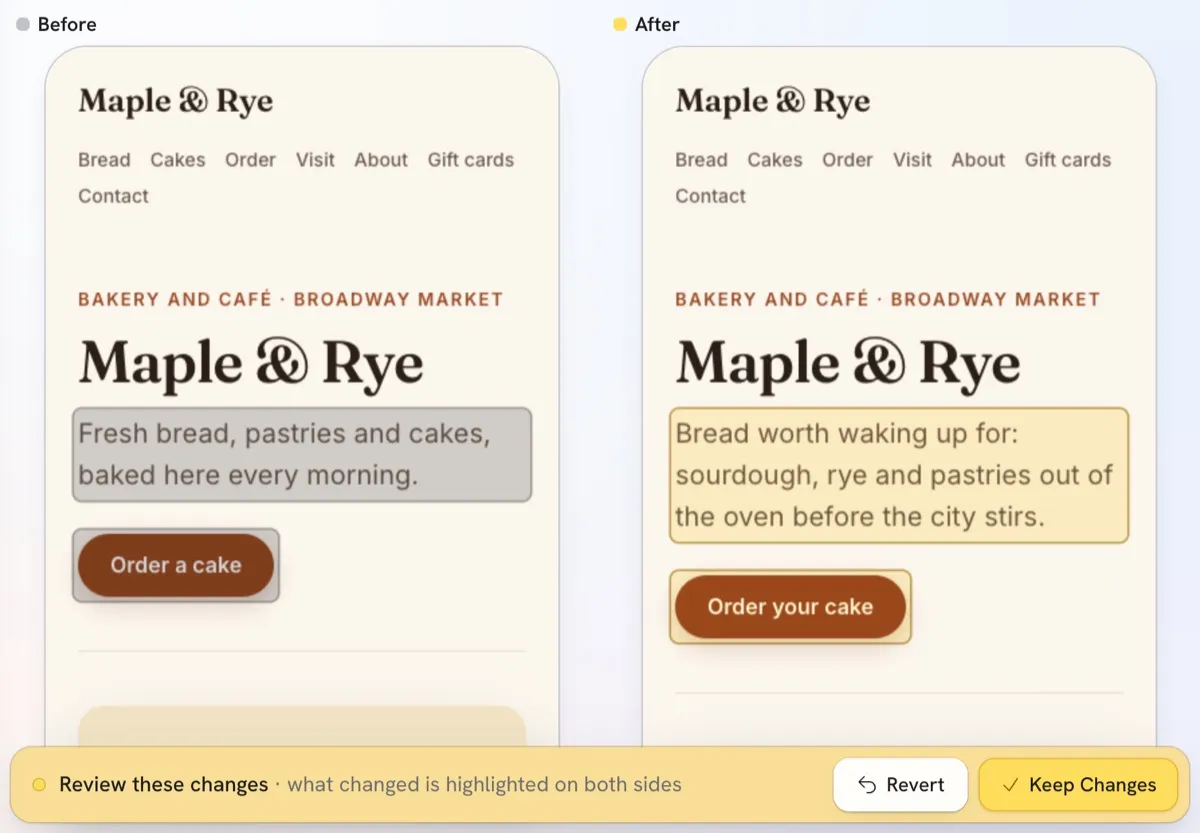
Before you keep a change, Basehand shows the page as it is beside the page as it would be, with what changed highlighted on both.
Read more about the Basehand website.