 Basehand
Your website
How much does a small business website really cost?
The price on a website builder's pricing page is rarely what you end up paying. The real costs of a small business website, the ones people forget, and how to compare your options fairly.
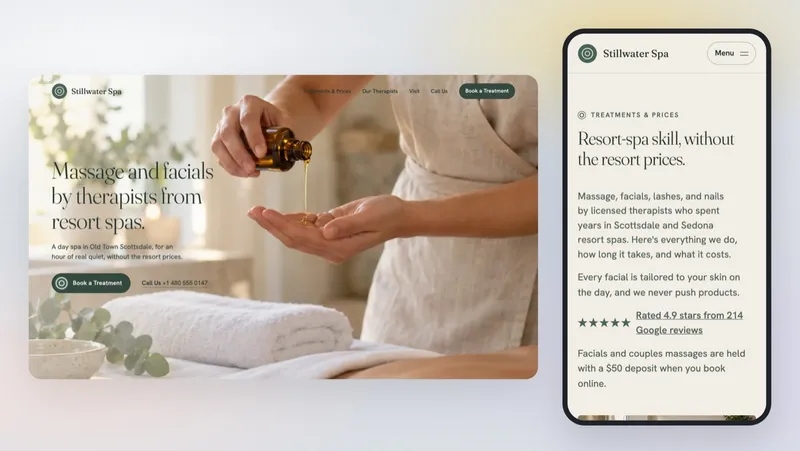
Ask what a website costs and you'll hear anything from "free" to tens of thousands of dollars. Both answers can be true. The difference is in what's included, who does the work, and the costs that only show up later.
The useful question isn't what the website costs. It's what it costs to have a website that keeps working for your business, year after year, including the tools around it and the time it takes you.
The three usual ways to get a website
Build it yourself with a website builder. You pay a monthly or yearly subscription and design the site from a template. It's the cheapest option on paper. The cost you don't see is your own time: learning the tool, writing the words, finding photos, and keeping it all up to date. AI tools now do much of that work, and our guide to building your website with AI shows how to get a good result from them.
Hire a freelance designer. You pay for the design and build once, and usually host it on a builder or a hosting service afterward. You get a more personal result, and the price depends a lot on who you hire and how big the site is. Changes after launch are often billed separately.
Hire an agency. You get a team, a process, and usually the most polished result. It's also the most expensive, and the ongoing cost of changes and support is part of the deal.
None of these is wrong. What matters is knowing what you're paying for.
The costs people forget
The monthly price on a pricing page is only the start. These are the costs that turn up later.
Your domain name
Your web address, like yourbusiness.com, is rented by the year. Some services include it for the first year and then charge for renewal. Note what it costs to renew, and make sure the domain is registered in your name, so you keep it if you ever move.
Email at your own address
An address like hello@yourbusiness.com looks more trustworthy than a free email account. It's usually a separate subscription, often charged for each person who needs an address.
Booking, payments, and other tools
Most businesses need more than pages. You might need online booking, a shop, forms, an email newsletter, or a way to take deposits. On many builders, each of these is a higher plan, an add-on, or a separate app with its own monthly fee. Add them up before you compare prices.
Payment fees
If you take payments online, the payment processor charges a fee on each one, usually a percentage of the payment plus a small fixed amount. Some platforms add a fee of their own on top. Check both.
Changes and upkeep
Your hours change. Your prices go up. You add a service, or a new person joins the team. If every change means logging into a tool you rarely use, or paying a designer by the hour, the site slowly falls out of date. An out-of-date website costs you customers, even if it costs nothing to keep online.
Your time
This is the biggest cost for most owners, and the one least often counted. Ten hours building a site and an hour a month keeping it current is real time taken from your business, or from your evenings.
How to compare your options
Write down what your business actually needs a website to do, then price each option against that list rather than against its headline price. For most small businesses, the list looks something like this:
Say clearly what you do, where you are, and when you're open (our home page checklist covers what that takes)
Look right on a phone
Let customers book, order, or get in touch
Show up on Google
Stay accurate when things change
For each option, add up the yearly cost of everything on the list: the subscription, the domain, email, apps, payment fees, and help with changes. Then estimate the hours it will take you. A cheap option that needs a weekend a month isn't cheap.
Questions to ask before you sign up
What does it cost after the first year, including renewals?
Which features are on the plan you're looking at, and which cost extra?
Who owns the domain, and can you take it with you?
What happens to your site if you stop paying?
How do you make a change, and how long does it take?
Is there a free trial, and does it need a card?
Is a website still worth it?
Some businesses get by with only a Google listing and a social media page, and that can work for a while. But you don't control either one. A website is the one place online that's entirely yours, where you decide what customers see, and where they can book or buy without going through anyone else. For most businesses, it pays for itself many times over if it brings in even a few customers a month.
Copy this worksheet
Copy it once for each option you're considering, and fill in a year of costs:
Website costs for one year

Option: [builder / freelancer / agency / other]

Subscription or hosting: $____
Design or setup, paid once: $____
Domain name renewal: $____
Email at your own address: $____ for [number] people
Online booking: $____
Online store or payments add-on: $____
Forms, newsletter, and other apps: $____
Payment fees, at about [X]% of $[your yearly online sales]: $____
Changes and support: $____

Total for the year: $____

Your hours to set it up: ____
Your hours each month to keep it current: ____
Questions to send before you sign up
Hi [name],

Before I decide, could you tell me:

1. What will it cost after the first year, including renewals?
2. Which of these are included, and which cost extra: [online booking, payments, a shop, forms, an email newsletter]?
3. Will the domain be registered in my name, and can I take it with me?
4. What happens to the site if I stop paying?
5. How do I make a change, and how long does it take?
6. Is there a free trial, and does it need a card?

Thanks,
[your name]
How Basehand helps
Basehand plans start at $79 a month in the US, or £59 in the UK, with a 7-day free trial and no card needed to begin. That includes a website designed for you and the tools around it, rather than a builder you design yourself. If you already have a website, Basehand copies what's on it, including your pictures, menus, products, and schedule. If you don't, it can start from your Google Maps listing and social media pages.
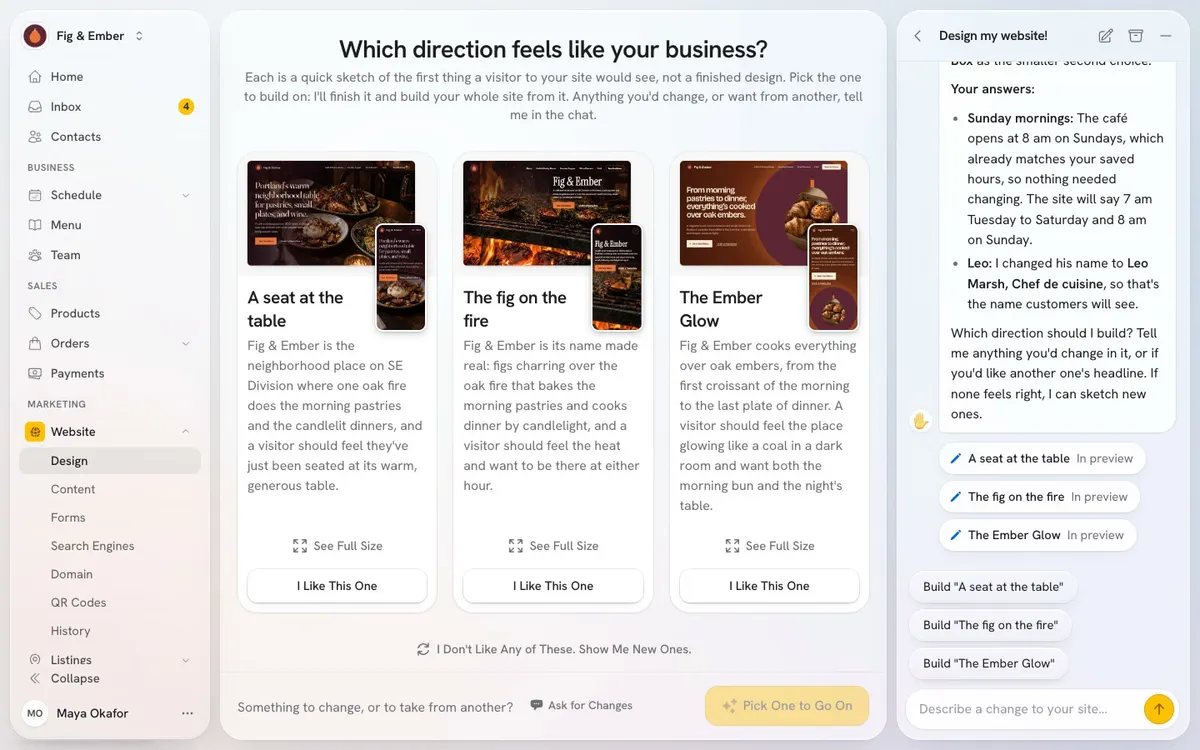
A new website starts from directions sketched for your business, so you pick a look rather than build one.
Your hours and location come from your business settings, so the website stays right when they change. Online booking, payments, forms, and an online store are part of Basehand rather than separate apps. To change something, you ask the Hand in plain words or point at part of the page and say what you want. Nothing goes live until you approve it.
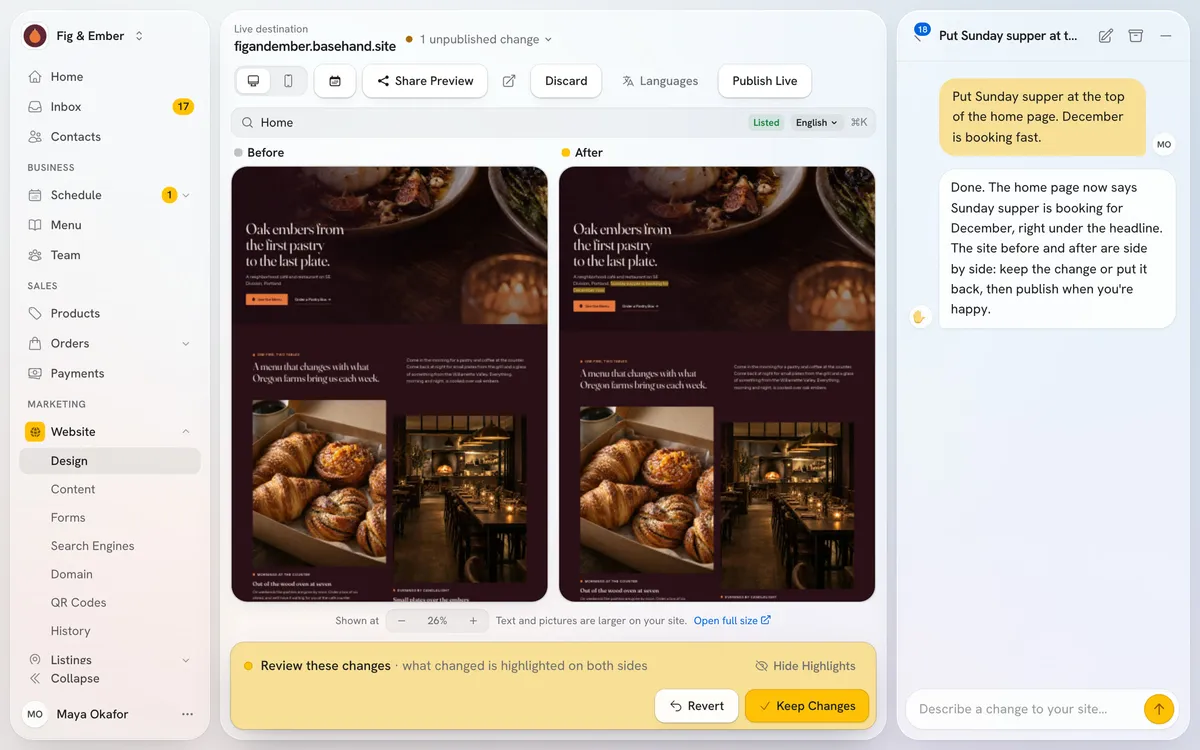
Asked in plain words, shown side by side before anything changes on the live site.
Every site gets a free basehand.site address, and you can connect a domain you already own. On a paid plan, Basehand also buys a domain for you and pays its renewals while you're subscribed. Read more about the Basehand website, and see our pricing for what each plan includes.